Apache Flink TypeScript Support with Streamkap Explained
Unlock Apache Flink TypeScript support with Streamkap. This guide shows you how to manage real-time data pipelines using TypeScript, APIs, and CDC.
It’s a common misconception that you can’t use TypeScript with Apache Flink. While it’s true you can’t write Flink jobs directly in TypeScript—Flink is a JVM-based framework, after all—you can absolutely manage and orchestrate Flink data pipelines from your TypeScript applications. The key is using a managed service like Streamkap.
Streamkap essentially acts as a powerful intermediary. It provides a clean REST API that lets your TypeScript code define, deploy, and monitor real-time data pipelines running on Flink and Kafka. You get all the power of Flink without ever having to touch Java or Scala.
Bridging The Gap Between TypeScript And Apache Flink
If your team lives and breathes TypeScript for building backend services and front-end apps, the idea of suddenly needing to write Java just for data streaming can be a real roadblock. It’s a different ecosystem, a different set of tools, and a steep learning curve. This is precisely the problem a managed platform solves.
By handling all the underlying Flink and Kafka complexities, Streamkap creates an abstraction layer. Instead of wrestling with JAR files and Flink’s Java API, your TypeScript application simply makes HTTP requests to Streamkap’s API. This approach flips the script on stream processing and comes with some serious perks:
- Keep Your Stack Consistent: Your team can stick with the language and tools they know best. No more context-switching between JavaScript/TypeScript and Java, which means everyone stays more productive.
- Embrace Infrastructure as Code (IaC): You can manage your data pipelines programmatically. Spin up new pipelines, update them, or tear them down right from your CI/CD workflow, making your deployments reliable and version-controlled.
- Ship Faster: Developers can zero in on the business logic within their TypeScript services instead of getting bogged down in the intricacies of the Flink ecosystem.
How Streamkap Makes It Work
At its heart, the integration hinges on a well-documented REST API. This API is your command center for the managed Flink cluster running behind the scenes. Your TypeScript code can send a simple request to, say, set up a new Change Data Capture (CDC) stream from a Postgres database or point a data stream toward Snowflake. Your application’s logic stays completely decoupled from the stream processing engine itself.
This architecture is becoming the go-to model for teams who want Flink’s power without the JVM overhead. In fact, industry data shows that about 32% of developers working on real-time platforms now use TypeScript for their integrations. Of those, 18% are specifically using managed Flink and Kafka infrastructure like Streamkap to make it happen.
The flow is surprisingly straightforward, as you can see in this diagram.
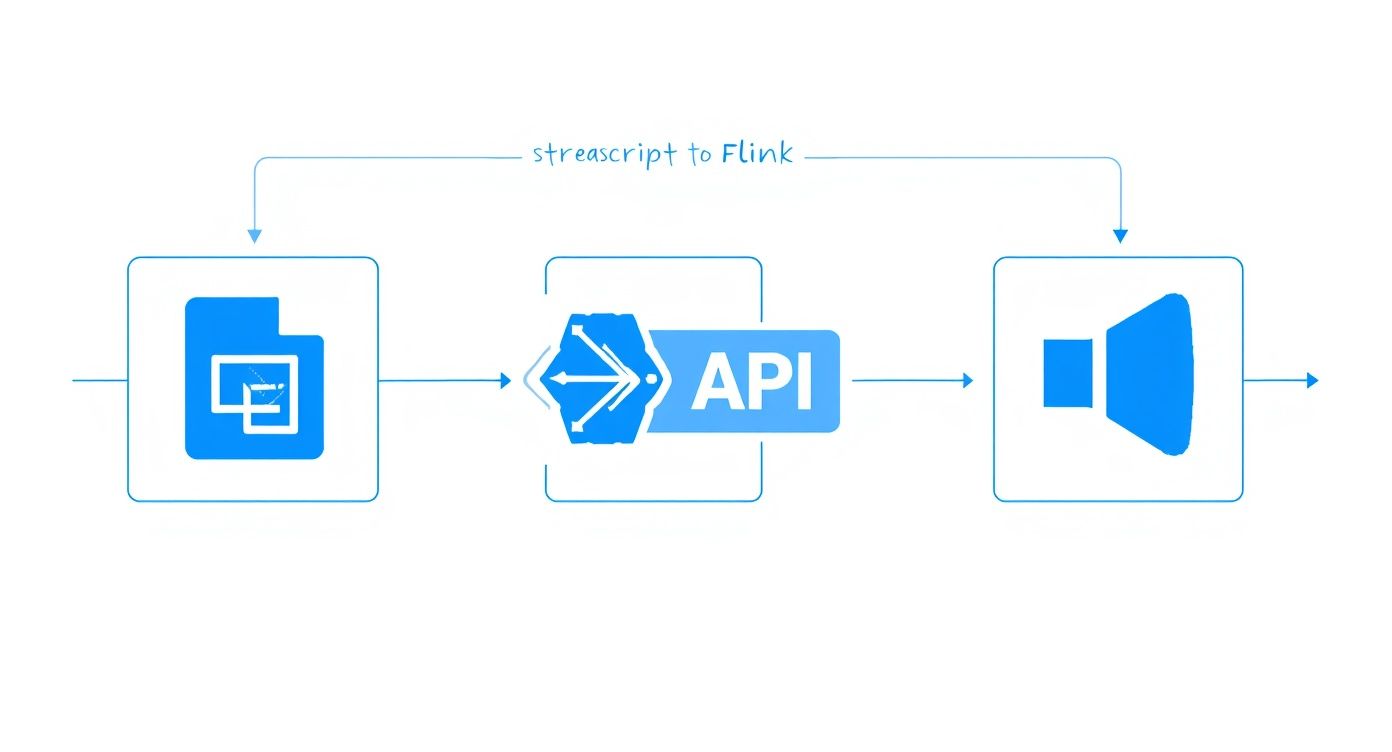
Your TypeScript application communicates with the Streamkap API, and Streamkap handles all the orchestration with the Flink cluster. This separation is what makes it possible to bring these two powerful, but very different, technology stacks together. If you want to dig deeper into the benefits, it’s worth understanding what a fully managed Flink service entails.
Preparing Your TypeScript Development Environment
Before we dive into writing the code to manage our Flink pipelines, let’s get our local setup squared away. A clean, well-organized development environment is your best friend—it prevents those frustrating configuration headaches that can stop a project in its tracks before it even starts.
First things first: you’ll need Node.js on your machine. I always recommend sticking with the latest Long-Term Support (LTS) version. It gives you that sweet spot of stability and access to modern JavaScript features.
You can check if you have it by popping open your terminal and running node -v. If nothing shows up or it’s an ancient version, just grab an installer from the official Node.js website.
With Node.js good to go, let’s create a new home for our project. In your terminal, run these commands:
mkdir streamkap-flink-manager
cd streamkap-flink-manager
npm init -y
That last command whips up a package.json file for you, which is basically the manifest for your project. It’ll keep track of all the libraries we add and the scripts we write.
Installing Core TypeScript Packages
Now, let’s bring in the tools for the job. We’ll obviously need TypeScript itself, and since we’re going to be talking to the Streamkap REST API, a solid HTTP client is a must. My go-to is almost always Axios.
Let’s install them. We’ll add TypeScript as a development dependency and Axios as a regular one.
- TypeScript:
npm install --save-dev typescript @types/node - Axios:
npm install axios
With those installed, we need to tell the TypeScript compiler how we want it to work. We do this by creating a tsconfig.json file right in the root of our project. A good starting point for this file will set a modern target, use a common module system, and—most importantly—turn on strict type-checking.
My two cents: Enable "strict": true in your tsconfig.json from day one. Seriously. It might feel a little restrictive at first, but it will save you from a world of pain by catching potential runtime errors before they ever happen. Your future self will thank you when it’s time to refactor.
Setting Up Your Streamkap Credentials
Okay, our local environment is ready. The next step is making sure our application can actually talk to Streamkap. To do that, it needs to authenticate, which means we need an API key.
Log in to your Streamkap dashboard. This is your command center for everything—data sources, connectors, and streams. It’s where you’ll manage your real-time infrastructure.
Once you’re in, find the API settings and generate a new key. This key is the passport for your code to make any changes or requests.
Treat this API key like you would any password. Never, ever hardcode it into your source code. The standard, and most secure, way to handle this is to store it in an environment variable, typically using a .env file at the root of your project. A small package like dotenv makes it incredibly easy to load these variables into your application securely. This simple practice isn’t just about security; it also makes it a breeze to switch between different keys for your development and production environments without touching a single line of code.
And with that, our setup is complete. We’re ready to start building.
Alright, with your development environment ready to go, it’s time to get some data moving. This is where you’ll really see the benefits of a managed platform like Streamkap. What used to be a heavy lift for the engineering team now becomes a series of straightforward configuration steps.
Let’s start by setting up a Change Data Capture (CDC) source to pull data from a database in real time.
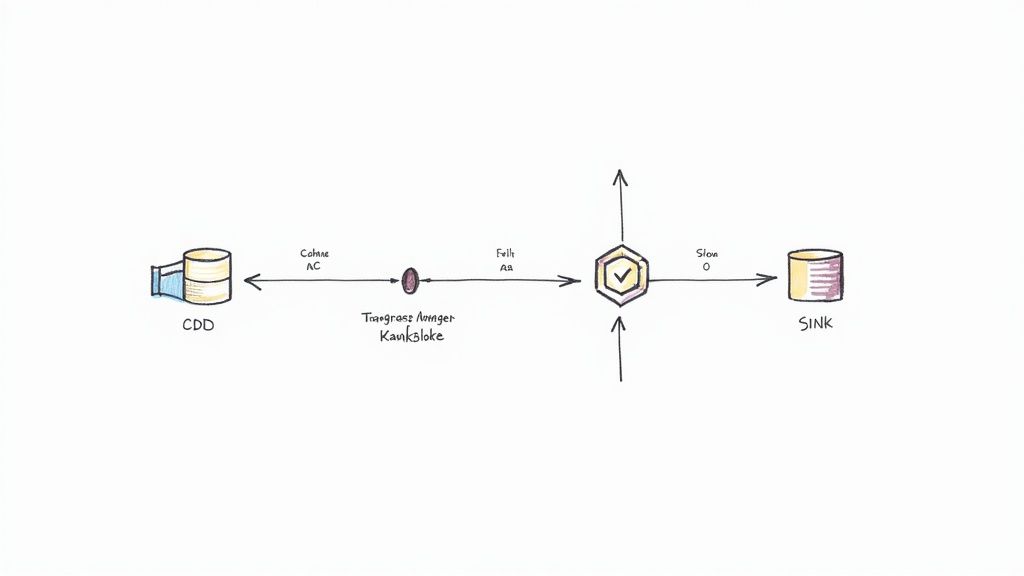
In the Streamkap interface, you’ll kick things off by creating a new “Source.” Imagine you need to connect to a busy PostgreSQL database for an e-commerce platform. You’ll just plug in the necessary connection details—host, port, user, password, and database name—through a secure form. Streamkap takes it from there, connecting to your database and getting ready to capture every single INSERT, UPDATE, and DELETE.
This is a much smarter approach than constantly polling the database for changes, which can be a real performance killer. Instead, CDC reads the database’s transaction log directly, so the impact on your source system is negligible.
Defining the Data Destination
Once your data source is wired up, you need to decide where that data should go. This destination, or “Sink,” could be a data warehouse like Snowflake, a real-time analytics database, or even another Kafka topic for more downstream processing. The process is pretty similar: just provide the credentials for whatever sink you’ve chosen.
For instance, if you’re sending data to Snowflake, you’ll need to input your account URL, warehouse, database, and schema, plus your authentication details. Streamkap handles the rest, automatically creating tables in Snowflake that perfectly mirror the schema of your source tables.
Here’s a huge win: automated schema evolution. If a developer adds a new column to a table in your source PostgreSQL database, Streamkap spots the change and automatically adds that same column in Snowflake. This is a lifesaver, as it prevents a ton of pipeline failures and cuts out tedious manual maintenance.
This whole seamless connection is powered by Streamkap’s managed Apache Flink and Kafka infrastructure humming along in the background. You don’t have to manage them directly, but they’re the workhorses ensuring every piece of data gets from source to sink reliably. As you set this up, it’s always a good idea to keep the core concepts from these best practices for data migration in mind—data integrity is everything.
Applying Quick Transformations in the UI
Before your data even hits your TypeScript application, you can handle some common transformations right inside the Streamkap UI. For simple data shaping, this is often the quickest and most efficient way to get things done.
You can do things like:
- Column Masking: Easily hide sensitive data like PII before it ever leaves your secure environment.
- Topic Routing: Send events from different tables to specific Kafka topics based on a set of rules.
- Schema Definition: Manually tweak data types or rename fields so they fit perfectly with your destination’s requirements.
Using these UI-based transformations gives you a clean, well-structured data stream from the get-go. By the time your TypeScript code consumes these events, the data is already in the right format, which saves you a ton of processing overhead in your application.
For a more detailed walkthrough, our guide on the full https://streamkap.com/blog/streamkap-set-up will get you started. Nailing this foundation makes the next step—actually managing the pipeline with TypeScript—so much easier.
Managing Flink Pipelines with TypeScript Code
Once you’ve set up your initial data pipeline in the Streamkap UI, the real fun begins. We can move beyond manual clicks and start managing our pipelines programmatically. This is where the true power of using TypeScript with Flink and Streamkap shines—letting your application code become the command center for your entire data infrastructure.
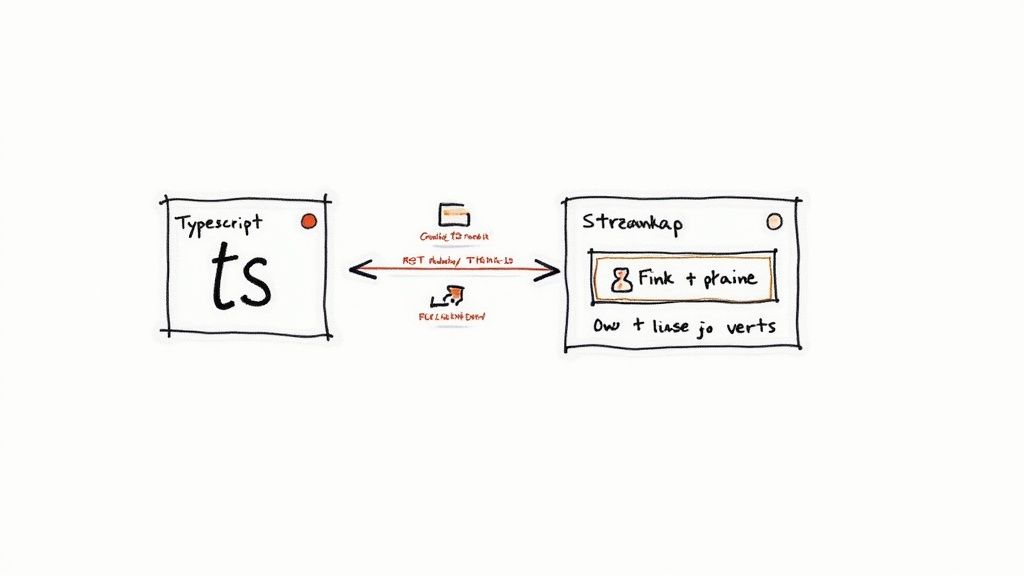
The magic behind this is Streamkap’s REST API. It acts as a perfect bridge, allowing the TypeScript code you’re already comfortable with to orchestrate a complex, JVM-based stream processing engine like Apache Flink. This means you can do things like create new connectors, pause data streams, or check on pipeline health, all through simple, automatable HTTP requests.
Taking Control of Pipelines Programmatically
Let’s get practical. Say you have a planned database maintenance window coming up. You need to pause a data stream to prevent a flood of errors or data loss. Logging into a dashboard to do this manually is fine once in a while, but it’s not a scalable or repeatable process.
A simple TypeScript script, maybe using a library like Axios, can handle this flawlessly.
You’d just need to fire off a POST request to a specific Streamkap endpoint, passing along the connector ID and the new state you want, like "PAUSED". This kind of script can be plugged directly into your existing CI/CD pipelines or maintenance workflows, making your data infrastructure just as automated as your application deployments.
Here’s a quick look at what a function to do this might look like:
import axios from ‘axios’;
// Be sure to store your API key securely, e.g., in environment variables
const STREAMKAP_API_KEY = process.env.STREAMKAP_API_KEY;
const API_BASE_URL = ‘https://api.streamkap.com/v1’;
/**
- Updates the state of a specific Streamkap connector.
- @param connectorId The unique identifier for the connector.
- @param state The desired state, either ‘RUNNING’ or ‘PAUSED’.
*/
async function setConnectorState(connectorId: string, state: ‘RUNNING’ | ‘PAUSED’) {
try {
const response = await axios.post(
${API_BASE_URL}/connectors/${connectorId}/state,
{ state }, // The request payload
{
headers: {
‘Authorization’:Bearer ${STREAMKAP_API_KEY},
‘Content-Type’: ‘application/json’
}
}
);
console.log(Success! Connector ${connectorId} is now ${state}.);
return response.data;
} catch (error) {
// A real implementation would have more robust error handling
console.error(Failed to update connector state: ${error.message});
throw error;
}
}
This isn’t just about making life easier. Automating these operational tasks drastically reduces the risk of human error and ensures your processes are consistent, reliable, and even version-controlled right alongside your application code.
The following table breaks down some of the most useful Streamkap API endpoints that you can integrate into your TypeScript applications for pipeline management.
Streamkap API Endpoints for TypeScript Integration
HTTP MethodEndpointDescriptionUse Case ExampleGET/v1/pipelinesRetrieves a list of all configured pipelines in your account.Periodically check the health and status of all running pipelines from a dashboard.POST/v1/pipelinesCreates a new data pipeline from a source to a sink.Dynamically spin up a new analytics pipeline when a new microservice is deployed.GET/v1/connectors/{connectorId}Fetches detailed information about a specific connector.Get current throughput or error metrics for a specific source before making changes.POST/v1/connectors/{connectorId}/stateSets the state of a connector to RUNNING or PAUSED.Pause a database CDC connector during a scheduled maintenance window via a script.DELETE/v1/pipelines/{pipelineId}Permanently deletes a data pipeline and its associated resources.Automate the cleanup of temporary pipelines created for integration testing.
These endpoints provide the essential building blocks for creating a sophisticated, code-driven management layer for your real-time data infrastructure.
Putting Your Data to Work in a TypeScript Backend
The other half of the equation is actually using the data Streamkap is diligently delivering. Think about a common e-commerce scenario: you want to send a welcome email the very instant a new user signs up. Your primary user data lives in a PostgreSQL database, and Streamkap is set up to capture every INSERT into the users table.
This pipeline sends those change data capture (CDC) events to a Kafka topic, which your TypeScript backend can listen to.
Using a web framework like Express.js and a Kafka client library, your backend service can consume messages directly from that topic. When a “new user” event arrives, your service can spring into action:
- Parse the Event: The message payload will be a JSON object. Your code can easily extract the new user’s email, name, and other details.
- Trigger Business Logic: With the user data in hand, it can immediately call an external service like SendGrid or Mailgun to dispatch the welcome email.
- Update Other Systems: The event could also trigger other actions, like an API call to update your CRM or push a notification to a real-time analytics dashboard.
This event-driven architecture is a game-changer. Your backend is no longer stuck polling a database for changes. Instead, it reacts to events as they happen in real-time. This leads to systems that are far more responsive, scalable, and loosely coupled. It’s a fundamental and powerful shift in application design.
Deploying and Monitoring Your Streaming Application
You’ve defined your data pipeline and your TypeScript code is ready to go. Now comes the critical part: moving your creation from the development sandbox into a live production environment. This isn’t just about flipping a switch; it’s about deploying your application thoughtfully and setting up a rock-solid monitoring strategy to keep things running smoothly for the long haul.
Deploying the TypeScript application itself should feel like familiar ground. You can containerize it with Docker and push it through your standard CI/CD workflow. Whether you’re deploying to a cloud provider like AWS (using EC2 or Fargate) or a PaaS like Vercel or Heroku, the process is straightforward. This service is the piece that interacts with the Streamkap API and consumes data from your final sink.
Once your code is live, your job transitions from builder to observer. This is where the Streamkap dashboard becomes your command center for the entire Flink and Kafka infrastructure humming away in the background.
Keeping a Close Eye on Pipeline Health
Good monitoring means catching problems before they snowball. The Streamkap dashboard gives you a live, real-time window into the health of your pipelines, showing you the exact metrics that matter. You can stop guessing and get direct feedback on how the managed Flink jobs are performing.
Here are the vital signs I always keep on my primary screen:
- Data Latency: This is your end-to-end delay—the time it takes for an event to get from the source database all the way to your sink. If you see a sudden spike, it could be a bottleneck in the Flink job or a problem with the destination system.
- Throughput: How much data is flowing through the pipe? Measured in records or bytes per second, this tells you the volume. An unexpected drop is often the first sign of a problem at the source, letting you catch it before a massive backlog builds up.
- Connector Health: The dashboard shows a clear status for every source and sink connector. If a connector flips to a “degraded” or “failed” state, that’s your cue to jump in and investigate immediately.
A truly effective monitoring strategy isn’t about staring at dashboards all day. It’s about building a system that tells you when something’s wrong, often before your users even notice. Setting up automated alerts for latency spikes or rising error rates is non-negotiable for any production streaming system.
With your Flink application in production, you’ll want to explore some key application performance monitoring best practices to ensure everything stays performant. These principles are universal for building resilient systems.
For a deeper dive into the mechanics of streaming, check out our guide on real-time data processing. By pairing a solid deployment process with vigilant monitoring, you can be confident that your system is not just working, but is also resilient and fast.
Common Questions About Flink and TypeScript
When you start mixing technologies from different worlds, like a frontend-focused language and a heavy-duty stream processor, questions are bound to pop up. It’s totally normal to wonder where the lines are drawn when you bring TypeScript into the Apache Flink ecosystem. Let’s clear up a few of the most common things developers ask when they start exploring Apache Flink and TypeScript with Streamkap.
Can I Write Flink UDFs Directly in TypeScript?
This is usually the first question on everyone’s mind. The short answer is no, not directly. Flink’s engine is a JVM beast, so its core logic and User-Defined Functions (UDFs) need to be written in a language that runs on the JVM, like Java or Scala. Python support exists, but native TypeScript isn’t on the menu for that deep, in-stream custom logic.
So, how does it work with Streamkap? The integration is about orchestration. You use TypeScript to manage your Flink pipelines through an API, not to write the stream processing logic itself. For custom transformations, you’ve got two solid options: either use Streamkap’s built-in transformation tools right in the UI or let the data land in a sink (like a Kafka topic) and then process it with your TypeScript application from there.
Why Bother With The API When The UI Is So Good?
It’s a fair question. The Streamkap UI is incredibly intuitive for getting started, but the API unlocks a whole new level of automation and power. Think of it as the key to adopting a true “infrastructure-as-code” approach for your data pipelines. A UI is great for one-off tasks; an API is for building scalable, repeatable systems.
Using TypeScript with the API lets you:
- Automate Everything: Spin up, modify, and tear down pipelines programmatically as part of your CI/CD flow. No more manual clicking.
- Scale on Demand: Write your own logic to adjust pipeline resources based on real-time application load or other business triggers.
- Integrate Deeply: Embed pipeline management right into your own backend services for a completely unified operational setup.
This turns your data infrastructure from something you manually configure into a dynamic system defined and version-controlled right alongside your application code.
The real power move is treating your data pipelines just like any other piece of software. By managing them with code via an API, you bring all the benefits of modern software development—versioning, automated testing, and repeatability—to your data infrastructure.
How Do Data Schemas Work in This Setup?
Schema management is another big one. How do you make sure the data from your database doesn’t break your TypeScript app? This is where Streamkap really shines. It automatically reads the schema from your source database and registers it, usually serializing the data into a standard like Avro or JSON Schema.
On your end, you just create corresponding TypeScript types or interfaces that match that schema. This gives you full type safety and all the autocompletion goodness you expect in your editor. It creates a strong, reliable contract between the data stream and your code, so you catch potential mismatches at compile time instead of having things blow up in production.
Ready to bridge the gap between your TypeScript applications and the power of real-time data streaming? Streamkap provides the managed Flink and Kafka infrastructure to make it happen, letting you focus on building features, not managing complex data systems. Start your free trial today and see how easy it is to get your data moving.
Related resources
Kafka Consumer Lag: Causes, Debugging, and Fixes
Consumer lag is the most common Kafka operational issue. Learn what causes it, how to measure it, and practical strategies to bring it under control.
Kafka on Kubernetes: Real-World Lessons
Running Kafka on Kubernetes sounds like a good idea until you hit storage, networking, and operational challenges. Here's what teams learn the hard way and how to avoid the common pitfalls.
Backpressure in Stream Processing: What It Is and How to Handle It
Learn what backpressure means in streaming pipelines, how to detect it, and practical strategies for handling it in Kafka, Flink, and CDC pipelines without losing data.