CDC Cost Optimization for Streaming Destinations: Transparent Credit Math and Trade-Offs

Ricky Thomas
June 3, 2026
TL;DR
• Snowflake and BigQuery bill streaming ingest by uncompressed data volume, not rows — bursty workloads cost far more than steady-state averages suggest • Micro-batch CDC cuts warehouse streaming API costs to near-zero by loading in bulk, but trades sub-second freshness for 1–15 minute latency • A simple capacity model for month-end and seasonal spikes lets you forecast spend before you commit to a destination, not after your first surprise bill
A team connects their Postgres order management database to Snowflake via CDC. Testing goes smoothly: a handful of transactions per second, negligible credit consumption. Then month-end close hits — 180 million rows in 60 hours — and the streaming credit bill triples the monthly estimate.
Nobody changed any code. The volume was always going to arrive. The cost model just wasn’t visible until it landed on the invoice.
This pattern repeats across engineering teams adopting streaming destinations. The pricing is deterministic, but it maps to units that don’t match how you reason about CDC throughput. You think in rows-per-second; the bill arrives in credits-per-gigabyte. Understanding that translation before you go to production is the difference between a predictable operating cost and a recurring surprise.
The Streaming Credit Math Problem
Two pricing models dominate warehouse streaming ingest:
Per-uncompressed-GB. Snowflake’s streaming ingest API charges based on the raw, uncompressed data volume received — not rows, not events, not compressed bytes. A JSON event with 40 columns at 1.2 KB uncompressed counts as 1.2 KB against the credit meter, regardless of how efficiently it compresses on disk. Only data values count; structural overhead like JSON key names doesn’t.
Per-GB-written with tiered throughput. BigQuery’s Storage Write API charges by data written, with two tiers: on-demand (pay per GB as you go) and committed throughput (capacity reserved in blocks). On-demand is flexible but expensive during bursts. Committed throughput is cheaper per GB but bills whether or not you consume the reserved capacity — which makes it a fixed cost, not a variable one.
Both models behave predictably under steady-state load. The surprises arrive when CDC workloads do what they naturally do: compress weeks of changes into hours.
Per-Row Pricing: When Granularity Costs
The practical billing unit for streaming ingest isn’t a credit or a generic GB figure. It’s your row’s uncompressed footprint multiplied by change frequency.
Consider two tables with the same daily row volume — 10 million changes each:
A user_sessions table with 12 columns and short strings averages around 180 bytes per row uncompressed. Ten million changes per day = roughly 1.7 GB/day against the meter.
A transaction_events table with 45 columns and nested JSONB payloads averages 1.4 KB per row. The same 10 million changes per day = roughly 13 GB/day uncompressed — 7.6× more than the session table for identical row count.
Engineers default to estimating streaming costs from row count. The actual cost driver is row width times change frequency. A financial audit log with 60 columns and high update rates can generate streaming credit costs an order of magnitude above what the row count implies. This isn’t a bug in the pricing model; it’s just the math of uncompressed bytes.
Where this becomes prohibitive: high-frequency, wide-row tables under burst conditions. Order management systems during peak periods, event sourcing tables, and time-series logging tables frequently push daily peaks 10–30× above their monthly averages. A cost estimate built from steady-state averages will undercharge by that same factor during the burst.
There’s also a schema dimension. Adding columns to a high-volume table isn’t just a schema migration — it’s a streaming cost increase. A table that gains 8 new columns across a quarterly schema evolution might see 15–20% higher ingest costs with no change in row count. Teams optimizing Snowflake streaming spend often look at column pruning at the pipeline level: dropping columns the warehouse query layer doesn’t actually use before the data hits the ingest API.
Micro-Batch vs Continuous: Architecture Trade-Offs
The cost profile changes significantly when you introduce a staging layer between CDC capture and warehouse load.
Continuous streaming pushes every change directly to the destination as it lands — sub-second freshness, full streaming API cost for every row. Micro-batch buffers changes in intermediate storage, then loads to the warehouse in configurable intervals, typically 1 to 15 minutes. Bulk load operations (COPY into Snowflake, batch load into BigQuery) bypass the streaming ingest API entirely. At high throughput, the cost difference can reach 10–20× per GB.
| Continuous streaming | Micro-batch | |
|---|---|---|
| Latency to destination | Sub-second | 1–15 minutes |
| Warehouse streaming API cost | Full metered rate | Near-zero |
| Consistency model | Per-row, eventually consistent | Batch-level atomic |
| Delete propagation | Native CDC tombstone | Requires merge step at load |
| Best fit | Real-time ML features, live dashboards | BI, reporting, analytics |
The latency trade-off is real, but worth calibrating against actual downstream SLAs. Most BI and analytics workloads tolerate 5-minute-old data without any dashboard or report quality impact. Sub-second freshness in the warehouse genuinely matters for a narrower set of use cases: operational ML feature pipelines where stale features degrade model accuracy, customer-facing real-time screens, and fraud detection systems where a 10-second-old balance is materially wrong. Outside those, you’re paying a streaming premium for latency the downstream queries won’t notice.
One area where micro-batch’s cost advantage narrows: schemas with heavy delete traffic. Streaming CDC propagates deletes as tombstone events; the warehouse applies them immediately. Micro-batch requires a merge at load time to reconcile buffered deletes against staged inserts. That merge adds compute and can slow load windows for wide tables or tables with complex primary key structures. For GDPR erasure pipelines or soft-delete patterns with high delete rates, continuous streaming sometimes has better total cost of ownership when you factor in the merge compute.
Forecasting Real-World Spend: Bursty and Seasonal Workloads
Estimating from average throughput is the single most common cost forecasting mistake. CDC workloads are quiet most of the time. Then they spike.
Month-end close. Accounting and ERP systems generate 10–100× normal change volume in a 48–72 hour window. A finance table averaging 200K rows per day might push 15 million changes during close. Cost estimates from daily averages will undercount that window by 75× — and the warehouse streaming credit bill hits the same billing cycle as the quiet periods.
Seasonal peaks. E-commerce and logistics CDC pipelines regularly see 5–20× normal transaction volume during known peak windows. Unlike month-end, these are predictable from last year’s data. They’re still frequently excluded from initial cost estimates on the assumption that “we’ll deal with it later.” Streaming bills don’t defer.
Initial snapshot load. When you first connect a source table, the pipeline snapshots the full historical table before switching to incremental CDC. A 500-million-row orders table generates a one-time burst that can exceed months of normal streaming cost in a single operation. This is a one-time event, not a recurring cost — but it should be modeled separately.
A simple framework for forecasting annual destination spend:
daily_gb     = (avg_rows_per_day × avg_row_bytes_uncompressed) / 1,073,741,824
peak_daily_gb = daily_gb × peak_multiplier
annual_gb    = (daily_gb × 300) + (peak_daily_gb × 65)
Use peak_multiplier to reflect your highest known burst ratio — typically 10–30× for month-end close in financial systems, 5–15× for seasonal e-commerce peaks. The 65-day factor approximates combined peak-period days in a calendar year. Multiply by your destination’s per-GB streaming rate to get a spend envelope before you commit.
Autoscaling destinations handle bursts transparently but bill proportionally — the spike costs exactly what the data volume implies. Fixed-capacity environments (self-managed clusters, Iceberg on object storage) absorb the same burst without proportional cost increase, because you’re paying for provisioned capacity rather than per-event volume. The trade-off is sizing discipline: provision for peak, and you’re overprovisioned during quiet periods.
Cost-Aware Destination Selection
The right destination depends on throughput profile, query patterns, and your team’s tolerance for operational overhead.
| Destination | Low (<1M rows/day) | Medium (1M–50M rows/day) | High (>50M rows/day) | Query model |
|---|---|---|---|---|
| Snowflake | Predictable credits, easy start | Watch per-GB on wide rows | Budget burst capacity explicitly | Full SQL, strong governance |
| BigQuery | Low entry cost | Committed throughput often pays off | On-demand risk at spikes | Serverless, petabyte-scale |
| Redshift | Cluster overhead dominates at low volume | Good value once cluster is sized | Scales linearly with RA3 nodes | Tightly integrated with AWS |
| Iceberg on S3 | Cheapest ingest cost | Query compute at read time | Most cost-efficient at high volume | Open format, multi-engine |
Snowflake and BigQuery earn their streaming premium when you need strong SQL governance, row-level security, and ad-hoc query performance without managing infrastructure. For teams that already live in these warehouses, the operational overhead of running a separate Iceberg stack often costs more in engineering time than the credit delta. The streaming cost is real — it just needs to be modeled, not avoided.
Redshift streaming ingestion feeds materialized views directly from Amazon Kinesis or MSK. There’s no separate streaming API charge on top of the cluster; ingest is included in node compute pricing. For AWS-native architectures where a Redshift cluster is already running for other workloads, that’s a meaningful cost advantage — you’re not paying a streaming markup on top of existing cluster hours.
Iceberg on S3 inverts the model entirely. Ingest writes Parquet files to object storage at standard S3 rates — a fraction of warehouse streaming API costs. You pay compute only at query time, which makes it ideal for high-volume compliance archives, data retention pipelines, and analytics where queries are infrequent and latency tolerance is measured in minutes, not milliseconds. The trade-off is real: query latency is higher than a managed warehouse, catalog management adds operational overhead, and partition strategy decisions that don’t matter at low volume become significant at hundreds of billions of rows.
One practical note: the pricing page rarely tells the full story. Snowflake’s actual streaming credit rates live in a consumption table published separately from the documentation. BigQuery’s committed throughput pricing shifts when you cross capacity thresholds. Build your cost model against real throughput numbers — not the pricing page header — before finalizing destination selection.
Where to next?
Ricky Thomas
LinkedInAuthor Bio
Ricky has 20+ years experience in data, devops, databases and startups.
Published
June 3, 2026
TL;DR
• Snowflake and BigQuery bill streaming ingest by uncompressed data volume, not rows — bursty workloads cost far more than steady-state averages suggest • Micro-batch CDC cuts warehouse streaming API costs to near-zero by loading in bulk, but trades sub-second freshness for 1–15 minute latency • A simple capacity model for month-end and seasonal spikes lets you forecast spend before you commit to a destination, not after your first surprise bill
Related blog posts

Batch Processing vs Real-Time Stream Processing
There is a big movement underway in the migration from batch ETL to real-time streaming ETL but what does that mean? How do these methods compare? While real-time data streaming has many advantages over batch processing, it is not always the right choice depending on the use case so let's take a loo
Silent CDC Failures and Timeout Detection: Building Durable Alerting
Most CDC pipelines alert on crashes but miss the slow failures that cost you most. Learn to detect latency creep early, recover from checkpoint without a full re-snapshot, and route alerts to the tools your on-call team already watches.
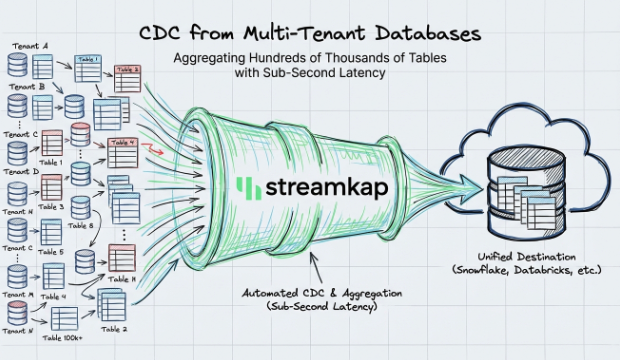
CDC from Multi-Tenant Databases with Sub-Second Latency
How Streamkap handles CDC at scale across multi-tenant databases with thousands of schemas, delivering sub-second latency without managing Kafka or Flink.