What Is Data Orchestration: what is data orchestration in practice
Discover what is data orchestration and how it streamlines complex workflows, automates tasks, and unlocks reliable insights.
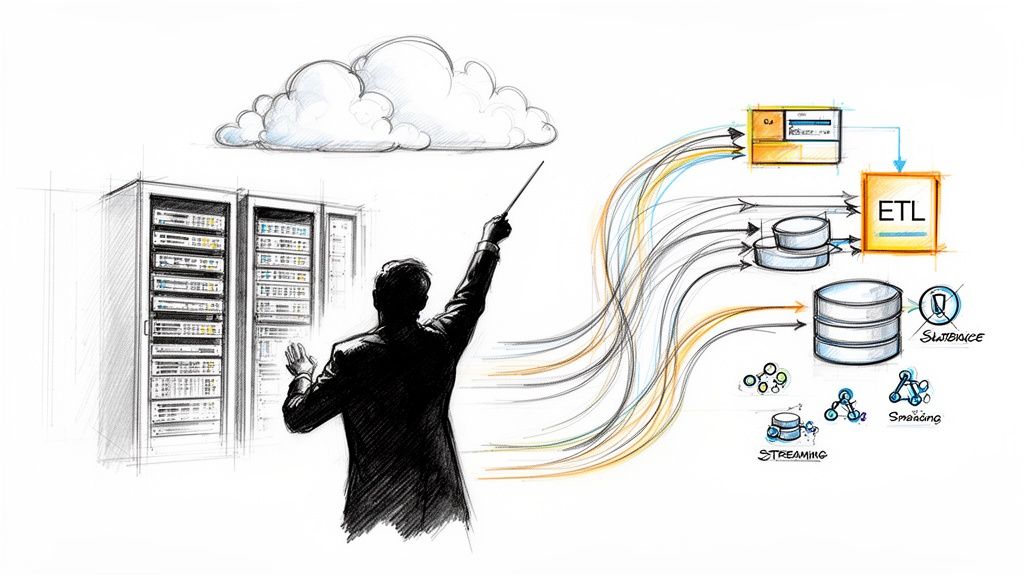
Think of a symphony orchestra. Each musician is an expert, but without a conductor, you just get noise. Data orchestration is that conductor for your data—it’s the practice of automating, managing, and coordinating all your data processes so they work together in perfect harmony.
What Is Data Orchestration Explained Simply
Data orchestration is the central brain of a modern data stack. It doesn’t just move data; it intelligently automates the entire sequence of tasks involved in a complex data flow, from extraction at the source, through transformation and cleansing, all the way to loading it into an analytics platform or machine learning model.
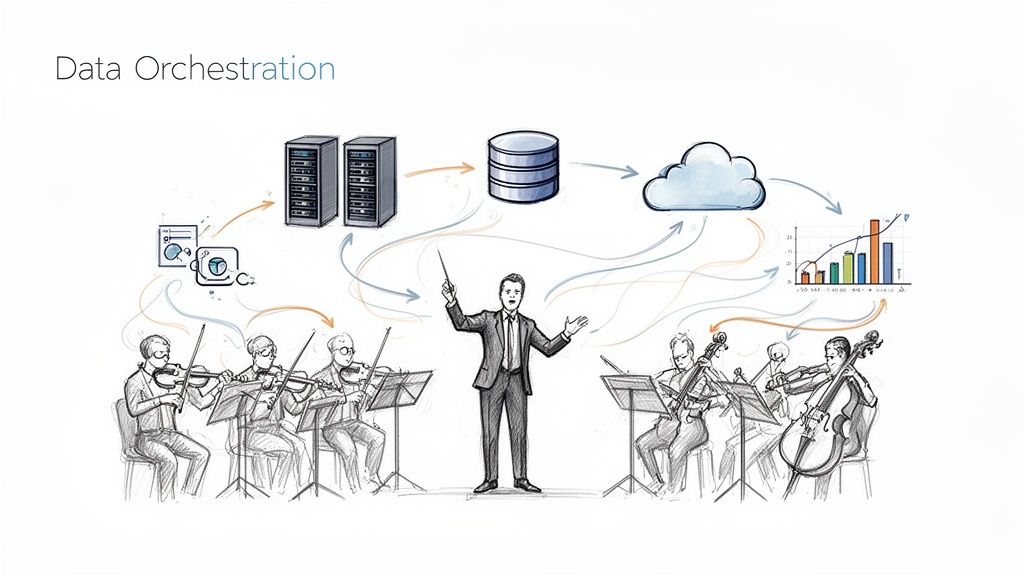
This goes far beyond simple scheduling. A true orchestration system understands dependencies—it knows not to run a reporting job until the underlying data has been successfully cleaned and verified. It handles failures gracefully, automatically retrying a failed task or alerting the right team when something goes wrong.
The Bigger Picture of Data Movement
At its core, data orchestration is about managing the logic of your entire data pipeline. This isn’t just a technical convenience; it’s a strategic necessity as organizations work to unify information from dozens of disconnected systems. This trend is driving huge growth in the market.
In fact, the broader data integration sector is projected to swell from USD 17.58 billion in 2025 to USD 33.24 billion by 2030. This growth is fueled by the need for platforms that can manage the complex, real-time data workflows that orchestration enables. You can explore the full data integration market analysis to see how these trends are shaping the industry.
Core Functions of a Data Orchestration System
So, what does a data orchestration platform actually do? The table below breaks down its essential responsibilities, moving beyond simple task management to full-fledged workflow coordination.
| Function | Description | Example |
|---|---|---|
| Workflow Automation | Automates the entire sequence of data-related tasks, ensuring they run in the correct order without manual intervention. | A workflow that first pulls sales data from a CRM, then cleans it, and finally loads it into a data warehouse for analysis. |
| Dependency Management | Manages the relationships between tasks, ensuring a task only runs after its prerequisites have successfully completed. | A dashboard refresh job won’t start until the data aggregation task that feeds it is finished and verified. |
| Error Handling & Retries | Automatically detects failures, logs errors for debugging, and can retry failed tasks a set number of times. | If an API call to a third-party service fails, the system will wait five minutes and try again before sending an alert. |
| Monitoring & Logging | Provides a centralized view of all workflow statuses, performance metrics, and detailed logs for troubleshooting. | A central dashboard shows that 95% of daily data pipelines completed successfully, highlighting the 5% that need attention. |
| Scalability | Manages resources effectively to handle growing data volumes and workflow complexity without performance degradation. | Automatically spinning up additional cloud resources to process a massive end-of-quarter data load, then scaling down. |
Ultimately, data orchestration provides the reliability and structure needed to build data systems you can actually trust. It turns a collection of separate, brittle scripts into a resilient, observable, and scalable data ecosystem.
How Data Orchestration Platforms Actually Work
To really get what data orchestration is, you have to pop the hood and see how the engine runs. While we talk about it like conducting a symphony, the mechanics are closer to a high-tech, automated factory floor. At the heart of any orchestration platform are three core components working in lockstep to manage the chaos of modern data workflows.
Think of it this way: the Scheduler is the factory’s production manager, clipboard in hand, deciding what gets built and when. The Execution Engine is the set of robotic arms and assembly lines that actually do the work. And the Metadata Repository is the official logbook, tracking every single action, part, and outcome for quality control.
Let’s pull back the curtain on each of these pieces.
The Scheduler: The Master Planner
The scheduler is the brain of the entire operation. It’s responsible for kicking off and timing every data workflow, but it’s far more sophisticated than a simple alarm clock. It handles complex logic that decides when and why a process should run.
A scheduler’s job includes:
- Time-Based Triggers: The classic “run this report every morning at 8 AM” instruction.
- Event-Based Triggers: Kicking off a workflow in response to something happening, like “start the data cleansing process the moment a new file lands in our cloud storage.”
- Dependency Management: This is where the magic happens. The scheduler understands the intricate web of relationships between tasks, making sure everything happens in the right order.
That last point is absolutely critical. It ensures that the task to build a customer dashboard won’t even think about starting until the tasks pulling data from both the CRM and the payment system have finished successfully. No more half-baked reports.
The Execution Engine: The Workhorse
Once the scheduler gives the go-ahead, the execution engine rolls up its sleeves. This is the component that actually does the heavy lifting—running the code, executing the commands, and talking to all the external systems, databases, and APIs needed to get the job done.
The execution engine is built to be tough. If a task fails—maybe a database connection drops for a second—the engine won’t just give up. It can be configured to automatically retry the task a few times before it officially flags it as a failure. This component is also smart about distributing work across all available computing resources, ensuring the system can scale up to handle massive workloads without breaking a sweat.
The Metadata Repository: The System of Record
Every single move made by the scheduler and execution engine is meticulously logged in the metadata repository. This isn’t just a simple text file of logs; it’s a structured database packed with rich information about every single workflow that has ever run.
The repository is the single source of truth for your data operations. It tracks the status of each task (succeeded, failed, running), logs execution times, stores output, and records error messages, providing complete visibility and an auditable trail for debugging and compliance.
This historical data is gold. It helps you monitor performance over time, pinpoint bottlenecks, and keep a finger on the pulse of your entire data ecosystem. As companies dive deeper into complex cloud environments, the need for this kind of rigorous management is exploding. It’s no surprise that the global cloud orchestration market is projected to skyrocket from USD 20.32 billion in 2025 to USD 75.39 billion by 2032, as detailed in this comprehensive cloud orchestration market report.
Visualizing Workflows with Directed Acyclic Graphs (DAGs)
So how do these tools keep all those dependencies straight? Most use a concept called a Directed Acyclic Graph (DAG). It sounds complicated, but a DAG is just a flowchart for your data workflow. Each task is a box (a “node”), and the arrows (“edges”) show how they’re connected and in what order they must run.
Here’s a simple example of what a DAG looks like:
The key is in the name. “Directed” means the arrows only point one way, defining a clear path from start to finish. “Acyclic” means there are no circles—it’s impossible for a workflow to get stuck in an infinite loop. This simple but powerful structure provides a clear, logical map for even the most complex data pipelines.
In the world of data, it’s easy to get tangled up in a web of similar-sounding terms. While data orchestration, ETL, and workflow automation all have a hand in managing processes, they play fundamentally different roles in a modern data stack. Getting these distinctions right is the key to building a data strategy that actually works.
At a high level, the difference boils down to scope and intelligence.
Think of ETL (Extract, Transform, Load) as a specialized delivery truck. Its job is incredibly specific: pick up packages (data) from one place, repackage them (transform), and drop them off at a new destination. It’s a linear, point-to-point task. Data orchestration, on the other hand, is the entire logistics and supply chain system. It doesn’t just drive the truck; it’s the control tower that coordinates all the trucks, warehouses, and delivery schedules, making sure everything happens in the right order and responding intelligently to delays or changes.
This diagram shows the core components an orchestration platform juggles to make that happen.
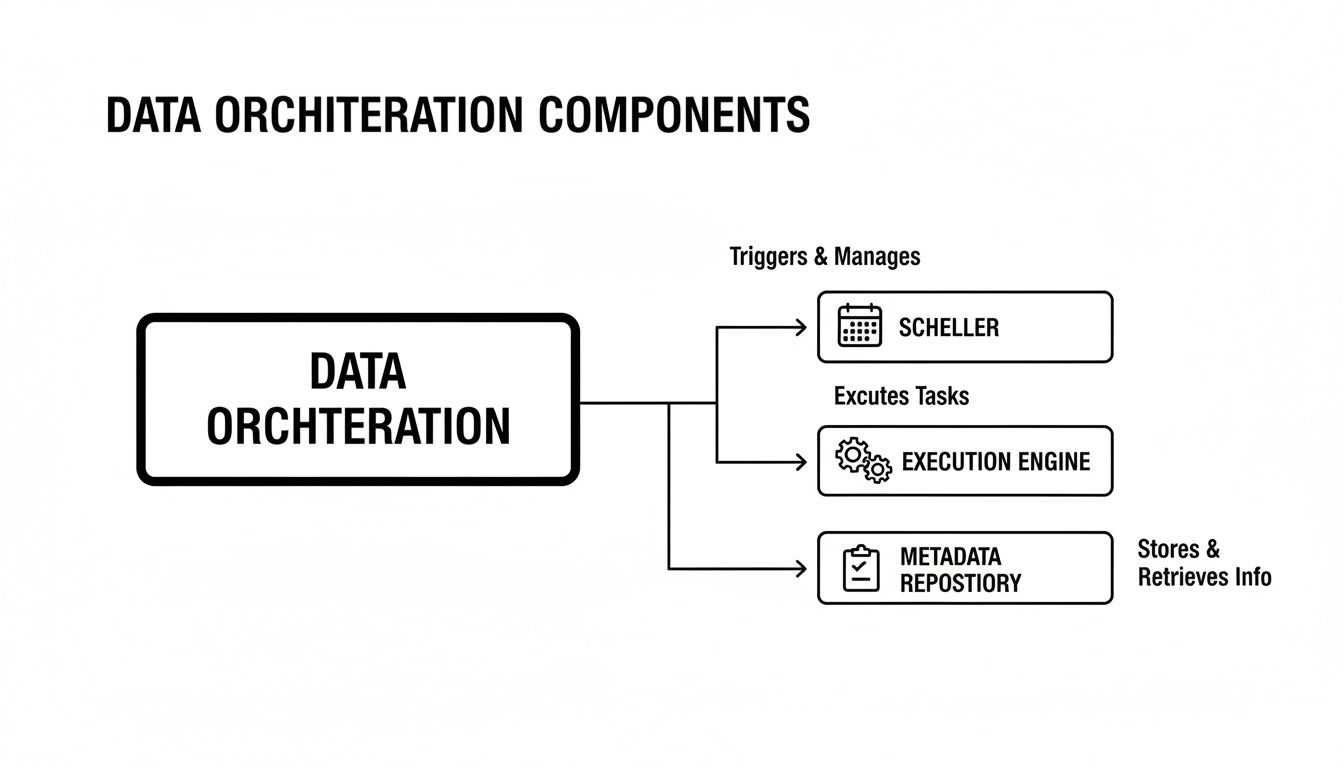
You can see how the scheduler, execution engine, and metadata repository work in tandem. This is the central nervous system that manages complex, interconnected data operations.
Unpacking The Key Differences
Let’s get a bit more granular. While an ETL process is a common task within an orchestrated workflow, it is not the workflow itself. An orchestration platform is the high-level coordinator that might trigger an ETL job as just one step in a much larger, multi-stage process. For a deeper dive into this specific data movement process, check out our guide on what is an ETL pipeline.
Workflow automation is an even broader term that isn’t exclusive to data. It can refer to automating almost any business process, like sending marketing emails or managing IT support tickets. Data orchestration is a specialized form of workflow automation, purpose-built to handle the unique headaches of data pipelines—like managing dependencies, wrestling with massive data volumes, and ensuring data integrity from start to finish.
Data orchestration is not just about running tasks in a sequence. It’s about managing the entire lifecycle of data as it moves through an organization, making decisions based on the state of the data and the success or failure of previous steps.
A Clear Comparison
To make the distinctions crystal clear, let’s put these concepts—along with real-time data streaming—side-by-side. Each has a distinct purpose and is the right tool for different jobs.
This table provides a comparative analysis of these key data management concepts to clarify their unique roles and functions.
Data Orchestration vs ETL vs Workflow Automation vs Streaming
| Concept | Primary Purpose | Scope | Data Handling | Key Use Case |
|---|---|---|---|---|
| Data Orchestration | Manages and automates end-to-end data workflows across multiple systems and tools. | High-level and strategic, coordinating various processes like ETL, ML training, and reporting. | Both batch and event-driven. Manages dependencies and logic. | Running a multi-stage machine learning pipeline that ingests data, trains a model, and deploys it. |
| ETL (Extract, Transform, Load) | Moves data from a source, transforms it, and loads it into a target system. | Task-specific and linear, focused solely on the data movement process. | Primarily batch-oriented, processing data in scheduled chunks. | Migrating historical sales data from a legacy CRM into a cloud data warehouse for analysis. |
| Workflow Automation | Automates any sequence of tasks, which may or may not be related to data. | General-purpose, covering everything from business processes to IT operations. | Varies by tool; can be simple triggers or complex rule-based logic. | Automating the new employee onboarding process, from creating accounts to sending welcome emails. |
| Data Streaming / CDC | Moves data from source to destination continuously and in real time as events occur. | Focused on immediate data capture and delivery with minimal latency. | Event-driven and continuous, handling data record by record. | Instantly updating an inventory dashboard as sales are made in an e-commerce platform. |
Ultimately, these tools are not mutually exclusive; they’re complementary. A robust data architecture often uses an orchestration platform to manage and trigger various processes, including specialized ETL jobs and real-time data streams.
Orchestration acts as the strategic layer, providing the structure, reliability, and visibility needed to turn a collection of individual data tasks into a powerful, automated system that drives real business value.
Putting Data Orchestration Into Practice
The theory behind data orchestration is great, but seeing it solve real business problems is where the lightbulb really goes on. This isn’t just an abstract concept for data engineers; it’s a practical framework that gives companies a serious competitive edge. Let’s dig into three common scenarios where businesses put data orchestration to work.
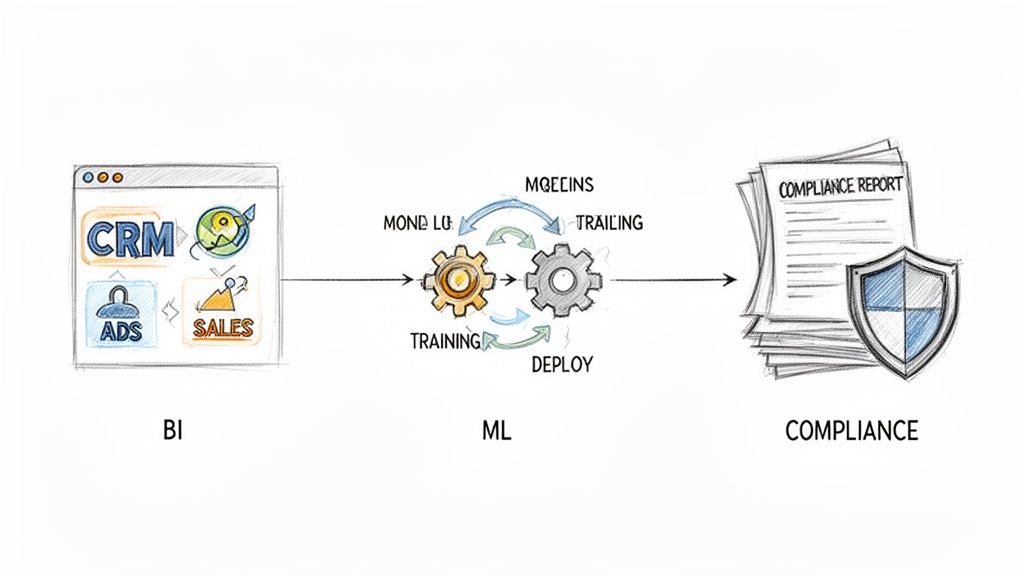
Each of these examples tackles a different challenge, but the solution comes back to the same core idea: a well-coordinated workflow that turns a mess of disconnected data into actual intelligence.
Building a Unified Business Intelligence Dashboard
As companies grow, they almost always run into the data silo problem. It’s a classic. The marketing team has its ad performance data locked away, the sales team lives in their CRM, and finance has all the revenue figures in a completely different system. Getting a single, clear picture of the business? It becomes a painful, error-prone manual task.
Here’s how data orchestration cleans up the mess:
- The Challenge: An e-commerce company wanted a daily dashboard that showed the entire customer journey, from the first ad click all the way to the final purchase. This meant they had to somehow stitch together data from Google Ads, Salesforce, and their own internal sales database.
- The Orchestrated Solution: They built a workflow that kicked off automatically every morning. The first task grabbed the latest ad spend data. At the same time, another task pulled fresh lead info from Salesforce. Only when both of those were done did a third task fire up, joining the datasets with sales records, calculating the return on ad spend, and pushing the final, unified data into their BI tool.
- The Impact: The team instantly saved hours of manual data wrangling every single day. Even better, leadership got a near real-time, holistic view of performance, allowing them to shift marketing budgets to the most profitable channels with total confidence.
This is a perfect illustration of what data orchestration is at its core: it manages dependencies between data tasks to create a single source of truth everyone can rely on.
Automating Complex Machine Learning Pipelines
A machine learning model is only as smart as the data it’s trained on. The whole process—prepping data, training the model, and deploying it—is incredibly complex. Every step relies on the one before it finishing successfully, which makes it a prime candidate for orchestration.
In the world of AI, data orchestration is the bedrock of operational success. It ensures that models receive clean, timely data and that the entire pipeline—from data prep to deployment—runs like a well-oiled machine without constant human intervention.
The market is taking notice. The global AI orchestration market is expected to jump from USD 11.02 billion in 2025 to USD 30.23 billion by 2030. This boom is largely driven by the rise of generative AI, which absolutely depends on sophisticated, orchestrated data pipelines to function. You can discover more insights about AI market expansion and see how it’s tied to modern data management.
Streamlining Financial Compliance Reporting
For any financial institution, regulatory compliance isn’t optional, but generating the necessary reports is often a brutal, painstaking process. It means pulling data from countless systems—transaction logs, customer identity platforms, fraud detection engines—and making sure every last digit is accurate and traceable.
Here’s a look at how that plays out:
- The Challenge: A fintech company had to submit quarterly anti-money laundering (AML) reports. Their old process involved manually pulling data, cross-referencing everything in spreadsheets, and formatting it by hand. It took weeks and was a recipe for human error.
- The Orchestrated Solution: They swapped the manual grind for a data orchestration workflow. The new pipeline automatically gathered transaction data, checked it against customer verification records, flagged suspicious activity based on pre-set rules, and compiled the final report in the exact format regulators required.
- The Impact: What used to take weeks now took just a few hours. The automated workflow guaranteed consistency and created a crystal-clear audit trail for regulators, slashing compliance risk and freeing up the team to focus on actual analysis instead of just copying and pasting data.
Building Resilient and Scalable Data Pipelines
Great data orchestration is about more than just stringing tasks together and hitting “run.” It’s about building a system that can take a punch, grow alongside your business, and ultimately earn your trust. A flimsy, poorly designed pipeline isn’t just an inconvenience; it’s a ticking time bomb, ready to fail and pollute your data when you least expect it.
That’s why building for resilience and scale from the very beginning is non-negotiable. It’s the only way to create workflows you can actually depend on.
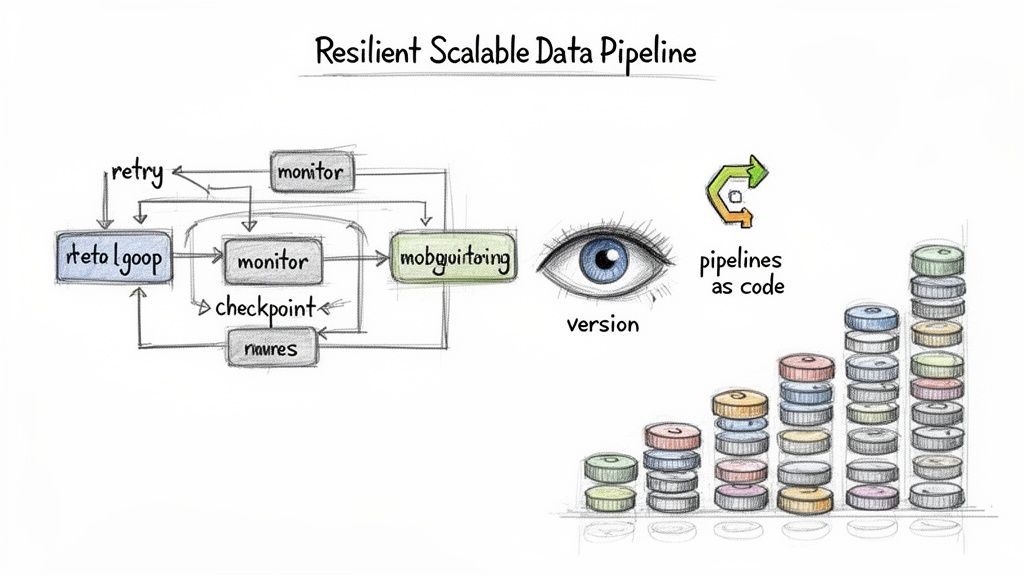
This requires a shift in mindset from simply “making it work” to engineering for reliability. Experienced data pros rely on a few core principles to turn brittle scripts into rock-solid, enterprise-grade systems. These practices ensure your pipelines don’t just work today—they’re ready for whatever you throw at them tomorrow.
Design Idempotent Tasks for Safe Retries
One of the most powerful concepts you can bake into your pipelines is idempotency. It sounds complex, but the idea is simple: an idempotent task can run once or a hundred times with the same input and will always produce the same outcome, without any weird side effects.
Imagine a task that’s supposed to add a new customer to your database. If it’s not idempotent, running it twice by accident—say, after a brief network hiccup—could create two duplicate customer records. An idempotent version would be smarter. It would first check if that customer already exists. If they do, it does nothing; if they don’t, it adds them. That simple check makes the task safe to retry automatically, preventing data corruption.
Embrace Robust Monitoring and Alerting
You can’t fix what you can’t see. A silent failure lurking in your pipeline could go unnoticed for hours or even days, quietly poisoning downstream dashboards and ML models. A resilient system is an observable one.
Robust monitoring is the nervous system of your data pipelines. It provides real-time visibility into every task’s status, duration, and resource usage, turning your black box of processes into a transparent, diagnosable system.
Good monitoring isn’t just a dashboard you check once a week. It involves:
- Centralized Logging: Pulling logs from every part of your pipeline into one place so you can actually search and analyze them effectively.
- Performance Metrics: Tracking key stats like data volume, processing latency, and CPU usage to spot bottlenecks before they become full-blown outages.
- Proactive Alerting: Setting up automated alerts that ping the right team on Slack or PagerDuty the moment something looks off—not hours later when a business user complains.
Adopt a Pipelines as Code Approach
Just like software engineers use version control systems like Git to manage their source code, data teams should treat their pipeline definitions as code. This discipline, often called “Pipelines as Code,” brings order and collaboration to the chaos of workflow development.
When you store your workflow definitions (like your DAG files) in a version-controlled repository, you unlock some huge advantages:
- Change Tracking: You get a crystal-clear audit trail of every change, including who made it, when, and why.
- Code Reviews: Changes can be reviewed and approved by teammates before they ever hit production, providing a critical sanity check.
- Automated Testing: You can automatically run tests against pipeline changes in a safe staging environment.
- Disaster Recovery: If a new deployment breaks everything, you can roll back to the last known good version with a single command.
This is a foundational practice for building a reliable data pipeline architecture that you can actually maintain and scale. Many of these principles of resilience and automation are also central to modern MLOps best practices, which tackle similar challenges in managing machine learning workflows.
Choosing the Right Data Orchestration Tool
Picking a data orchestration tool can feel like a high-stakes decision. The market is crowded, and every platform claims it can be the central nervous system for your entire data stack. But here’s the reality: there’s no single “best” tool. The right choice is the one that actually fits your team’s skills, your existing tech, and the way you work.
To find that fit, you have to cut through the marketing fluff and focus on what really matters. Having a simple evaluation framework helps you compare everything from powerful open-source projects to slick managed services. The first step is just understanding the main flavors they come in.
The Main Flavors of Orchestration Tools
The tool landscape isn’t as confusing as it first appears. Most options fall into one of three buckets, each with its own pros and cons. Knowing which bucket you belong in is half the battle.
- Open-Source Powerhouses: Think of tools like Apache Airflow. These are the industry veterans. They offer incredible flexibility and are backed by massive communities, but they don’t hold your hand. You’ll need serious engineering chops to set them up, keep them running, and make them scale. They’re a great fit for teams that live and breathe Python and aren’t afraid of managing infrastructure.
- Cloud-Native Services: Platforms like AWS Step Functions or Google Cloud Composer are designed to play nicely within their home cloud. They offer serverless models and take away a lot of the management headache, making them a no-brainer if your organization is already all-in on a specific cloud provider.
- Modern Orchestration Platforms: A new wave of tools like Prefect and Dagster emerged to fix the pain points of older systems. They tend to be more developer-friendly, “data-aware,” and offer a much smoother experience for building and debugging the kind of complex, dynamic pipelines that are common today.
A key thing to remember is that the right tool should make your team’s life easier, not harder. Don’t just look at the sticker price; consider the total cost of ownership. That includes setup time, ongoing maintenance, and the engineering hours spent building and babysitting your pipelines.
Your Evaluation Checklist
Once you have a sense of the categories, you can start weighing specific tools against your needs. Don’t get distracted by a long list of features you’ll probably never touch. Just focus on the fundamentals that will make or break your experience.
Here are the questions I always ask when evaluating a tool:
- How Quickly Can We Get Stuff Done? What’s the learning curve like? Does it require a specialist, or can our current engineers pick it up and be productive in a reasonable amount of time? A great UI and intuitive development patterns can make a world of difference.
- Will It Keep Up as We Grow? You need a tool that can grow with you. Can it handle more data, more complex workflows, and more tasks running at the same time without grinding to a halt? Look for things like distributed execution and dynamic scaling.
- Does It Play Well with Others? How easily does it plug into the tools we already use? A platform with a deep library of pre-built connectors for databases, warehouses, and SaaS apps is a huge win. It means less time writing fragile, custom integration code.
- What Happens When Things Break? Because they will. How easy is it to figure out what went wrong and why? Solid monitoring dashboards, useful logs, and alerts that actually tell you something are non-negotiable. So are smart retry mechanisms and clear error reports that help you fix problems fast.
Ultimately, data orchestration is all about automating and coordinating your data workflows. A platform like Streamkap fits into this picture perfectly by owning the crucial “first mile” of data movement. While your orchestration tool manages the when and why of a workflow, a real-time CDC platform provides the fresh, reliable data streams that kick everything off. When they work together, your entire data ecosystem just flows.
Answering Your Top Questions About Data Orchestration
As you dive deeper into data orchestration, you’ll naturally start asking some common questions. It’s easy to get tangled up in the terminology. Let’s clear the air and tackle some of the most frequent points of confusion head-on.
Data Orchestration vs. Data Choreography: What’s the Real Difference?
This one trips up a lot of people, but a simple analogy makes it click.
Think of data orchestration as a symphony orchestra. You have a conductor standing at the front, explicitly directing every musician—when to play, how fast, how loud. This central controller (the orchestrator) has full command, making the entire process predictable, manageable, and easier to debug when something goes wrong.
Data choreography, on the other hand, is more like a jazz ensemble. There’s no conductor. Each musician listens to the others and reacts, improvising their part based on what they hear. This approach is highly flexible and works well for simple, event-driven interactions. But as you add more musicians, it can quickly become chaotic and nearly impossible to track.
Orchestration gives you control; choreography gives you decentralized agility. For complex data pipelines, that central control is invaluable.
Can’t I Just Use Cron Jobs for This?
For a single, isolated task that needs to run on a schedule, a simple cron job is perfectly fine. But the moment you have more than one step, especially if one depends on the other, cron’s limitations become painfully obvious. It was never built for the complex logic modern data pipelines require.
Once you need to manage dependencies, handle failures, and see what’s happening across your entire data flow, a dedicated orchestration tool becomes non-negotiable. Cron just doesn’t offer the reliability or scalability needed for serious data operations.
A proper orchestration platform brings critical features to the table that cron completely lacks:
- Dependency Management: It guarantees that Task B won’t start until Task A has finished successfully.
- Automatic Retries: If a task fails because of a temporary glitch, the tool can automatically try it again.
- Centralized Logging: You get a single, unified view of all your workflows, making troubleshooting a breeze.
Using cron is like using a basic alarm clock to manage a complex project. An orchestration tool is the full-fledged project management software you actually need.
How Does Orchestration Work with Real-Time Data?
Many people hear “orchestration” and immediately think of batch jobs running on a fixed schedule, like every hour or once a day. But modern orchestration platforms are more than capable of handling real-time data. The secret is to shift from time-based triggers to event-based triggers.
Instead of waiting for the clock to strike midnight, the orchestrator listens for a specific event. This could be a new record landing in a database, captured by a real-time Change Data Capture (CDC) platform. The instant that event is detected, the orchestrator kicks off the downstream workflow.
This model allows you to manage the entire lifecycle of real-time data as it moves, making powerful, end-to-end event-driven architectures a reality.
Ready to build powerful, real-time data pipelines? Streamkap handles the critical first mile of data movement, providing the reliable, low-latency data streams that fuel your orchestrated workflows. Discover how Streamkap can help you move data in real-time.
Related resources
Do AI Agents Need Kafka? When Managed Streaming Makes More Sense
AI agents need real-time event streams, but that doesn't mean you need to run Kafka yourself. Learn when self-managed Kafka makes sense for agent workloads and when a managed streaming platform is the better choice.
Database Replication Patterns: Active-Active, CDC, and Beyond
A practical guide to database replication patterns — active-passive, active-active, CDC-based, snapshot, and multi-region. When to use each and common pitfalls.
What Is Real-Time Data? The Engineer's Guide to Sub-Second Pipelines
Everything you need to know about real-time data — what it is, how it works, CDC vs polling, architecture patterns, and how to build sub-second pipelines.