What Is a Data Flow Explained for Real-Time Business
Understand what is a data flow and how it moves data from source to destination. Explore real-time streaming, key components, and best practices.
Let’s get right to it. A data flow is simply the path data takes from where it’s born to where it becomes useful. Think of it as your company’s circulatory system—it moves raw information from all kinds of sources, cleans it up along the way, and delivers it to power analytics, applications, and crucial business decisions.
Understanding the Modern Data Flow
Imagine a city without roads. Nothing moves. Supplies don’t reach stores, people can’t get to work, and the entire system just grinds to a halt. A data flow is that road system for your business. Without it, your data is trapped in isolated systems—siloed, disconnected, and unable to deliver any real value.
But a data flow is more than just getting data from point A to point B. It’s a structured journey that includes extracting data, cleaning it, transforming it into a usable format, and loading it into a destination like a data warehouse. This whole automated process is managed through data pipelines. To see how they fit together, check out our guide on what data pipelines are.
Why Data Flows Are Critical for Business
You really can’t overstate how important this digital infrastructure is. Well-designed data flows are the engine behind everything from personalized marketing campaigns to instant fraud detection. They’re the backbone of the modern economy.
In fact, cross-border data transfers already contribute $2.8 trillion to the global GDP. Experts project that number could explode to $11 trillion by 2025. You can read more about the global economic impact of data flows on iccwbo.org.
So, what does a well-architected data flow actually do for you?
- Centralizes Information: It demolishes data silos by pulling data from everywhere—your CRM, website analytics, social media—into a single, unified view.
- Ensures Data Quality: By building in cleaning and validation steps, it guarantees your data is accurate and reliable before anyone tries to analyze it.
- Enables Timely Insights: It gets information to decision-makers when it matters, whether that’s through nightly reports or a real-time dashboard.
- Powers Advanced Analytics: It feeds the clean, structured data that machine learning models and predictive analytics depend on to function.
To wrap your head around these concepts quickly, the table below breaks down the fundamental parts of a data flow with a simple business analogy for each.
Data Flow at a Glance
This table summarizes the fundamental aspects of a data flow, providing a quick reference to the core ideas discussed in this guide.
| Concept | Brief Description | Business Analogy |
|---|---|---|
| Data Sources | The starting points where raw data is generated (e.g., databases, applications, IoT devices). | Individual factories or farms producing raw materials. |
| Data Transformation | The process of cleaning, structuring, and enriching data to make it useful. | A processing plant that refines raw materials into finished goods. |
| Data Destination | The final storage location where data is analyzed (e.g., data warehouse, analytics tool). | The retail store or distribution center where goods are sold. |
Thinking in these terms—sources as factories, transformation as the refinery, and destination as the storefront—makes it much easier to visualize how all the pieces come together to create value.
The Building Blocks of a Data Flow Architecture
Every data flow, no matter how simple or complex, is built from the same core components working together in a sequence. Getting a handle on these building blocks is the first step toward understanding how raw information becomes a real business asset.
Think of it as a sophisticated, automated assembly line for your data. Each stage has a very specific job, preparing the information for the next step until it’s finally ready for analysis.
Let’s break down this journey piece by piece, using a practical example: a customer’s activity on an e-commerce website.
Step 1: Data Sources
Everything begins at the source. A source is simply any system or platform where data is born. These can be incredibly diverse, ranging from your internal company databases to third-party apps you use every day. They are the origin points of your entire data story.
For our e-commerce company, the sources might include:
- Website Analytics: Tracking every click, page view, and item someone drops into a cart.
- Customer Relationship Management (CRM) System: Holding all the customer profiles, their purchase history, and contact details.
- Payment Gateway: Creating a transaction record for every single purchase.
- Social Media Platforms: Monitoring ad impressions and engagement from the latest marketing campaign.
Each of these systems is constantly generating a stream of raw, disconnected data points. The whole point of the data flow is to bring them all together.
Step 2: Data Ingestion
Once data is created, it has to be collected and moved. This is called ingestion. It’s the “collection” phase where we gather data from all those different sources and transport it to a central staging area or pop it directly into a processing system.
Ingestion can happen in two main ways: in scheduled batches (like a daily mail pickup) or as a continuous, real-time stream (like a live video feed). This initial move is absolutely critical for getting data out of its siloed source and into an environment where you can actually work with it.
In our e-commerce example, ingestion means pulling clickstream data from the website, extracting new customer records from the CRM, and grabbing transaction logs from the payment processor. All this information is then funneled into the next stage of the pipeline.
Step 3: Data Transformation
Let’s be honest, raw data is almost never ready for analysis. It’s usually messy, inconsistent, or in completely the wrong format. The transformation stage is where the real magic happens—it’s the process of cleaning, structuring, and enriching the data to make it consistent and genuinely useful.
This is arguably the most important step in the entire process. The quality of your transformation directly impacts the quality and reliability of your final insights. Get this right, and you’re working with gold.
Common transformation tasks include:
- Cleaning: Getting rid of duplicate entries, fixing typos, and figuring out what to do with missing values.
- Standardizing: Converting things like dates, currencies, and addresses into a single, uniform format (e.g., making sure all state names are two-letter codes).
- Enriching: Mashing up data from different sources, like joining website activity with a customer’s purchase history from the CRM to build a complete user profile.
- Aggregating: Summarizing data into something more meaningful, like calculating a customer’s lifetime spending or the average number of visits before their first purchase.
Step 4: Data Storage
After the data has been transformed, this clean, structured information needs a place to live. That’s the storage phase. Here, the processed data is loaded into its final destination, which is usually a data warehouse, data lake, or datamart.
These storage systems aren’t like your typical operational databases. They are purpose-built for fast and efficient querying and analysis. They’re optimized for analytical workloads, which lets analysts and tools get to the information they need without slowing things down.
Step 5: Data Consumption
The final stage of the data flow is consumption. This is the payoff—where the processed data is finally put to work to generate business value. The “consumers” of this data can be actual people or other applications, all looking to pull out insights and make smarter decisions.
For our e-commerce company, consumption might look like this:
- Business Intelligence (BI) Tools: Analysts fire up platforms like Tableau or Power BI to connect to the data warehouse. They build interactive dashboards to visualize sales trends, customer behavior, and marketing campaign results.
- Machine Learning Models: Data scientists could use the historical data to train a model that predicts which customers are about to churn or recommends products to users while they’re browsing the site.
- Operational Applications: The insights might even be fed back into the CRM to create highly targeted marketing segments or to power a personalization engine on the website.
From a simple ad click all the way to a sophisticated predictive model, these five building blocks form the complete journey of a modern data flow.
Batch Processing vs Real-Time Streaming
Data doesn’t all move at the same pace. A huge part of understanding data flow is knowing how to pick the right speed for your specific needs. The two main ways to move data are batch processing and real-time streaming, and each has its own distinct rhythm and purpose.
Think of batch processing like the old-school way of developing film. You’d shoot a whole roll of 24 photos (your data), and only after you finished the entire roll would you take it to be processed. Everything happens in one big, scheduled chunk.
This method is perfect for jobs that aren’t time-sensitive. It’s a tried-and-true workhorse for handling huge volumes of data efficiently and is great for tasks like historical analysis.
The Scheduled World of Batch Processing
Batch processing is the engine behind many foundational business operations. It’s the go-to choice when you need to process massive datasets and can tolerate a delay between when data is created and when it’s finally used.
You see it everywhere in common business tasks:
- Nightly financial reports: All of a day’s transactions are gathered up and crunched into a single report for the finance team to look at the next morning.
- Weekly sales analysis: Sales figures from the past seven days are aggregated to spot trends and see how the team is performing against its goals.
- Monthly payroll: All the data collected over a month is processed at once to calculate salaries and benefits for every employee.
With batch, the focus is always on throughput and efficiency over speed. It’s a cornerstone of many data architectures for a reason.
The diagram below shows the basic journey data takes—whether in batches or streams—from where it starts to where it ends up.
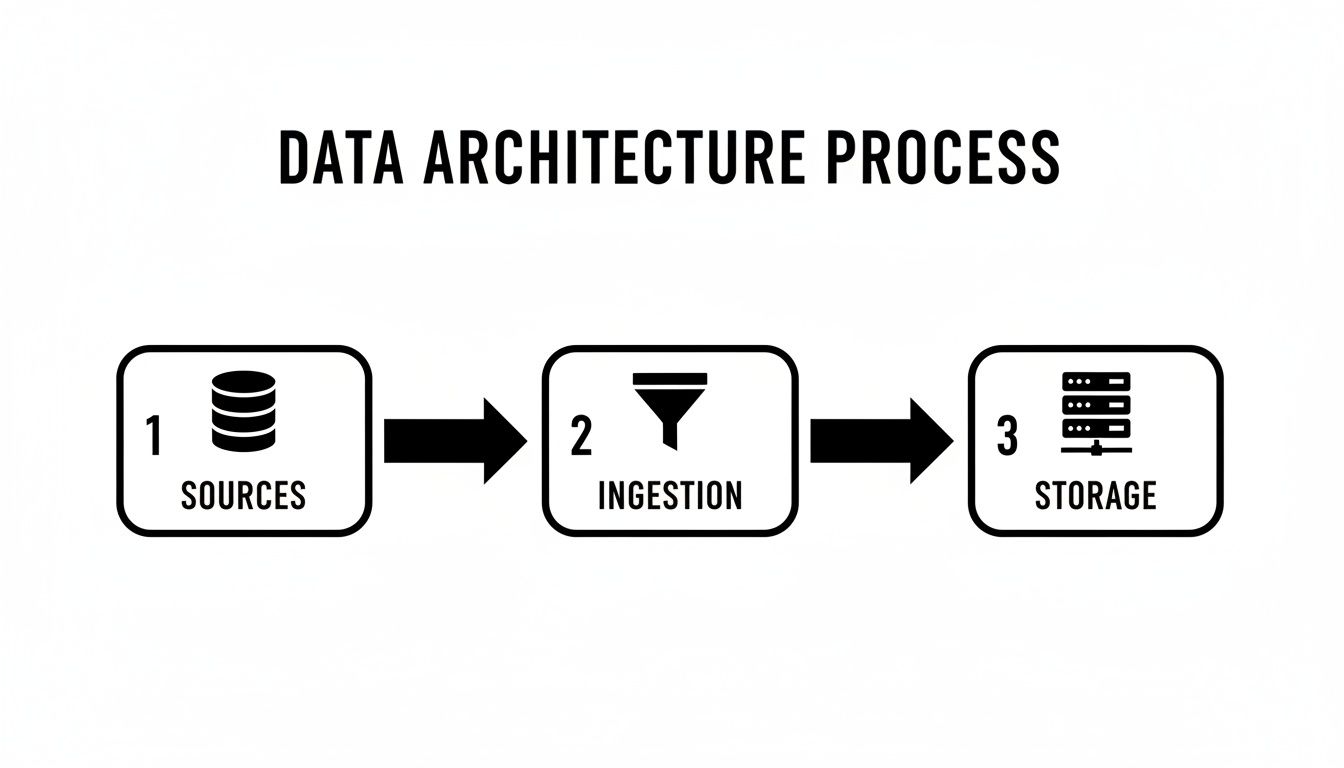
This just illustrates the fundamental path: from various sources, through an ingestion layer, and finally into a storage system.
The Instantaneous Power of Real-Time Streaming
Now, let’s flip the script. Instead of developing a roll of film, imagine you’re on a live video call. Real-time streaming is exactly like that—a continuous, unbroken flow of information, delivering data the instant it’s created. There are no schedules; data just flows.
This kind of immediacy is what powers the modern, event-driven applications we rely on every day, allowing businesses to react to new information as it happens.
And the need for this speed is exploding. Every single day, the world creates a staggering 402.74 million terabytes of data, a figure expected to grow by 26% annually through 2025. With that much information flying around, you need agile systems to sift through the noise and find what matters now.
Real-time streaming is essential in any situation where a delay could mean a lost opportunity or a preventable problem.
A data flow built for streaming is designed for “now.” It answers questions about what is happening at this very second, empowering businesses to act on opportunities or threats before they become history.
Here are a few prime examples where streaming is non-negotiable:
- Fraud detection: A bank can analyze a transaction the moment it happens, instantly flagging and blocking anything suspicious to stop fraud in its tracks.
- E-commerce inventory: An online retailer updates stock levels in real-time as customers buy products, preventing them from selling items they don’t have.
- IoT sensor monitoring: A factory uses live data from machine sensors to predict equipment failure, scheduling maintenance before a costly breakdown occurs.
Choosing the Right Approach for Your Needs
So, which one is better? The truth is, neither. The “right” choice depends entirely on the problem you’re trying to solve. For a more in-depth breakdown, check out our complete guide on batch vs stream processing.
To help you see the differences at a glance, this table provides a head-to-head comparison of the two main data flow methods. It’s a quick way to understand their distinct characteristics and where each one fits best.
Batch Processing vs Real-Time Streaming Comparison
| Feature | Batch Processing | Real-Time Streaming |
|---|---|---|
| Data Volume | Large, bounded datasets | Individual records or small, continuous micro-batches |
| Latency | High (minutes, hours, or days) | Low (milliseconds to seconds) |
| Throughput | High, optimized for large volumes | Varies, focused on processing speed |
| Typical Use Case | End-of-day reporting, payroll | Fraud detection, live dashboards, IoT |
| Complexity | Generally simpler to implement | More complex, requires specialized tools |
In the real world, most organizations don’t just pick one. They often use a hybrid approach, running daily batch jobs for deep historical analysis while using a real-time data flow to power live dashboards and customer-facing apps. The key is understanding the strengths of each so you can build a data architecture that’s both efficient and responsive.
Powering Real-Time Flows with Change Data Capture
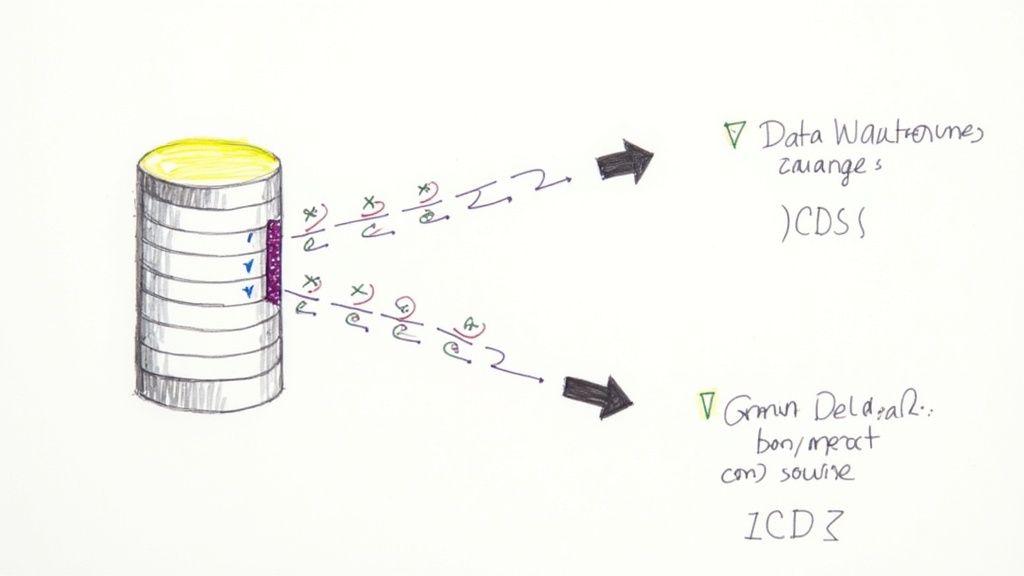
Real-time streaming is a game-changer, but it brings a huge challenge to the table. How do you get fresh data from a source database without constantly hammering it with queries? Trying to pull a full copy of a table every few seconds is not just inefficient—it can grind your core applications to a halt.
This is where you have to get smarter. To make real-time data movement a reality, you need a method that’s both fast and light on its feet. The answer is a technique called Change Data Capture (CDC).
The Smarter Way to Track Data Changes
Think of traditional data pulling like asking a colleague for a full project status report every five minutes. It’s disruptive, annoying, and mostly redundant. Change Data Capture, on the other hand, is like getting a targeted Slack notification the instant a single task is marked complete. You get only the new information, exactly when it happens.
So, how does it work? CDC hooks directly into a database’s internal transaction logs—the detailed, time-stamped records of every single change (every insert, update, and delete). Instead of querying the database tables themselves, a CDC process simply reads these logs to capture modifications as they occur.
This log-based approach delivers two massive benefits:
- Minimal Performance Impact: Because it reads from the logs, CDC adds virtually no load to the source database. Your production applications can keep running at full speed without interference.
- True Real-Time Speed: It captures changes with millisecond latency, letting you stream data to its destination almost instantaneously.
Change Data Capture transforms the data flow from a disruptive, polling-based process into a quiet, event-driven stream. It’s the key to unlocking real-time analytics and applications without compromising the stability of your source systems.
How CDC Works in a Modern Data Flow
So what does this look like in practice? Platforms like Streamkap are built around this very principle to create hyper-efficient, real-time data flows. The process is elegant, turning complex databases into live streams of events.
Let’s say a customer updates their shipping address in your PostgreSQL database. Here’s the play-by-play in a CDC-powered flow:
- The Change Occurs: The database executes the
UPDATEcommand and writes a record of this change to its transaction log. - CDC Captures the Event: A CDC tool, like Streamkap, is listening to this log. It immediately sees the new entry for the address change.
- The Event is Streamed: The tool captures this change event—often including both the old and new values—and streams it into a messaging system like Apache Kafka.
- Data Reaches the Destination: From Kafka, the change event is sent to its final destination, perhaps a Snowflake data warehouse, where the customer’s record is updated in near real-time.
For a deeper look into the mechanics, check out our detailed guide on what is Change Data Capture. This method completely gets rid of the need for clunky batch jobs when you need your data to be fresh.
The Business Impact of Real-Time Data Flows
This isn’t just a technical win; it has huge economic implications. Smooth, real-time data flows are the backbone of modern commerce and logistics. As world trade is projected to surpass $35 trillion for the first time, this growth depends on the ability to track goods, manage inventory, and process transactions instantly across global supply chains. You can find more details on this trend in a report about the future of global trade from unctad.org.
By adopting CDC, companies can build a data flow architecture that isn’t just faster but also more scalable and cost-effective, directly supporting this level of economic activity and giving them a serious competitive edge.
Common Data Flow Patterns and Use Cases
Knowing the building blocks of a data flow is a great start, but the real magic happens when you see how they’re assembled to solve actual business problems. Different needs demand different blueprints, and in the world of data, these blueprints are called architectural patterns.
Let’s walk through the most common patterns you’ll run into. We’ll connect the technical “how” to the strategic “why,” making it clear why you’d choose one over the other.
The Traditional ETL Pattern
First up is the classic: ETL, which stands for Extract, Transform, Load. Think of it as a highly disciplined assembly line. Data is first pulled from all its different sources. Then, it’s funneled to a separate processing server where the heavy lifting happens—cleaning, organizing, and enriching the information. Only when it’s perfectly polished is the final data loaded into its destination, which is typically a data warehouse.
This methodical approach dominated for years because it guaranteed that only high-quality, analysis-ready data made it into the expensive data warehouse. For batch processing, it’s a time-tested and incredibly reliable pattern.
- When to Use It: ETL shines when you’re working with structured data, have clear transformation rules, and don’t need the data to be fresh down to the second. It’s perfect for generating those critical weekly or monthly business intelligence reports where accuracy is everything.
The Modern ELT Pattern
As powerful cloud data warehouses like Snowflake and Google BigQuery came onto the scene, a new pattern emerged: ELT, or Extract, Load, Transform. It’s a simple but profound shift that flips the last two steps. Raw, unfiltered data gets pulled from sources and dumped directly into the data warehouse or data lake. All the transformations happen inside the destination system, taking advantage of its massive computational power.
This seemingly small change brings a huge amount of flexibility. You can hoard all your raw data now and figure out how to model it later. This lets data teams experiment and build new models without having to rerun the entire ingestion pipeline, which dramatically speeds things up.
ELT works on a “load now, figure it out later” philosophy. This agility is a massive reason for its popularity in modern data stacks, as it supports much more exploratory and iterative analysis.
Real-World Use Cases in Action
These patterns aren’t just abstract concepts; they’re the engines behind critical business functions you interact with daily. A well-designed data flow is what separates a company that’s always looking in the rearview mirror from one that can see what’s coming down the road.
These pipelines are fundamental to data-driven decision-making, enabling everything from high-level strategy to defining the role of a Business Intelligence Analyst, who depends on this clean data to build insightful reports.
Here’s how different industries put these patterns to work:
- Logistics and Supply Chain (ELT): Imagine a global logistics giant. Every night, it uses a batch ELT process to pull terabytes of data from its shipping fleet, warehouses, and partner networks. This raw data is loaded into a central data warehouse where analysts can model shipping routes, pinpoint bottlenecks, and forecast demand for the next quarter.
- Retail Analytics (ETL): A national retail chain might lean on a traditional ETL flow for its weekly sales reports. Data from thousands of point-of-sale systems is extracted, standardized to handle regional currencies and taxes, and then aggregated. This pristine, final dataset is loaded into a data mart for executives to track performance against their goals.
The Rise of Streaming Pipelines
While ETL and ELT are workhorses for analytical reporting, many modern businesses need data now. This is where streaming data flows enter the picture. Instead of processing data in scheduled batches, streaming pipelines handle it event-by-event, as it happens. This real-time approach is a game-changer for any application that needs to react to new information in milliseconds.
Often, streaming flows are kicked off by a technology called Change Data Capture (CDC), which detects changes in a source database and instantly feeds them into the pipeline.
Streaming Use Cases:
- E-commerce Inventory Management: An online shop uses a streaming flow to keep its stock levels perfectly in sync. When you buy a product, a CDC event from the sales database triggers an immediate update on the website’s inventory count. This is how they avoid overselling popular items during a huge flash sale.
- Financial Services Fraud Detection: A credit card company streams every single transaction in real-time. As a transaction occurs, it’s passed through a machine learning model to score its fraud risk. If it looks suspicious, the transaction can be blocked before it’s even completed, saving the company millions.
- Personalized Marketing: A media website streams your clicks as you browse. This live data is used to instantly update your user profile and serve personalized article or video recommendations on the very next page you load.
Each of these patterns serves a unique purpose, from deep historical analysis to immediate action. The most successful companies don’t just pick one; they blend them, using the right tool for the right job.
Best Practices for Building Resilient Data Flows
Designing a data flow is one thing, but building one that can actually weather errors, scale with your business, and stay secure is a whole different ball game. A resilient data flow isn’t just about getting data from A to B today. It’s about building a system you can count on for the long haul.
Without a solid game plan, even the most ambitious data projects can buckle under pressure. To build something that lasts, you have to bake in reliability from the very beginning. That means planning for failure, guaranteeing your data is accurate, and creating a pipeline that’s easy to understand and manage.
Let’s dig into the essential practices that separate a fragile data flow from a truly dependable one.
Validate and Monitor Everything
You’ve heard it before: “garbage in, garbage out.” It’s practically the first law of data pipelines. If you aren’t validating data at critical checkpoints, you’re just poisoning your destination systems with bad information and rendering your analytics useless.
And validation isn’t a one-and-done task; it needs to be an automated, always-on process. Here’s what that looks like in practice:
- Schema Enforcement: Make sure your incoming data sticks to the rules. If a record shows up with missing columns, the wrong data types, or a wonky format, it needs to be rejected or set aside for review.
- Quality Checks: Go beyond structure and implement rules that check for logical errors. Think future dates for past events or negative numbers for product quantities—things that just don’t make sense.
- Comprehensive Monitoring: The scariest failures are the ones you don’t know about. Set up solid monitoring and alerting to get notified the second a job fails, data volume suddenly drops, or latency starts to creep up.
A data flow without monitoring is like flying a plane without instruments. You might be moving, but you have no idea if you’re headed in the right direction or about to run into trouble. Catching problems early is everything.
Design for Scalability and Simplicity
It’s tempting to build a data flow that just handles today’s workload. But what happens when your business grows 10x? A scalable design thinks ahead, making sure your pipelines can handle a much bigger load without forcing you back to the drawing board.
Keep your architecture as simple as you can. A convoluted flow with a tangled web of dependencies is just asking for trouble—it’s brittle and an absolute nightmare to maintain.
At the same time, you can’t overlook security. As data moves between systems, it opens up new weak points. To learn more, it’s worth exploring these robust data security best practices to protect your data both while it’s moving and when it’s stored.
Document and Automate Your Processes
Finally, a resilient data flow is one that doesn’t require a single hero to keep it running. Your whole team should be able to understand and manage it. Clear, concise documentation isn’t just a nice-to-have; it’s essential for long-term maintenance and troubleshooting.
Your documentation should cover three key areas:
- Data Lineage: Map out the entire journey of your data. Where does it come from? What transformations does it go through? Where does it end up?
- Business Logic: Explain the “why” behind your transformation rules. Why is a certain field filtered out? Why is a metric calculated a specific way?
- Operational Runbooks: Create simple, step-by-step guides for common problems. If a pipeline breaks at 2 AM, what should the on-call engineer do?
When you combine smart validation, a scalable design, and crystal-clear documentation, you get a data flow that’s not just working—it’s truly resilient.
Got Questions? We’ve Got Answers.
As we wrap up, let’s tackle a few common questions that pop up when people first start working with data flows. These quick answers should help clear up any lingering confusion.
Data Flow vs. Workflow: What’s the Difference?
This one trips people up all the time. Think of it this way: a data flow is all about the data’s journey—where it comes from, how it changes, and where it ends up. Its entire focus is on the movement and transformation of information.
A workflow, on the other hand, is a much bigger concept. It describes a sequence of business tasks. Sometimes those tasks involve moving data, but not always.
For a real-world example, think about onboarding a new hire. The workflow includes tasks like signing an offer letter, attending orientation, and getting a laptop. The data flow is the specific piece of that process where the new employee’s information is moved from the HR system into the IT database to create their user account.
How Do I Pick the Right Tools for the Job?
There’s no single “best” tool—the right choice always comes down to what you’re trying to accomplish. You need to consider your data sources, how fast you need the data (batch vs. real-time), how much data you’re moving, and the technical skills of your team.
Here’s a quick breakdown of common scenarios:
- Simple Batch Jobs: If you just need to sync data on a schedule (say, once a day), tools like Fivetran or Airbyte are great choices.
- Real-Time Streaming: When you need data in seconds, not hours, you’ll want something built for Change Data Capture (CDC). That’s where platforms like Streamkap shine.
- Complex Data Modeling: For heavy-duty transformations after the data has landed in your warehouse, you’ll likely pair a tool like dbt with a data warehouse like Snowflake.
Is This Something a Small Business Can Actually Use?
Absolutely. You don’t need to be a massive corporation to benefit from a solid data flow.
Even small businesses have data siloed in different places—website analytics, a CRM, a payment processor like Stripe.
A simple data flow that pulls all that information into one place, even just a basic dashboard, can reveal game-changing insights about your customers and the health of your business. The same principles apply whether you have ten customers or ten million, making this a powerful strategy for any company looking to make smarter decisions.
Ready to build powerful, real-time data flows without the engineering headache? Streamkap uses Change Data Capture to stream data from your databases to your warehouse in milliseconds, not hours. See how it works.
Related resources
Do AI Agents Need Kafka? When Managed Streaming Makes More Sense
AI agents need real-time event streams, but that doesn't mean you need to run Kafka yourself. Learn when self-managed Kafka makes sense for agent workloads and when a managed streaming platform is the better choice.
Database Replication Patterns: Active-Active, CDC, and Beyond
A practical guide to database replication patterns — active-passive, active-active, CDC-based, snapshot, and multi-region. When to use each and common pitfalls.
What Is Real-Time Data? The Engineer's Guide to Sub-Second Pipelines
Everything you need to know about real-time data — what it is, how it works, CDC vs polling, architecture patterns, and how to build sub-second pipelines.