<--- Back to all resources
Understanding webhook source to kafka with streamkap: A Quick Guide
Learn webhook source to kafka with streamkap and how to stream data to Kafka in real time with practical, production-ready pipelines.
Connecting a webhook source to Kafka with Streamkap is a modern, no-code way to ditch fragile custom scripts and the headaches of Kafka Connect. It lets you build production-ready, real-time data pipelines in minutes, not months. This means you can get right to analyzing your data without getting bogged down by high operational overhead.
The whole point is to make things efficient. You can stream data directly from sources like Stripe or GitHub right into your Kafka topics with very little maintenance.
Why Modernize Your Webhook to Kafka Pipelines
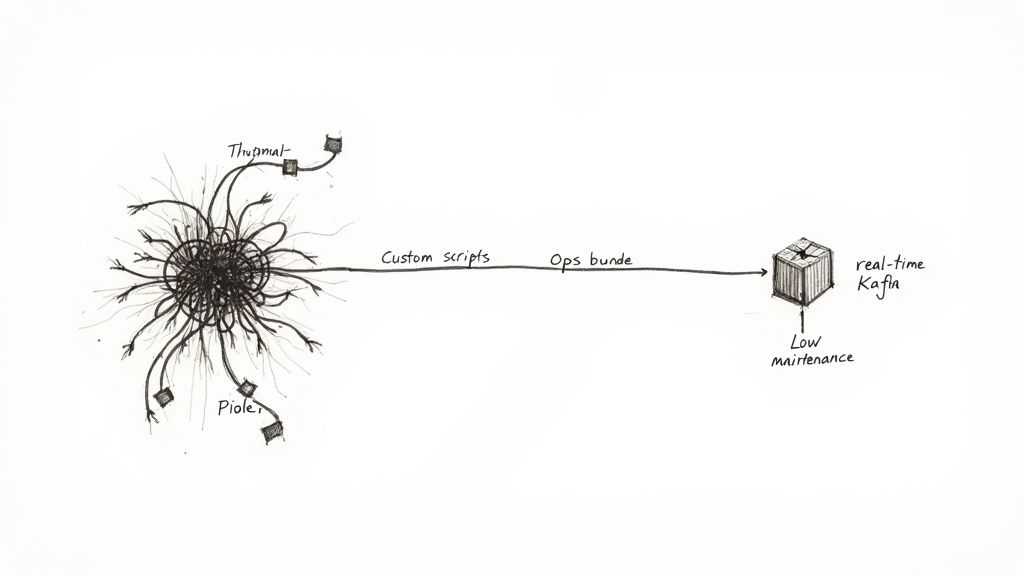
When it comes to getting webhook data into Apache Kafka, you usually face a tough choice. Teams either find themselves building and maintaining brittle, custom-coded solutions or wrestling with the operational burden of managing Kafka Connect themselves. Frankly, both paths are paved with technical debt that can slow down innovation and drain engineering resources.
These old-school methods create frustrating bottlenecks. Custom scripts need constant babysitting and are prone to breaking with the slightest API change from the webhook provider. At the same time, managing Kafka Connect on your own demands deep expertise, often becoming a full-time job of configuration, scaling, and troubleshooting.
The Shift From DIY To Managed Pipelines
Going with a modern webhook source to Kafka with Streamkap flips this entire script. Instead of burning months on setup and maintenance, you can launch resilient, scalable pipelines in minutes. This isn’t just a small improvement; it’s a completely different way of thinking about data integration.
This modern approach opens up some serious business advantages:
- Reduced Engineering Overhead: It frees your team from the tedious work of pipeline maintenance so they can focus on building products and actually using the data.
- Real-Time Data Access: It enables your BI and operations teams to make decisions based on what’s happening right now, not on stale, hours-old reports.
- Lower Total Cost of Ownership: You can say goodbye to the need for dedicated Kafka experts and the infrastructure costs that come with self-managed connectors.
By hiding all the underlying complexity, a managed solution like Streamkap makes real-time data streaming a reality for the entire organization, not just a handful of specialized engineers. It’s about democratizing data access and getting to insights faster.
If you’re new to this space, it’s worth understanding the fundamentals of data integration to see just how big of a leap this is.
To get a clearer picture, let’s compare the old way with the new.
Comparing Webhook to Kafka Integration Methods
| Feature | Traditional DIY Approach | Streamkap Approach |
|---|---|---|
| Setup Time | Weeks or months of coding and configuration. | Minutes, through a simple UI. |
| Maintenance | Constant monitoring, patching, and fixing breaks. | Fully managed, with automatic scaling and updates. |
| Scalability | Manual, complex, and error-prone. | Built-in autoscaling handles traffic spikes automatically. |
| Error Handling | Requires custom code for retries and dead-letter queues. | Automated, with built-in retries and failure recovery. |
| Required Expertise | Deep knowledge of Kafka, networking, and coding. | Minimal expertise needed; focus is on business logic. |
The difference is pretty stark. The Streamkap approach handles all the difficult parts of the data infrastructure, letting your team focus on what they do best.
The Power of a Reliable Streaming Core
The reliability of these modern pipelines is built on an incredibly solid foundation: Apache Kafka. It’s the undisputed industry standard, used by over 80% of Fortune 100 companies to handle trillions of events every single day.
When you pair Kafka’s power with a managed service, its capabilities become much more accessible and easier to manage. Our guide on the benefits of a managed Kafka solution goes into more detail on why this is such a big advantage for building dependable systems that can grow with your business.
Setting Up Your First Streamkap Webhook Source
Alright, let’s get our hands dirty and set up a live webhook source to Kafka with Streamkap. This is where the magic happens, and you’ll see just how fast you can spin up a real-time data pipeline. Before we jump in, have your Kafka cluster connection details handy—you’ll need them to tell Streamkap where to send the data.
The initial setup in the Streamkap UI is intentionally simple. The platform does all the heavy lifting, like generating a unique, secure endpoint URL for your webhook provider. Your main task is just to define the source and point it to your Kafka destination.
For this walkthrough, we’ll use a classic example: a Stripe webhook. It’s a perfect real-world scenario, as businesses rely on it for instant updates on payments, subscriptions, and customer events. Don’t worry if you’re using something else; the process is virtually the same for other sources like Shopify, GitHub, or any custom webhook you’ve built.
Generating Your Unique Webhook Endpoint
First things first, head over to the “Sources” section in your Streamkap dashboard and pick the “Webhook” connector. The moment you do this, Streamkap creates a dedicated ingestion endpoint just for this pipeline. This URL is the linchpin of the whole setup—it’s the address your third-party service (Stripe, in our case) will post its event data to.
What about security? It’s handled right out of the box. You can secure your endpoint with basic authentication or by validating a signature header, which is standard practice for webhooks. With Stripe, you’d absolutely want to use their signature validation to guarantee every request is legitimate and hasn’t been messed with in transit.
Here’s a look at what the interface looks like when you’re setting things up.
As you can see, the UI is clean and guides you straight through the essential connection details. This really helps cut down on the guesswork and common misconfigurations that can bog down manual setups.
Connecting the Source to Kafka
Once you’ve got your endpoint URL and have your security locked in, the next move is to tell Streamkap where the data needs to go. This is where you’ll select your pre-configured Kafka cluster as the destination.
You also define the target Kafka topic here. For our Stripe example, a sensible topic name would be something like stripe_events.
After connecting the source to your destination and hitting save, your pipeline is officially live. The only thing left to do is outside of Streamkap: copy that shiny new endpoint URL and paste it into the webhook configuration settings inside your Stripe dashboard.
The second you save that endpoint in Stripe, data starts flowing. No code to deploy, no servers to manage. You’ve just built a direct, real-time bridge from your webhook source into Kafka in just a few minutes.
This kind of rapid deployment is a world away from the old way of doing things. If you’re curious about other source types, our guide on moving data from an S3 source to Kafka with Streamkap shows a similar, streamlined process for file-based ingestion. It’s a great example of the platform’s ability to handle different real-time data patterns, not just webhooks. The core idea is always the same: make the connection simple so you can focus on your data, not the plumbing.
Shaping and Directing Webhook Data on the Fly
Just getting raw webhook data into your Kafka cluster is only half the battle. The real magic happens when you shape that data into a clean, predictable format before it ever lands in a topic. Let’s be honest, a messy, untyped JSON payload is a downstream nightmare for any team trying to consume it. This is precisely why in-flight transformations are so important when building a webhook source to Kafka with Streamkap.
Streamkap gives you powerful, no-code tools to parse, clean, and completely restructure data as it flows through the pipeline. You can easily pull out specific nested fields from a complex JSON object, rename fields to something more intuitive, or even mask sensitive PII like email addresses and phone numbers automatically. This guarantees your Kafka topics only contain the data you need, exactly how you need it.
This diagram shows just how straightforward the process is: connecting your webhook source, through Streamkap, and into your Kafka cluster.
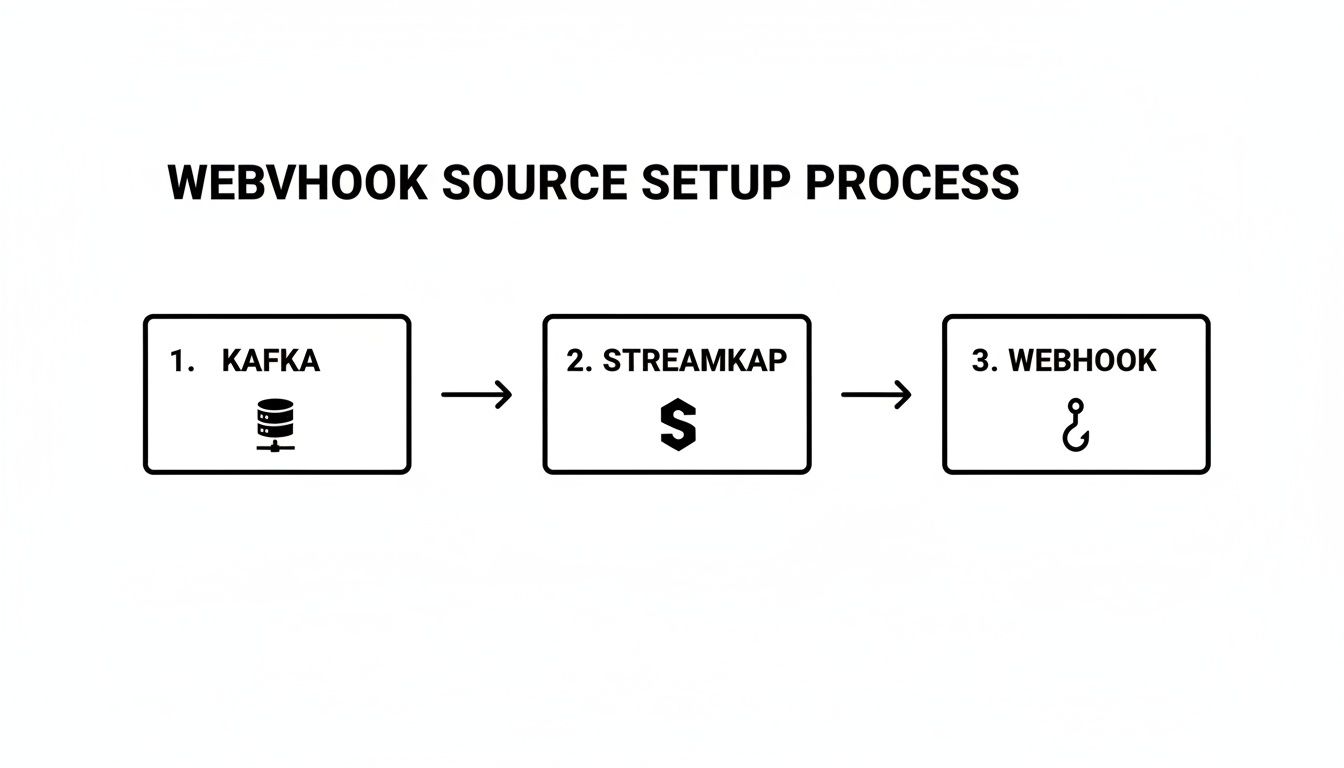
You can see how Streamkap sits in the middle, acting as the intelligent layer that handles all the heavy lifting of both webhook ingestion and the complexities of writing to Kafka.
Routing Webhook Events to the Right Topics
Beyond just cleaning up fields, you can build some seriously smart routing logic. Think about a common scenario: you have a single webhook from a tool like GitHub that fires off events for everything from code pushes to new issues. Just dumping all of that into a generic github_events topic creates a chaotic mess.
Instead, you can set up simple rules inside Streamkap to inspect the incoming payload and route events based on what’s inside.
- If the event type is
push, send it straight to thecode_commitsKafka topic. - If the event type is
issues, that one goes to thebug_trackingtopic.
This kind of content-based routing is a major improvement. It keeps your Kafka topics clean, organized, and perfectly tailored for the teams that use them. And you can do all of this without writing a line of custom code or wrestling with complex Kafka Connect configurations. For a deeper dive on how Streamkap works with Kafka, check out our guide on how to read and write directly to Kafka.
Being able to transform and route data before it hits Kafka is huge. It prevents your topics from turning into data swamps, lightens the load on your downstream apps, and ensures that consumers get pre-cleaned and sorted data ready for use.
A Real-World JSON Transformation
Let’s walk through a practical example. Imagine your webhook sends a payload that looks something like this:
{
“event_id”: “evt_12345”,
“event_type”: “user.created”,
“timestamp”: 1672531200,
“payload”: {
“user”: {
“id”: “usr_abcde”,
“email”: “jane.doe@example.com”,
“profile”: {
“firstName”: “Jane”,
“lastName”: “Doe”
}
}
}
}
Using Streamkap’s transformation rules, you could flatten this nested structure, cherry-pick only the fields you care about, and mask that email address. The final record written to your Kafka topic could be as clean as this:
{
“user_id”: “usr_abcde”,
“first_name”: “Jane”,
“email_masked”: “j***@e*****.com”,
“created_at”: 1672531200
}
Now that is a record your analytics team can actually work with. Streamkap really shines here by offering a managed service that reads from and writes to your own Kafka clusters. This allows webhook integrations from SaaS tools like Stripe or GitHub to deliver change data capture (CDC) with sub-second latency. You’re effectively replacing slow, nightly batch ETL jobs with continuous, scalable pipelines.
Applying Schema and Serialization to Your Data
Let’s be honest, just dumping raw, unstructured webhook JSON into Kafka is asking for trouble down the road. It creates a chaotic free-for-all where every downstream consumer has to guess the shape of the data. This leads to brittle, unreliable applications that shatter the moment a webhook payload changes, even slightly.
If you want to build a data platform you can actually trust, you need to establish consistency and governance right at the ingress point. For our webhook source to Kafka with Streamkap setup, this means defining a schema.
A schema is just a formal contract for your data. It guarantees that every single message landing in a Kafka topic follows a predictable structure. This makes the data dependable and infinitely easier to work with. The good news is that Streamkap can handle a lot of the heavy lifting by automatically inferring a schema from your incoming webhook payloads, saving you from a ton of manual work.
Choosing Your Schema Format
If your team already has a solid data governance strategy in place, you’ll be happy to know Streamkap plays nicely with existing schema registries like Confluent Schema Registry. This lets you enforce your organization’s existing standards directly within the pipeline.
When it comes to the format, you have a few options, but for Kafka, the conversation usually boils down to two main contenders: JSON Schema and Avro.
Here’s my take on how they stack up for webhook data:
- JSON Schema: The big win here is readability. It’s just JSON, which is what most webhooks are sending anyway. It’s fantastic for validating the structure of your incoming data, but the data itself stays in its original, often verbose, JSON format. This can get expensive in terms of storage and network bandwidth.
- Apache Avro: This is a big win for efficiency. Apache Avro is a binary format that is incredibly compact because it pairs a schema with the data. The result is significantly smaller messages. Avro also has fantastic support for schema evolution, which is a lifesaver when you need to change your data’s structure over time without breaking everything downstream.
From my experience, the choice between JSON Schema and Avro is a classic trade-off: human readability versus machine efficiency. For any high-volume webhook, the cost savings you get from Avro’s tiny binary footprint can be massive, not just in Kafka but all the way through to your data warehouse.
The Real-World Impact of Smart Serialization
So, why do I keep talking about efficiency? Imagine a webhook that fires thousands of times a minute. Switching from plain JSON to Avro can easily slash your message size by 50% or more.
That’s not just a vanity metric. It translates directly into lower bills from your cloud provider for network egress and storage.
This isn’t just about Kafka, either. The benefits follow the data. When that information eventually gets loaded into a warehouse like Snowflake or BigQuery, the compact binary data is much faster to process and cheaper to store. By getting serialization right in your webhook source to Kafka with Streamkap pipeline, you’re making a fundamental architectural decision that delivers value across your entire data stack. It’s about more than just organizing data—it’s about building a faster, cheaper, and more scalable foundation for everything that comes next.
Keeping Your Pipeline Healthy and Handling Failures
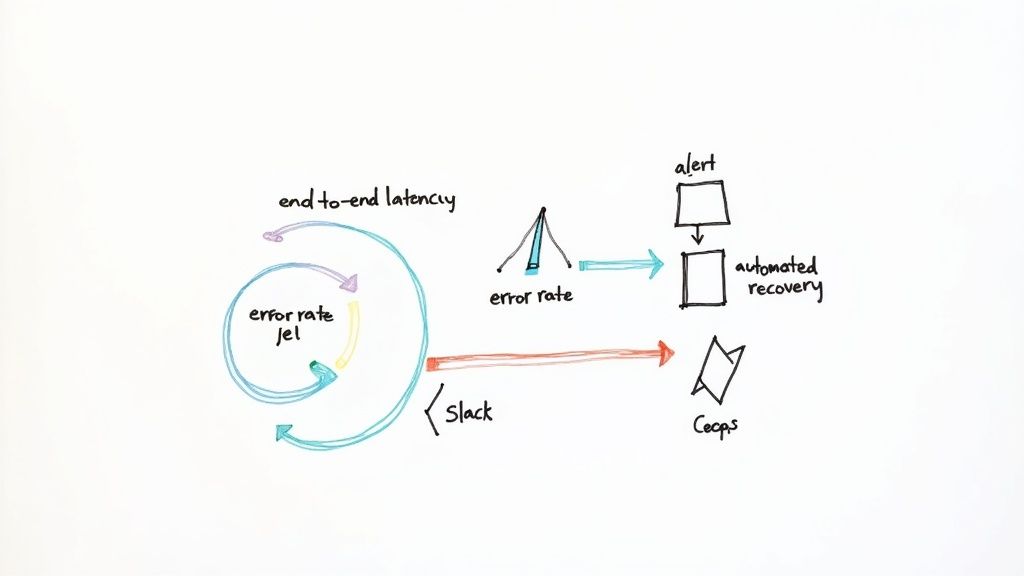
A data pipeline is only as good as its reliability. Getting your webhook source connected to Kafka with Streamkap is the first step, but the real work lies in keeping it running smoothly. Building trust in your data means proving its continuous, healthy operation, and thankfully, the platform gives you a clear window into your pipeline’s performance.
With the Streamkap dashboard, you can see the vital signs of your pipeline in real-time. This helps you get ahead of problems before they cascade downstream. Instead of drowning in dozens of metrics, you can focus on the few that truly matter for webhook ingestion.
Key Metrics to Watch
To get a quick read on your pipeline’s health, keep a close eye on these specific indicators:
- End-to-End Latency: How long does it take for an event to get from the webhook source into your Kafka topic? This single number tells you a lot. Consistent, low latency means everything is working as it should.
- Error Rate: This is your early warning system. It tracks the percentage of events that fail during processing. A sudden spike here usually points to issues like malformed payloads from the source or a connectivity problem with your Kafka cluster.
- Message Throughput: Are you seeing the volume of messages you expect? This metric helps you understand traffic patterns and confirm that data is flowing at the right pace.
Of course, monitoring operational health is just one piece of the puzzle. It’s equally important to implement a solid strategy to secure big data pipelines to protect the integrity of your webhook data from end to end.
One of the biggest benefits of a managed platform is the built-in resilience. Streamkap automatically handles common transient issues like network blips or temporary Kafka unavailability with internal retries. This means minor hiccups don’t turn into full-blown outages.
Proactive Alerting and Automated Recovery
Let’s be honest, waiting for a downstream team to tell you data is missing is a terrible strategy. This is where proactive alerts become essential. Streamkap lets you configure notifications that fire directly to your team’s Slack channel when key thresholds are breached—like a jump in latency or a spike in the error rate.
This small feature completely changes your team’s posture from reactive firefighting to proactive management. While event-driven architectures have hit 72% adoption globally, only a mere 13% of organizations have reached full maturity. That gap is often down to operational readiness.
Production-grade features like automated recovery and integrated monitoring can slash downtime by up to 90% compared to manual ETL processes. By catching issues the moment they happen, you can troubleshoot quickly and maintain the high level of trust your data consumers depend on.
Common Questions Answered
Even with the most straightforward setup, a few questions always pop up. When you’re connecting a webhook source to Kafka with Streamkap, you’ll likely wonder about things like performance, security, and just how flexible the system really is. Let’s dig into the questions we hear most often.
This is all about making sure you’re confident in your setup and understand what’s possible.
How Does Streamkap Handle High-Volume Webhooks?
We built Streamkap for massive throughput. The entire platform runs on a distributed architecture using Apache Flink and Kafka, which means it scales horizontally right alongside your event volume.
So, whether you’re getting a handful of events per minute or getting slammed with hundreds of thousands during a flash sale, the system just works. It automatically adjusts resources to keep latency low without you having to lift a finger.
Is My Webhook Data Secure in Transit?
Absolutely. Security is non-negotiable.
All data sent to your unique Streamkap webhook endpoint is encrypted in transit using TLS 1.2 or higher. On top of that, you can easily add another layer of security by setting up signature validation or basic authentication for your endpoint.
This layered approach protects your data from the moment it leaves the source all the way until it lands securely in your Kafka cluster.
The important thing to remember is you’re in control. We provide the secure transport, and you decide which authentication method fits your organization’s security policy.
Can I Process Webhooks from Any Source?
Yes, that’s the whole point! Streamkap is source-agnostic by design.
As long as the application can send a standard HTTP POST request with a JSON payload, you can connect it. This works for everything from popular platforms like Shopify or Stripe to your own custom-built internal tools.
This flexibility is key for creating a unified event stream in Kafka. You’re not stuck with a short list of pre-built connectors; if it can send a webhook, it can connect to Streamkap.
Ready to build reliable, real-time data pipelines in minutes? Get started with Streamkap and see how easy it is to connect any webhook source to Kafka without writing a single line of code. Visit us at https://streamkap.com to learn more.