Kafka Pub Sub: A Practical Guide to kafka pub sub in Real-Time Streaming
Explore how kafka pub sub powers real-time data streaming, with topics and partitions, producers, and consumers, plus practical examples.
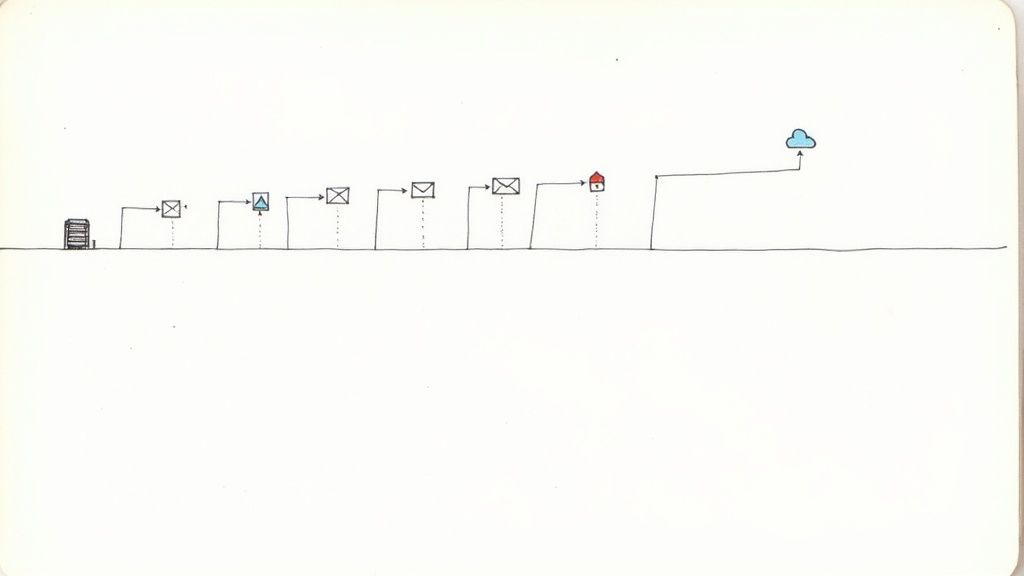
Let’s get straight to it. At its heart, the Kafka pub sub model is a distributed messaging system built for handling massive volumes of data in real time. Forget complex jargon for a moment and think of it like a high-tech, super-reliable postal service for data. Producers drop off messages (letters) at specific mailboxes (topics), and consumers subscribe to those mailboxes to pick up their mail.
Why the Kafka Pub Sub Model Dominates Real-Time Data
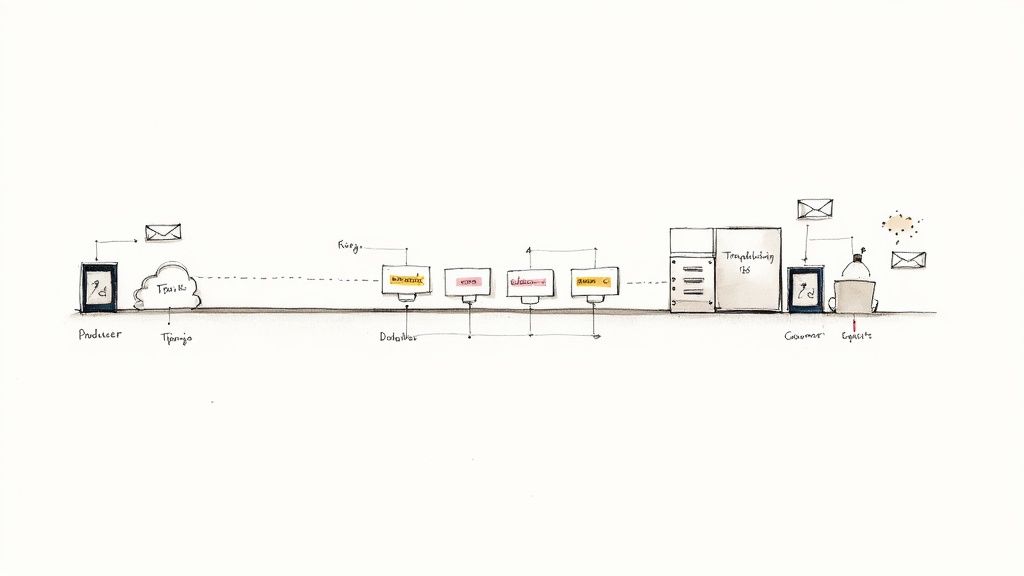
The publish-subscribe pattern itself isn’t new, but Kafka’s approach is what sets it apart. The real magic is its foundation: a durable, ordered, and distributed commit log. This isn’t just a simple message queue that deletes messages once they’re delivered. Kafka holds onto them, making it incredibly resilient and fault-tolerant.
This simple but profound design choice is why companies like Netflix, Uber, and LinkedIn have built their event-driven architectures on Kafka. It transforms it from a basic messaging tool into a full-blown streaming platform. Data isn’t just sent; it’s stored and can be re-read, which opens up a world of possibilities.
To get a handle on how this works, it helps to understand the key players in the system.
Core Components of the Kafka Pub Sub Model
Here’s a quick overview of the essential building blocks in Kafka’s publish-subscribe architecture.
| Component | Role | Analogy |
|---|---|---|
| Topic | A named category or feed where messages are published. | A specific mailbox for a certain type of letter (e.g., “customer_orders”). |
| Producer | An application that writes messages to a Kafka topic. | The person or system sending the letters. |
| Consumer | An application that reads messages from one or more topics. | The person or system subscribed to a mailbox to receive letters. |
| Partition | A subdivision of a topic, allowing for parallel processing. | A separate sorting bin within a large mailbox, letting multiple people collect mail at once. |
| Offset | A unique ID for each message within a partition, marking its position. | The serial number on each letter, showing its exact place in the sequence. |
These components work together to create a decoupled and scalable system where different parts of your application can communicate without being tightly connected.
The Power of a Distributed Log
The “log” is the central idea in the Kafka pub sub model. Once a producer sends an event, its order is locked in forever. This provides some serious advantages when you’re building systems that need to scale.
- Decoupling Services: Producers and consumers are completely independent. A producer can fire off data without caring who reads it, and a consumer can process that data at its own pace without slowing down the producer.
- Data Replayability: This is a game-changer. Because messages are stored, consumers can “rewind” to an earlier point and re-process everything. It’s incredibly useful for fixing bugs, running tests on historical data, or recovering from application failures.
- Parallel Processing: Topics can be split into multiple partitions. This allows you to have multiple consumers reading from the same topic at the same time, giving you massive horizontal scalability.
A shared immutable log is a radically better building block than point-to-point message passing for communication in a distributed system. It ensures every participant sees history unfold in the same way.
This robust foundation is why Kafka has become so dominant. In 2025, Apache Kafka captured an 18.13% market share worldwide in big data processing, putting it well ahead of its competitors. Its proven ability to handle large-scale, real-time data streaming challenges is what keeps it at the top.
Topics, Partitions, and Offsets Explained
To really get your head around Kafka’s pub/sub model, you need to understand three core concepts: topics, partitions, and offsets. They’re the building blocks that let Kafka move beyond a simple message queue and become a true event streaming powerhouse, delivering the scalability and resilience it’s famous for.
First up, a topic is basically just a named feed for a certain type of data. Think of it like a dedicated channel for user_activity_logs or a payment_transactions stream. Producers write data to these topics, and consumers read from them. Simple enough.
Scaling Out with Partitions
Here’s where things get interesting. A topic in Kafka isn’t just one big, single file. It’s actually broken up into one or more partitions. If a topic is a highway for your data, each partition is a separate lane.
This design is Kafka’s secret weapon for parallelism. By splitting a topic into multiple partitions, Kafka can spread the data—and the work of handling it—across multiple servers (brokers) in a cluster. This means you can have many consumers reading from the same topic at the same time, with each consumer taking its own lane.
The partitioned log is what lets Kafka scale consumption horizontally and build in fault tolerance. By spreading partitions across different brokers, the system can handle throughput that would completely overwhelm a single server.
This structure is also key for high availability. If a server holding a partition fails, a replica on another server can step in immediately, making sure the data is always available.
Keeping Track with Offsets
Partitions give us parallelism, but they also create a new problem: how does a consumer know where it left off? That’s what offsets are for. Every single message written to a partition gets a unique, sequential ID number—its offset.
Sticking with our highway analogy, offsets are the mile markers. They provide a strict ordering guarantee, but only within a single partition. A message at offset 10 will always come before the message at offset 11 in that specific partition.
This is what makes Kafka’s consumption model so flexible and reliable.
- Precise Tracking: When a consumer successfully processes a message, it “commits” the offset. If that consumer crashes and restarts, it knows exactly where to pick back up, ensuring no messages are skipped.
- Data Replayability: Because messages are stored on disk and identified by their offset, a consumer can easily go back in time to re-process data. This is a lifesaver for fixing bugs, recovering from processing errors, or running new analytics on old data.
Put them all together, and you have a seriously robust system. Topics give you organized data streams, partitions give you massive parallelism and resilience, and offsets ensure every message is consumed reliably within those parallel streams. This trio is the engine that drives Kafka’s high-performance architecture.
How Producers and Consumers Drive Data Flow
Now that we’ve laid the groundwork with topics and partitions, let’s get to the real action. In Kafka’s world, data doesn’t move on its own. It’s driven by two key players: producers and consumers. These are the applications you build, the ones that send and receive the data, forming a brilliantly decoupled communication pipeline.
A producer is simply any application that writes data to a Kafka topic. Think of a web server logging user clicks, an IoT sensor streaming temperature readings, or a database connector pushing out change events. The producer’s job is straightforward: package a piece of information into a message (or “record”) and fire it off to the right topic.
On the other side of the equation, a consumer is any application that subscribes to one or more topics to read and process those messages. A key detail here is that consumers pull data from Kafka, rather than having data pushed to them. This simple design choice is incredibly powerful—it means consumers control the pace and can’t be overwhelmed by a producer that’s suddenly sending a flood of data.
This diagram helps visualize how the pieces fit together—the logical topic, its underlying physical partitions, and the offsets that keep track of every message’s position in the sequence.
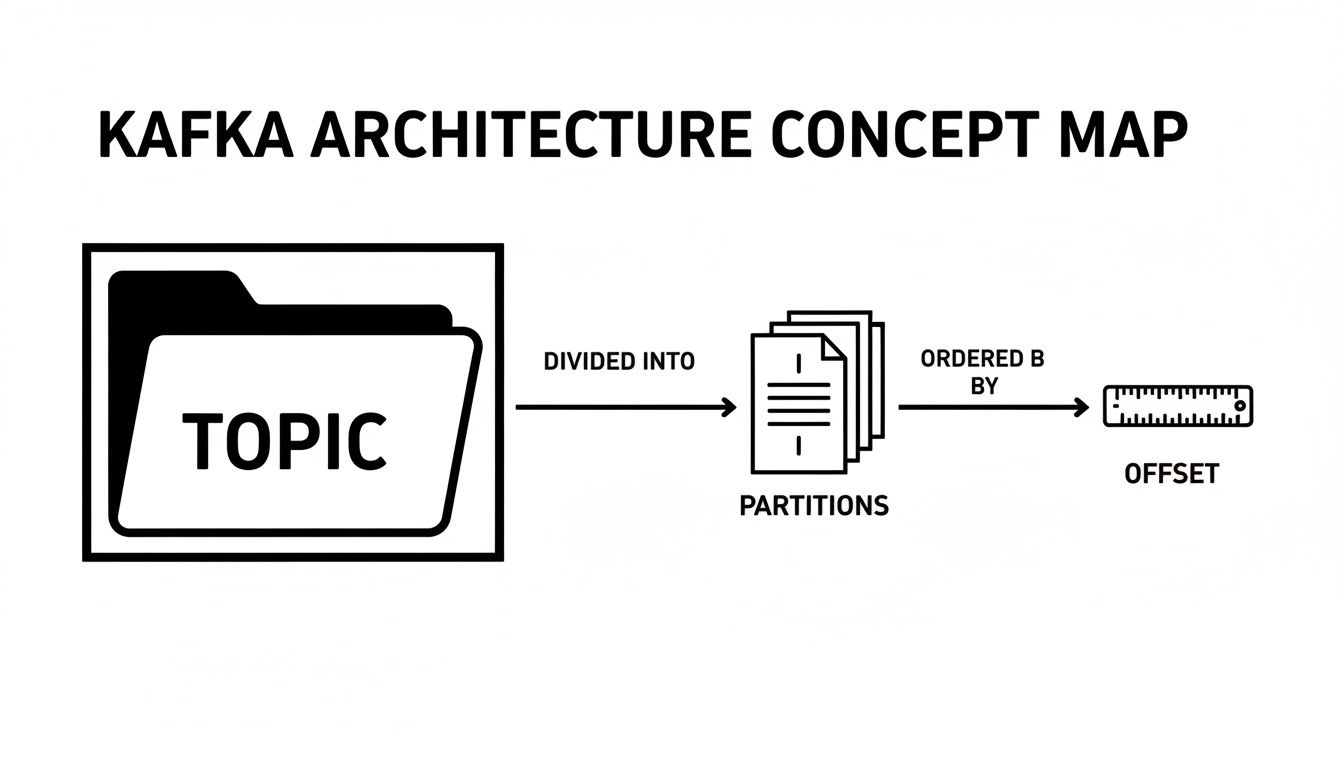
As you can see, a single topic is really just an abstraction over a set of ordered, unchangeable logs (the partitions), each with its own independent offset counter.
The Power of Consumer Groups
If there’s one concept that unlocks Kafka’s incredible scalability, it’s the consumer group. You can think of a consumer group as a team of workers all chipping away at the same job: processing the messages from a topic. Kafka’s genius is in how it coordinates this team.
When you launch several consumers and assign them to the same group, Kafka automatically divvies up the topic’s partitions among them. The golden rule is simple but critical: each partition is assigned to exactly one consumer within the group at any given time.
This design is what allows for massive, horizontal scaling. Got a topic with 10 partitions? You can spin up 10 consumers in the same group, and each one will work on its own partition in parallel. Suddenly, your processing throughput just went up 10x. Need more? Add more partitions and more consumers. It’s that direct.
What happens if a consumer crashes or you add a new one to the group? Kafka handles this gracefully by triggering a “rebalance.” It automatically pauses the group and reassigns the partitions among the currently active consumers, providing fault tolerance and elasticity without you lifting a finger.
Monitoring Consumer Health
This elegant system for parallel processing brings one of the most important operational metrics to the forefront: consumer lag. In simple terms, lag is the number of messages a consumer is behind. It’s the difference between the last message written to a partition and the last message the consumer processed from that partition.
Monitoring lag isn’t just a good idea; it’s essential for any production Kafka system. It’s your primary health indicator.
- Low Lag: Great! Your consumers are keeping up with the producers, and data is flowing in near real-time.
- High or Growing Lag: Red alert. This is a sign your consumers can’t keep up. Maybe the processing logic is too slow, the machine is under-resourced, or there’s an error causing it to get stuck.
Keeping a close eye on consumer lag tells you immediately if your data pipeline is healthy or if it needs attention. For a more hands-on look at getting producers and consumers up and running, our guide on how to read and write directly to Kafka offers practical steps and code snippets to get you started.
When to Choose Kafka Over Traditional Message Brokers
Picking a messaging system is more than a simple feature comparison; it’s about aligning with an architectural philosophy that fits your specific problem. The Kafka pub sub model is incredibly powerful, but it’s not a one-size-fits-all solution. It’s fundamentally different from traditional message brokers like RabbitMQ or ActiveMQ, and knowing where they diverge is crucial for making the right call.
Traditional brokers work a bit like a smart postal service. They’re message-centric, using intricate routing rules and intelligent queues to actively push messages to specific consumers. This push-based approach is great for low-latency, task-based work where the broker is the central brain managing delivery. Imagine a system processing individual payment requests—each message must be routed to the right handler and then removed once it’s done.
Kafka, on the other hand, is built on a completely different premise. It’s not a smart broker; it’s a “dumb” broker with smart consumers. At its core, Kafka is a distributed, persistent commit log. It doesn’t keep tabs on which consumer has read what. That job falls entirely to the consumer groups, which pull data from the log whenever they’re ready.
High Throughput Versus Complex Routing
This core architectural difference leads to some very clear trade-offs. Kafka’s log-based design is optimized for massive throughput and long-term data retention. It truly shines when you’re dealing with huge streams of events—think hundreds of thousands or even millions per second—and need to keep that data around for later.
This makes it a natural fit for use cases like:
- Real-Time Analytics: Ingesting and processing firehoses of log data, IoT sensor readings, or user activity streams.
- Event Sourcing: Using the event log as the definitive, unchangeable source of truth for your application’s state.
- Data Synchronization: Reliably moving huge volumes of data between databases and other systems.
A traditional broker, by contrast, is often the better choice when your main goal is complex message routing and guaranteed delivery for individual, discrete tasks, rather than bulk data streaming.
Kafka is built for streaming data at scale. Its strength lies in its ability to decouple data producers from consumers while providing a durable, replayable log of events, which is fundamentally different from a traditional queue’s focus on transient message delivery.
Data Retention and Consumer Flexibility
Perhaps the biggest difference is how data is handled after it’s read. Traditional brokers usually delete a message as soon as a consumer acknowledges it. Kafka, however, keeps messages for a configurable amount of time (say, seven days or even longer), no matter how many times they’ve been read.
This decoupling is a game-changer. It allows multiple, independent applications to read the very same data stream for completely different reasons, each moving at its own pace without getting in each other’s way.
This capability is a huge reason why event streaming has taken off. The Real-Time Data Streaming Tool Market is projected to grow from $8.2 billion in 2025 to $25 billion by 2035, a clear sign of the value that persistent, replayable event logs bring to modern data stacks. You can dive deeper into these trends in the full streaming tool market report. The bottom line? If you need a durable history of events, not just a temporary message buffer, Kafka is the way to go.
Kafka vs Traditional Message Brokers (e.g., RabbitMQ)
To make the choice clearer, let’s break down the key differences in a head-to-head comparison. This table highlights how their core designs influence their strengths and best-fit scenarios.
| Feature | Apache Kafka | Traditional Message Brokers |
|---|---|---|
| Primary Model | Pub/Sub via a persistent log | Message Queues (Point-to-Point, Pub/Sub) |
| Broker Logic | “Dumb” broker. Producers append to logs; consumers track their own position. | “Smart” broker. Manages message state, routing, and delivery guarantees. |
| Data Flow | Pull-based . Consumers request messages from the broker at their own pace. | Push-based . Broker actively sends messages to registered consumers. |
| Throughput | Extremely high . Optimized for sequential disk I/O; millions of msg/sec. | Moderate to high . Performance can be limited by complex routing logic. |
| Data Retention | Durable by default . Retains messages based on time or size policies. | Transient by default . Messages are typically deleted after consumption. |
| Message Replay | Native capability . Consumers can re-read the log from any point in time. | Difficult or not supported . Requires complex setup or is not possible. |
| Consumer Model | Consumer Groups allow for parallel processing of a topic. | Individual Consumers pull from a queue; competing consumer pattern. |
| Best For… | Streaming analytics, event sourcing, data pipelines, log aggregation. | Task queues, microservice communication, complex routing scenarios. |
Ultimately, the decision isn’t about which technology is “better,” but which one is the right tool for the job. For high-volume, replayable event streams that need to feed multiple systems, Kafka is the clear winner. For task distribution with complex logic, a traditional broker often makes more sense.
Going Deeper: Advanced Kafka Patterns and Guarantees
Once you get past the fundamentals of producers and consumers, you start to see where the kafka pub sub model really shines. This is where you move from building a simple message queue to architecting a truly resilient, event-driven platform. Getting a handle on advanced patterns and delivery guarantees is what makes that leap possible.
The fan-out pattern is a perfect example of Kafka’s flexibility. It’s a simple idea with massive implications: a single event produced to a topic can be read by many different, independent consumer groups. Imagine one group handling real-time fraud detection, another archiving the same events to a data lake, and a third feeding a live dashboard. They all work off the same data stream but never get in each other’s way.
Keeping State with Log Compaction
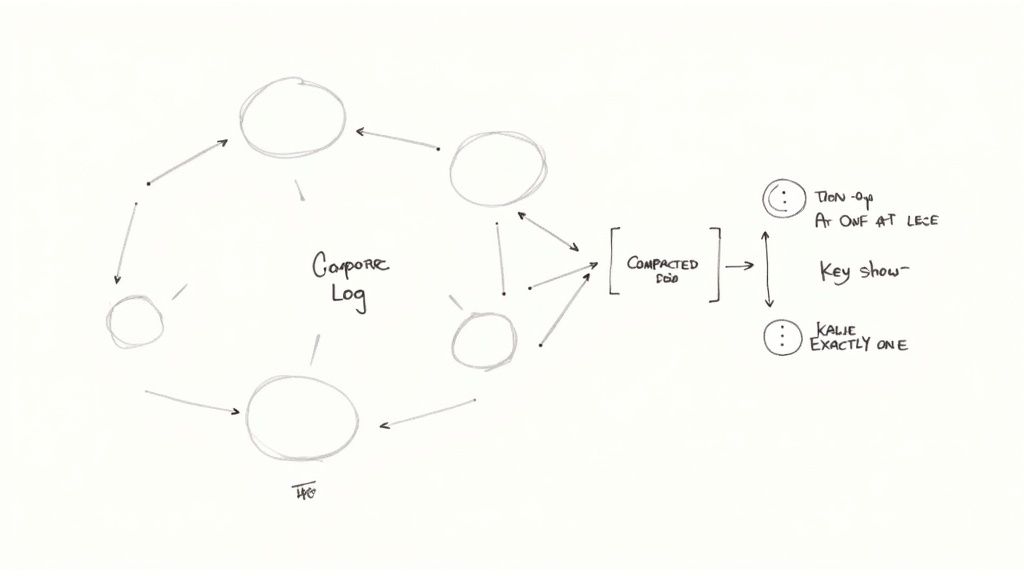
Log compaction is one of Kafka’s most powerful, and often misunderstood, features. Normally, Kafka topics discard old messages after a certain time or when the topic reaches a certain size. A compacted topic works differently. It promises to keep the very last message for every unique message key, forever.
Think of it as a key-value store disguised as a topic. If you publish ten updates for a record with the key product-505, a compacted topic will eventually clean up the nine older versions, leaving only the most recent one. This is a game-changer for use cases where you need to maintain the current state of something—like customer profiles or inventory levels—without constantly querying an external database.
Log compaction is what elevates Kafka from a temporary message bus to a durable state store. It’s the engine behind advanced patterns like Event Sourcing, where the event log itself becomes the system’s source of truth.
What “Guaranteed Delivery” Really Means
In any distributed system, you have to be crystal clear about what happens when things go wrong. Kafka offers three different “delivery semantics,” and the one you choose has a direct impact on your application’s reliability and performance.
- At-Most-Once: This is the fast-and-loose approach. A producer fires off a message and doesn’t wait to hear back. It offers the lowest latency but comes with a major risk: if the broker goes down before the message is saved, that data is gone for good. It’s only suitable for use cases where losing some data is acceptable, like collecting non-critical metrics.
- At-Least-Once: This is Kafka’s default setting and the sweet spot for most applications. The producer waits for the lead broker to confirm it received the message. If the acknowledgment gets lost in transit, the producer will try again, which can lead to duplicate messages. This means your consumer applications need to be idempotent—that is, able to process the same message multiple times without causing problems.
- Exactly-Once: This is the holy grail of data delivery, providing the strongest guarantee that each message is processed once and only once. It’s achieved using a sophisticated mix of idempotent producers and transactional APIs. While it provides maximum data integrity, enabling it adds overhead and requires careful setup on both the producer and the consumer.
Knowing how to apply these patterns and guarantees is what lets you build truly robust systems. Whether you’re broadcasting events across your entire organization or using a topic as a durable system of record, Kafka gives you the tools to build a modern and scalable data backbone.
Using CDC Platforms with Kafka Pub/Sub
Let’s be honest: building real-time data pipelines from scratch is a massive undertaking. While the Kafka pub/sub model gives you a rock-solid foundation, the real work often lies in getting data out of your source databases and into Kafka topics. This is where teams can get bogged down, writing and maintaining mountains of custom producer code.
This is exactly where modern Change Data Capture (CDC) platforms come in and completely change the equation.
Instead of your team hand-crafting producers for every single database, a CDC platform acts as a powerful, pre-built bridge. It hooks directly into your source databases—think PostgreSQL, MySQL, or MongoDB—and automatically captures every single row-level change the moment it happens. Those changes are then immediately streamed into your Kafka topics, all without you writing a single line of custom ingestion code.
The Power of a Managed CDC Approach
Taking it a step further, managed CDC tools like Streamkap handle all the tricky infrastructure for you. This means your team can sidestep the operational nightmare of managing connectors, dealing with data transformations, and worrying about schemas.
The difference is night and day. Here’s what you gain almost immediately:
- Slash Development Time: You can get a pipeline running in minutes, not months. The entire cycle of building, testing, and maintaining custom connectors just disappears.
- Trust Your Data: CDC captures every insert, update, and delete in the exact order they occurred. This guarantees your Kafka topics are a perfect, real-time reflection of your source databases.
- Effortless Maintenance: Schema changes happen. With a managed service, schema drift is handled automatically, making your pipelines resilient without needing constant manual fixes.
By taking care of the data ingestion plumbing, managed CDC platforms free up your engineers to focus on what actually matters: building valuable products and insights from real-time data, not managing infrastructure.
This approach truly elevates your Kafka pub/sub setup. To really understand the mechanics, check out this guide on what is Change Data Capture and see how it makes real-time data synchronization so much simpler. In the end, it’s about reducing operational headaches and getting your ideas to market faster.
Kafka Pub/Sub: Your Questions Answered
Even after you get the hang of Kafka’s core ideas, a few practical questions always seem to pop up. Let’s tackle some of the most common ones I hear, connecting the theory to what you’ll actually see when you start building.
Topics vs. Partitions Clarified
So, what’s the real difference between a topic and a partition?
Think of a topic as the name of a logbook, maybe you call it user_signups. It’s the high-level category. The partitions are the actual pages inside that logbook, each one an ordered, unchangeable sequence of entries.
Every topic has at least one partition, but it’s by splitting a topic into many partitions that Kafka gets its incredible parallelism. It’s the secret sauce to handling massive throughput.
Consumer Groups and Message Exclusivity
Can two consumers in the same group get the same message?
Nope, and this is a fundamental design choice in Kafka. Within a consumer group, each partition is assigned to one—and only one—consumer at a time. This is how Kafka guarantees that a message is processed exactly once by that group, which is crucial for avoiding duplicate work.
If you have a separate application that also needs to see those same messages, it just needs to join a different consumer group.
This one-to-one mapping of a partition to a consumer (within a group) is the magic behind Kafka’s parallel processing and load balancing. It’s how the work gets divided up efficiently without consumers stepping on each other’s toes.
Understanding Data Retention
How long does Kafka hold on to messages?
This is a big departure from traditional message queues, which usually delete a message the instant it’s delivered. Kafka thinks more like a database log. It holds onto messages for a configurable amount of time—the default is often 7 days—or until a topic hits a certain size.
Crucially, it keeps the message whether it has been read or not. This durability is a game-changer. It means you can “replay” data for new services, recover from a consumer bug, or run new analytics, making your whole system more resilient.
Ready to build real-time data pipelines without the operational headache? Streamkap uses Change Data Capture (CDC) to stream data from your databases directly into Kafka and other destinations. It cuts out the complexity and gets you to value much faster. Find out more at https://streamkap.com.
Related resources
Kafka Connect for CDC: Distributed Mode, SMTs, and Production Configuration
A hands-on guide to deploying Kafka Connect for CDC workloads: standalone vs distributed mode, offset management, single-message transforms for routing, and connector task scaling.
Real-Time Decisioning: How Streaming Data Powers Instant Decisions
Real-time decisioning replaces batch-driven choices with instant, data-driven actions. Here's how streaming infrastructure makes it possible and why it matters for AI agents.
A Guide to the Modern Data Streaming Platform
Explore how a modern data streaming platform transforms business with real-time data. This guide covers core technologies, architecture, and use cases.