Databricks Warehouse Set Up

Ricky Thomas
January 9, 2025
TL;DR
• Setting up Databricks takes minutes: create a workspace, configure an SQL warehouse, and fetch connection credentials. • Choose 2X-Small warehouse size for cost-effective testing during initial setup. • Use the Connection Details tab to retrieve host, path, and HTTP credentials needed for Streamkap integration.
Getting started with Databricks is a breeze, regardless of your experience level. This guide provides clear instructions on how to create a new account or use your existing credentials, ensuring a smooth and efficient streaming process.
Creating a New Databricks account
Step 1: Sign up and create a Databricks account
- Visit Databricks’ [website] {https://www.databricks.com/?utm_source=blog&utm_medium=referral&utm_campaign=how-to-stream-data-from-postgresql-to-databricks-using-Streamkap} and click on “Try Databricks.”
- Fill in the requested details and create a Databricks account.
- When you log in to the account that was created a few seconds ago you will land on the “Account console” page that looks like the following.

Step 2: Create a new Databricks Workspace
- Click on “Workspaces” on the top left corner of the screen and then click on “Create workspace” on the top right corner of the screen. A page like the one presented below should appear

- Choose “Quickstart (Recommended)” and click next.
- Fill in the workspace name.
- Choose your desired region and click “Start Quickstart”. Databricks will take you to your AWS console.
- Scroll down and Click “Create stack”. After a few minutes, return to your Databricks workspace and it will be ready, as illustrated below.

Step 3: Create a new SQL Data warehouse
- On your Databricks workspace page click on “Open” and you will be taken to your new data warehouse.
- On your new data warehouse click on “+ New” and then on “SQL warehouses” as highlighted in below image.

- Click on “Create SQL warehouse” and the following configuration modal will appear

- Plug your new SQL warehouse details. For this guide we recommend you use the minimum available cluster size, which is 2X-Small, to reduce cost.
- Click “Create” and within seconds your new data warehouse will be up and running.
Step 4: Fetch credentials from your new data warehouse
- On your new data warehouse click on the “Connection details” tab as presented in the following illustration.

- Copy the JDBC URL into a secure place.
- Create a personal access token from the top right corner of the screen and store it in a secure place.
- We will need the JDBC URL and personal access token to connect Databricks to Streamkap as a destination connector.
Fetching credentials from existing Databricks warehouse
Step 1: Log in to Your Databricks Account
- Navigate to the Databricks login page.
- Plug in your email and hit “Continue”. A six digit verification code will be sent you your email.
- Plug in the six digit verification code and you will land in the “Account console” page that looks like the following

Step 2: Navigate to your Databricks warehouse
- Click on “Workspaces” and then click on “Open” button next to the corresponding workspace as illustrated below.
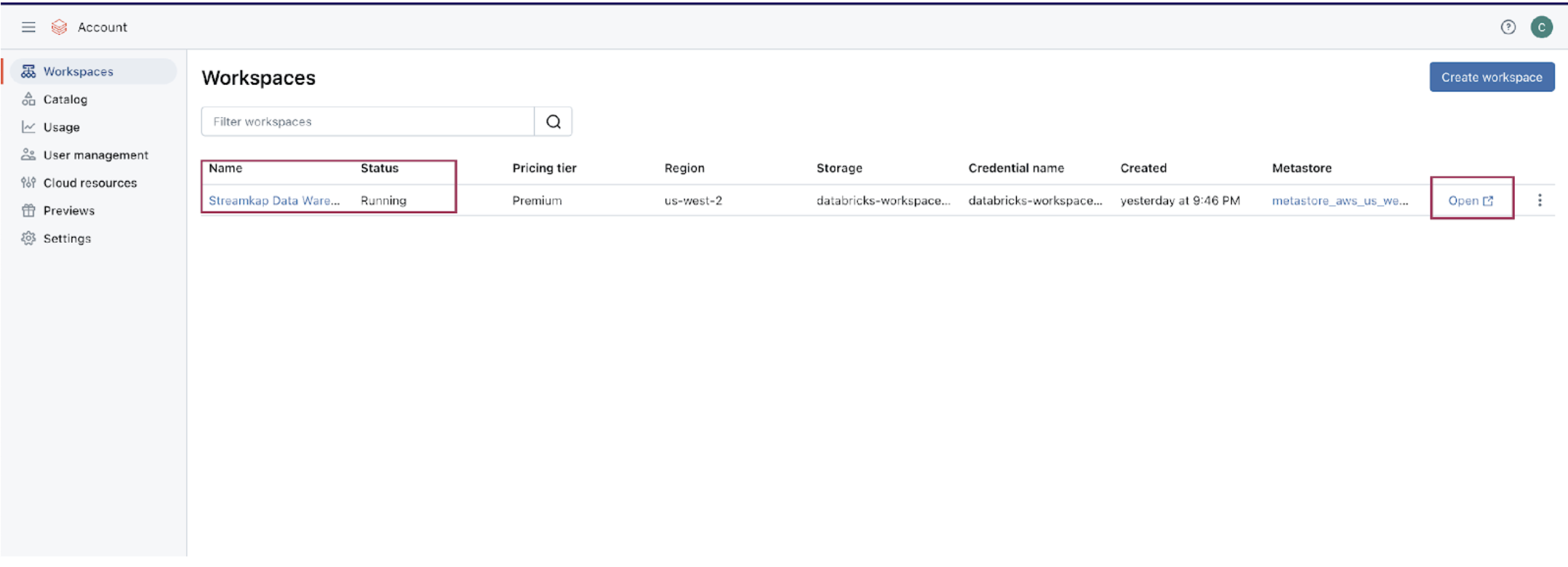
- Once you land on your desired workspace, click on “SQL Warehouses”. This will list your SQL warehouses as outlined below.

Step 3: Fetch credentials from your existing data warehouse
- Choose the data warehouse you wish to fetch credentials from. Click on the “Connection details” tab as presented in the following illustration.

- Copy the JDBC URL into a secure place.
- Create a personal access token from the top right corner of the screen and store it in a secure place.
- We will need the JDBC URL and personal access token to connect Databricks to Streamkap as a destination connector.
Note: If you cannot access the data warehouse or create a personal access token, you may have insufficient permissions. Please contact your administrator to request the necessary access.
Ricky Thomas
LinkedInAuthor Bio
Ricky has 20+ years experience in data, devops, databases and startups.
Published
January 9, 2025
TL;DR
• Setting up Databricks takes minutes: create a workspace, configure an SQL warehouse, and fetch connection credentials. • Choose 2X-Small warehouse size for cost-effective testing during initial setup. • Use the Connection Details tab to retrieve host, path, and HTTP credentials needed for Streamkap integration.
Related blog posts
.png)
Why Apache Iceberg? A Guide to Real-Time Data Lakes in 2025
Apache Iceberg brings SQL tables to cloud storage with ACID transactions and time travel. Learn why it's essential for 2025.
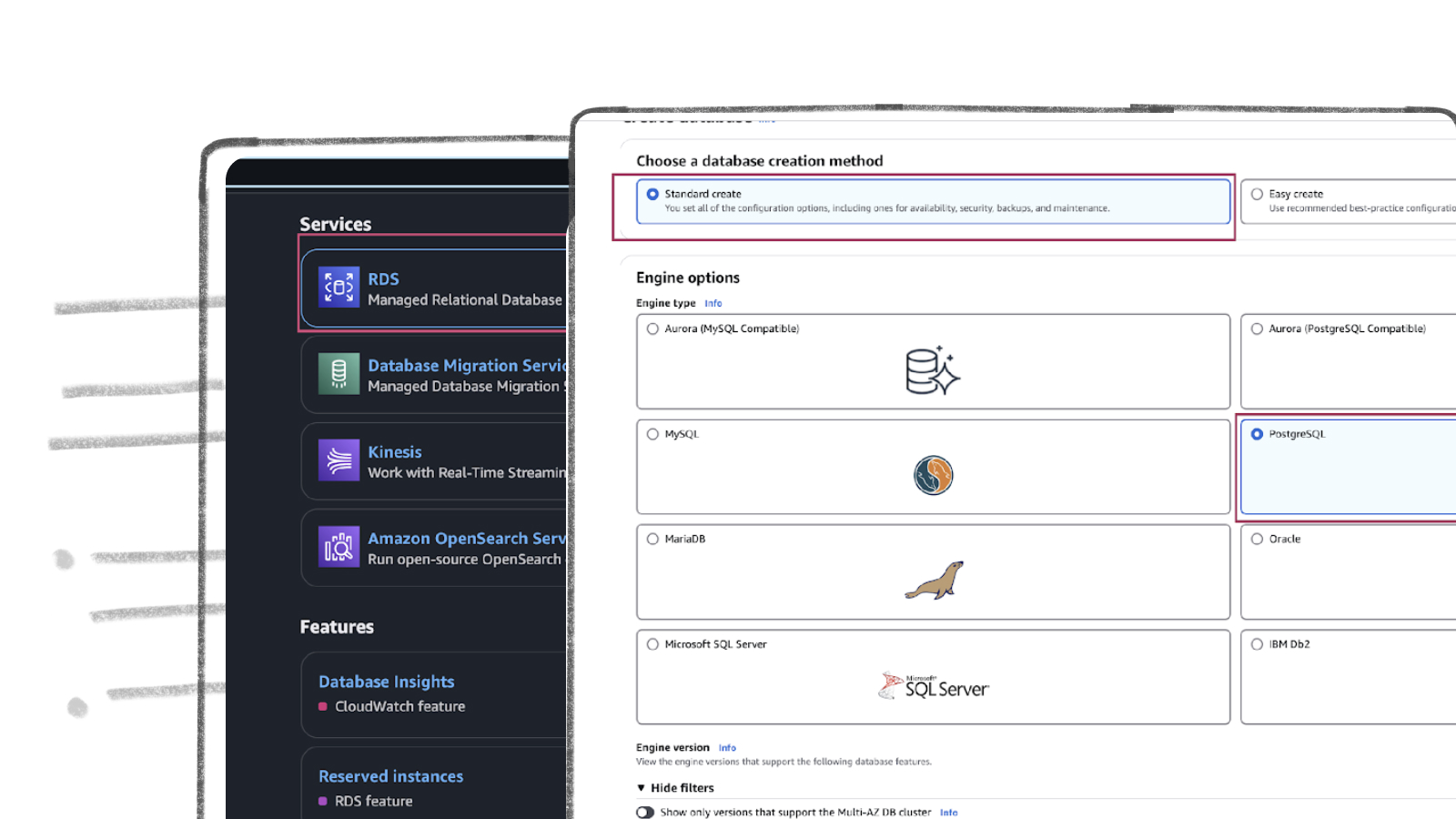
AWS RDS PostgreSQL Set Up
AWS RDS PostgreSQL stands out as one of the most widely used production databases. Its global adoption and everyday usage have prompted Amazon to make it exceptionally user-friendly. New users can set up an RDS PostgreSQL instance from scratch in just a few minutes.
How to Stream MySQL to Databricks with Streamkap
Modern data teams often face the challenge of making operational data from systems like AWS-hosted MySQL available in analytics platforms like Databricks with minimal delay.