What Is Stream Data A Guide to Real-Time Processing
Understand what is stream data with our complete guide. Learn how real-time processing, architectures, and use cases are transforming modern business.
Think about the data your business creates and uses every day. For a long time, the standard approach was to collect it all, store it in a big pile, and then analyze it in chunks. This is called batch data processing. It’s like waiting for all your mail to arrive for the week, then opening and sorting it all at once on a Saturday.
Now, imagine a different way: dealing with each piece of information the second it arrives. That’s the core idea behind stream data. It’s a continuous, real-time flow of information, generated from countless sources, that you can act on instantly.
Understanding Stream Data: From a Trickle to a Flood
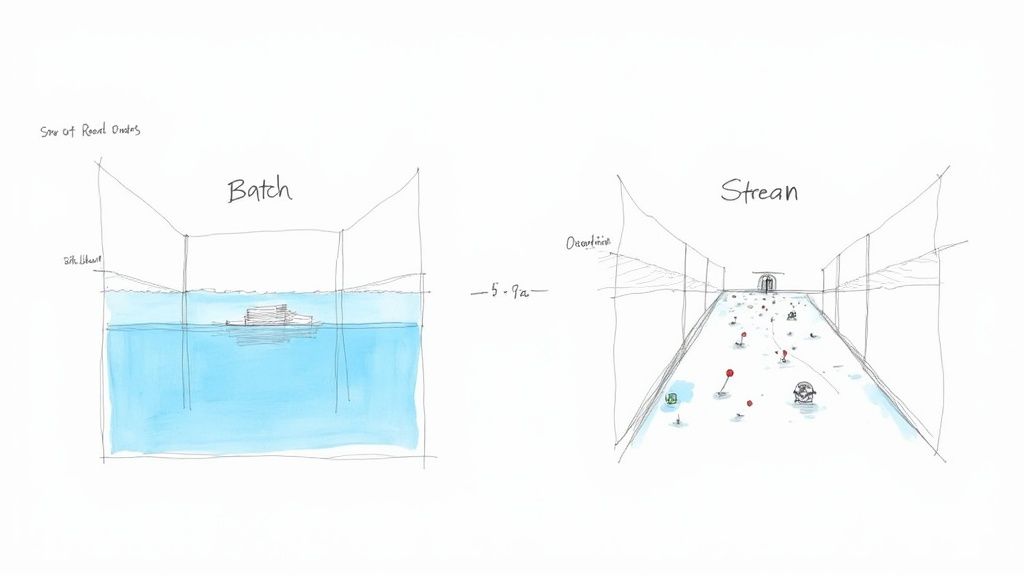
Let’s stick with the water analogy to make this crystal clear. Batch data is like a massive reservoir. It’s a huge, static pool of information that you dip into periodically—maybe once a day or once a week. Think of generating daily sales reports or running monthly payroll. These are classic batch jobs that look at a large, collected dataset from a specific period.
In contrast, stream data is a constantly flowing river. It’s an endless current of small data packets, often called events, that are generated continuously. This river of information comes from all sorts of modern sources, including:
- User Interactions: Clicks, scrolls, and searches on a website or mobile app.
- IoT Sensors: Temperature readings from a smart thermostat or location data from a delivery truck.
- Application Logs: Performance metrics and error reports generated by your software.
- Financial Transactions: Stock trades and credit card payments the moment they happen.
The real power of stream data isn’t just in collecting it, but in analyzing it while it’s in motion. This allows businesses to react to new information immediately, making decisions in seconds or even milliseconds, not hours or days.
Stream vs. Batch Processing: A Quick Comparison
To help you get a better feel for these two approaches, the table below breaks down their key differences. While one isn’t inherently “better” than the other, they are built for entirely different jobs.
| Characteristic | Stream Data Processing | Batch Data Processing |
|---|---|---|
| Data Scope | Unbounded, continuous flow of individual events | Bounded, large, finite datasets |
| Processing Time | Real-time (milliseconds or seconds) | Delayed (hours, days, or weeks) |
| Data Size | Small, individual records or events | Large volumes or blocks of data |
| Analysis Focus | Immediate, on-the-fly analysis | Retrospective, historical analysis |
| Typical Use Cases | Fraud detection, real-time analytics, IoT monitoring | Payroll, billing, end-of-day reporting |
Ultimately, choosing the right method comes down to the problem you’re trying to solve. For a deeper dive into their unique characteristics and best-fit applications, check out our guide on batch vs stream processing.
The Essential Building Blocks of Stream Processing
To really get what stream data is all about, we need to move past the simple “flowing river” analogy and look at what makes up the stream itself. Understanding these core components is the key to unlocking real-time analytics and making sense of data on the fly. These are the terms you’ll hear in any conversation about modern data streaming.
At its most basic level, a data stream is just a sequence of events. Think of an event as a tiny, unchangeable record of something that happened at a specific moment. It’s a single, self-contained fact.
For instance, on an e-commerce site, a user clicking the “Add to Cart” button is an event. That one click generates a little packet of data with all the important details: the user’s ID, the product SKU, a timestamp, and maybe the price. Every click, every page view, every purchase confirmation—each is its own distinct event, flowing into the stream.
Understanding Events and Windows
Now, here’s the tricky part: a data stream is, in theory, infinite. It just keeps going. So how do you analyze it? You can’t just wait for it to end before running a query. This is where the concept of windows comes in.
A window is simply a way to group these never-ending events into finite, manageable chunks for processing. Let’s say you want to count how many items are added to shopping carts every minute. You’d set up a one-minute “tumbling window” to collect all the “Add to Cart” events within that timeframe, run your calculation, and then move on to the next minute.
Windows are like using a measuring cup to scoop water from a continuously flowing river. They allow you to analyze a manageable portion of an infinite stream at a time, making it possible to derive meaningful insights without having to boil the ocean.
There are a few different types of windows, each built for a different kind of analysis:
- Tumbling Windows: These are fixed-size, non-overlapping windows that sit back-to-back. Think of analyzing sales data in clean 10-minute blocks (9:00-9:10, 9:10-9:20, and so on).
- Hopping Windows: These are also fixed-size, but they overlap. You could have a 10-minute window that slides forward every five minutes, which is great for calculating smooth, rolling averages of user activity.
- Session Windows: These group events based on periods of activity followed by a gap of inactivity. This is perfect for tracking a user’s entire journey on your site, from their first click to their last, before they go idle.
By using these windowing strategies, you can perform all sorts of complex aggregations and calculations on a boundless stream of events. For a deeper dive into the mechanics, our detailed guide on data stream processing covers these techniques in much more detail.
The Critical Role of Time Semantics
This brings us to one of the most crucial—and often confusing—concepts in stream processing: time semantics. The time an event happens and the time it gets processed are rarely the same. Getting this distinction right is absolutely vital for accurate analysis.
There are two main ways to think about time here:
- Event Time: This is the timestamp baked into the event itself, marking the exact moment the action occurred at the source. It’s when the user actually clicked the “buy” button.
- Processing Time: This is the time when the streaming system gets around to processing the event. It’s always later than the event time because of things like network lag or system delays.
Imagine a user on a shaky mobile connection makes a purchase at 10:00:05 AM (Event Time), but that data doesn’t hit your servers until 10:00:15 AM (Processing Time). If you’re analyzing sales by the minute and you only look at processing time, that sale might get incorrectly lumped into a later time window. Using event time ensures your analysis reflects what really happened, when it happened.
To process stream data well, you also need to know where it’s coming from—it could be anything from application logs to various financial data sources. This context is key to choosing the right time semantic for your needs, which ultimately protects the integrity and accuracy of your real-time insights.
How a Modern Streaming Data Pipeline Actually Works
To really get what stream data is, you have to follow its path from start to finish. A modern streaming pipeline isn’t just one thing; it’s a collection of specialized components working together to get information from where it’s born to where it can be analyzed—all in a fraction of a second. Think of it as a high-tech, fully automated postal service just for data.
The whole journey kicks off with Producers. These are the applications, servers, or devices creating the data in the first place. A producer could be anything from a web server logging user clicks, an IoT sensor reporting the temperature, or a retail store’s point-of-sale system recording a sale. Their one job is to create these little packets of information, called events, and send them on their way.
Once an event is sent, it doesn’t just go straight to the end user. It first lands in a central messaging system, often called a Broker.
The Central Highway for Data Streams
The broker is the indispensable middleman, the central highway for all your stream data. The go-to technology for this job is almost always Apache Kafka. It’s built to receive enormous volumes of events from all sorts of producers and neatly organizes them into logical streams called topics.
This system is engineered for two things: reliability and scale. The broker makes sure no data gets lost, even if a downstream application goes offline for a bit. It holds onto the data until it’s been safely delivered, acting as a crucial buffer between the often-chaotic world of data creation and the orderly world of data analysis.
After the data is safely queued up in the broker, it’s ready for action. This is where the Consumers step in. Consumers are the applications and services that subscribe to specific topics to process the events as they arrive. A consumer might be a real-time analytics dashboard, a fraud detection engine looking for suspicious patterns, or a machine learning model that needs the freshest data possible.
A streaming pipeline is a lot like a factory assembly line. Producers put raw materials (data events) on the line. The broker is the conveyor belt that reliably moves everything along. Consumers are the specialized stations at the end that do specific work on the items as they pass by.
This producer-broker-consumer setup is incredibly flexible. It lets multiple, independent applications tap into the very same real-time data stream without getting in each other’s way. One team can be building a live monitoring dashboard while another uses that exact same data to train a recommendation algorithm.
The image below shows how the consumer applications make sense of this constant flow, grouping individual events into “windows” to perform calculations over specific time intervals.
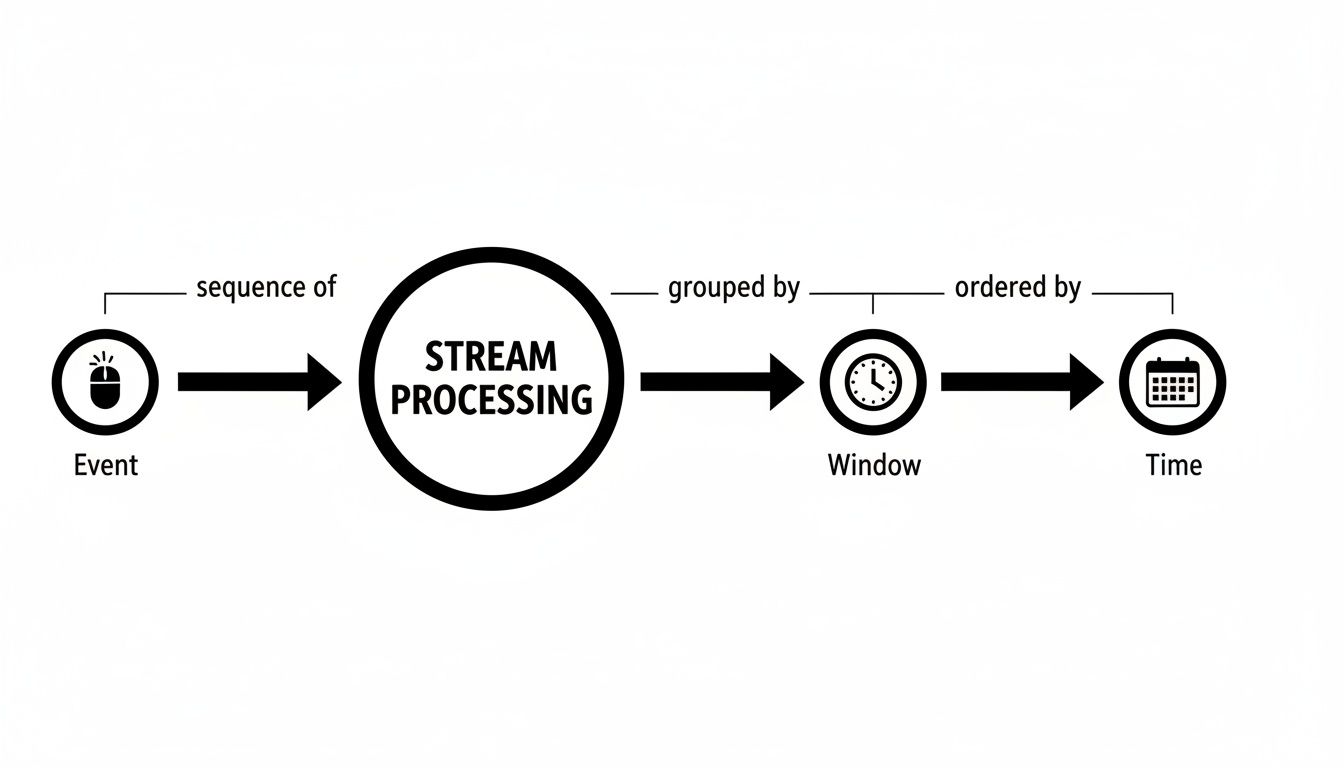
This is a core concept in stream processing—turning an endless firehose of events into manageable chunks for analysis.
Connecting and Capturing Existing Data
That’s all great for new, “born-as-a-stream” data. But what about all the critical information already sitting in traditional databases like PostgreSQL, MySQL, or MongoDB? This is where two powerful concepts come into play: Connectors and Change Data Capture (CDC).
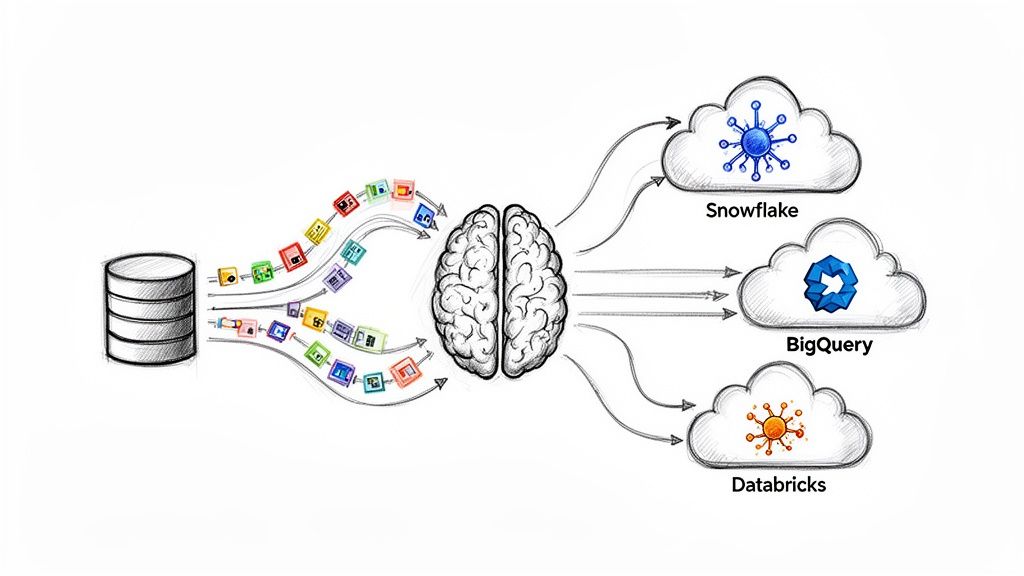
Connectors are basically pre-built bridges that make it much easier to get data into and out of the broker. A source connector might pull data from a database, while a sink connector could send data from a topic into a data warehouse like Snowflake.
Change Data Capture is a brilliant technique that essentially turns your entire database into a real-time stream producer. Instead of constantly hammering the database with queries to ask “anything new yet?”, CDC taps directly into the database’s internal transaction log—the detailed journal of every single insert, update, and delete.
Here’s how CDC brings a static database to life:
- Monitors the Log: A CDC tool, like the popular open-source project Debezium, watches the database’s transaction log for any changes.
- Captures the Change: As soon as a change happens, the tool captures it as a perfectly structured event.
- Streams the Event: That event is then immediately sent to the broker, making the database change available to any consumer in near real-time.
This method is incredibly light on resources and barely impacts the performance of your source database. It’s the key to unlocking valuable legacy data and pulling it into a modern, real-time architecture.
With all these parts humming along, organizations can finally manage massive volumes of data in motion. This is the kind of data that’s constantly flowing from countless sources, demanding immediate processing for low-latency decisions. A single e-commerce site can generate millions of events per minute, and a streaming system is designed to handle that unbounded flow with guarantees about speed and reliability. Success is often measured by end-to-end processing latency, with critical applications aiming for under 100 milliseconds. If you want to dive deeper, major cloud providers offer great resources on this topic, like this guide on streaming data from AWS.
Putting Stream Data to Work in the Real World
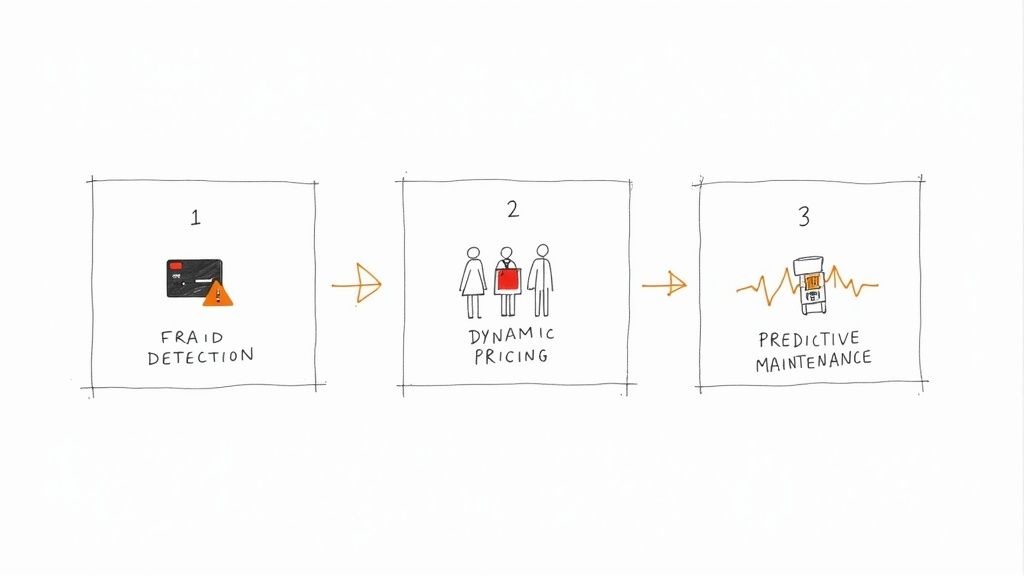
The theory behind streaming pipelines is interesting, but where the rubber really meets the road is in how it drives actual business value. The power to analyze data as it’s created unlocks a whole new class of applications that were simply out of reach with old-school batch processing.
Let’s move past the abstract and look at some concrete examples of how companies are using stream data to solve real problems, transform their operations, and innovate in their fields.
Real-Time Fraud Detection in Finance
Here’s a classic scenario: a customer’s credit card details get stolen. The thief immediately goes on a spending spree in another city. With a traditional batch system, the bank might not catch this until their fraud report runs overnight. By then, the money is long gone.
Now, picture it with stream processing. The very instant a transaction is attempted, it’s fired off as an event to the bank’s fraud detection engine. This system isn’t waiting around; it’s constantly analyzing every incoming event against historical data and complex rules, all within milliseconds.
- Geographic Impossibility: The system immediately sees a card used in New York was just swiped in London two minutes later. Red flag.
- Unusual Spending: It spots a sudden string of expensive purchases that look nothing like the customer’s normal habits.
- Velocity Checks: It flags multiple transactions happening in a ridiculously short amount of time.
By analyzing this stream data on the fly, the bank can automatically kill the fraudulent transaction, lock the card, and send a text alert to the real customer—all in a matter of seconds. This doesn’t just prevent financial loss; it builds a massive amount of customer trust. Another prime example in finance is analyzing real-time Level 2 market data to get deep, immediate insights into market behavior.
Dynamic Pricing and Personalization in E-commerce
Imagine an online store running a huge flash sale. Using a streaming platform, they can watch thousands of customer actions unfold in real time—every click, every search, every item added to a cart, and even what their competitors are charging.
This firehose of live data feeds directly into a dynamic pricing model. If a hot item is suddenly flying into carts, the system can nudge the price up slightly to capitalize on the demand. On the other hand, if a product is getting tons of views but no one’s buying, it can trigger an automatic, targeted discount to the people looking at it right now.
Stream data transforms e-commerce from a static catalog into a living, responsive marketplace. It allows businesses to react instantly to customer behavior and market conditions, creating personalized experiences that drive conversions and loyalty.
This same clickstream data can also power a recommendation engine in real time. Someone’s browsing hiking boots? The site can instantly suggest waterproof socks and trekking poles. It’s a hyper-relevant shopping experience, built on the spot.
Predictive Maintenance in Manufacturing and IoT
On a factory floor, a single piece of equipment failing unexpectedly can bring the entire production line to a halt, costing thousands of dollars every minute. To get ahead of this, manufacturers now embed IoT sensors in their machinery to stream constant updates on temperature, vibration, and energy use.
This sensor data flows into a stream processing engine that runs machine learning models against it. These models are trained to spot the faint signals that whisper of a coming failure.
When the system detects a tiny, abnormal increase in a motor’s vibration or a slow creep in its temperature, it triggers an alert. This gives the maintenance crew a heads-up to schedule a repair during planned downtime, before anything actually breaks. Shifting from reactive to predictive maintenance is a total game-changer for industrial companies, saving them a fortune and boosting efficiency.
These examples show just how big the economic impact of real-time data is. The global live-streaming market is on track to hit $345 billion by 2030, reflecting the massive infrastructure needed for these data services. By May 2025, streaming already made up 44.8% of total TV viewership in the US, showing how deeply consumer habits have shifted toward instant, on-demand experiences. You can learn more about what this means for the data industry in this deep dive into live streaming statistics.
How to Build Your First Real-Time Data Pipeline
Okay, we’ve covered the theory. Now, let’s get our hands dirty. Understanding the building blocks of a streaming architecture is one thing, but actually putting one together is where the concepts really click.
Let’s walk through how to build a real-time data pipeline for a classic—and incredibly valuable—scenario: streaming data changes from a production database like PostgreSQL straight into a cloud data warehouse like Snowflake or BigQuery. This is all about liberating the operational data that’s usually locked away in transactional systems.
Setting the Stage: A Common Business Need
Picture an e-commerce company. Their entire business—customer orders, inventory levels, product details—runs on a PostgreSQL database. The analytics team is desperate for a live dashboard to monitor sales and stock levels, but they can’t just hammer the production database with queries. It would grind the whole operation to a halt.
This is a textbook case for a real-time pipeline. Instead of running clunky, slow batch jobs every few hours, we can build a continuous flow of every single change, as it happens.
The big idea here is to stop asking the database “what’s new?” every five minutes. Instead, we’re going to get the database to tell us about every change the instant it occurs. We’re turning a static system into a dynamic, real-time firehose of information.
The Step-by-Step Pipeline Framework
Putting this pipeline together means connecting a few key technologies, each with a specific job to do. Here’s a look at how the data will move from the source database to its final destination.
-
Capture Changes with CDC: Everything starts at the source—our PostgreSQL database. We’ll use Change Data Capture (CDC) to hook into the database’s internal transaction log. This is a non-intrusive way to grab every
INSERT,UPDATE, andDELETEoperation as a separate event, all without putting any performance strain on the database itself. -
Stream Events into a Broker: Each change event is immediately published to a message broker. Think of something like Apache Kafka. Kafka acts as the pipeline’s central nervous system—it’s durable, it’s scalable, and it reliably takes in all these events. It organizes them into logical streams called topics (like
ordersorinventory) and holds them until they’re needed. -
Process and Sink the Data: A stream processor then picks up the raw events from Kafka. Its job is to clean them up and transform them into a format that’s ready for analysis. Finally, a “sink connector” takes this polished data and continuously loads it into our target data warehouse, whether that’s Snowflake, BigQuery, or something else.
This three-step dance—capture, stream, and sink—is the backbone of nearly every modern real-time pipeline.
Overcoming Common Hurdles in Streaming
As you start building, you’ll quickly run into a couple of challenges that are specific to dealing with data in motion. The two biggest headaches are usually maintaining data consistency and handling schema changes.
Data Consistency and Order: To get an accurate picture, events have to be processed in the right order. Simple, right? But it’s critical. An UPDATE to an order has to come after the original INSERT for that same order. A solid CDC tool, combined with Kafka’s ordering guarantees, is essential to keeping this sequence intact.
Schema Evolution: What happens when a developer adds a customer_tier column to the customers table? A fragile pipeline will just break. Modern streaming platforms are built to handle this schema evolution automatically. They detect the change at the source, update the schema in a central registry, and make sure the new data structure flows through the entire pipeline without anyone needing to wake up at 3 AM.
Putting all this together from scratch with open-source tools is a serious undertaking and requires deep expertise in distributed systems. For a more detailed look at the strategies involved, check out our guide on how to build data pipelines.
This is exactly why platforms like Streamkap exist—to abstract away all that complexity. By providing a managed, end-to-end service, they handle the nitty-gritty of CDC, schema management, and reliable data delivery. This frees up your team to focus on what actually matters: getting value from the data, not wrestling with the infrastructure. With an automated platform, you can stand up a production-grade pipeline from PostgreSQL to Snowflake in minutes, not months.
Key Technologies for Your Streaming Pipeline
When building a streaming pipeline, choosing the right tools for each stage is crucial. While there are many options, some technologies have become industry standards for their reliability and performance. Here’s a quick rundown of popular choices for each part of the pipeline.
| Pipeline Stage | Example Technologies | Primary Function |
|---|---|---|
| Source / CDC | Debezium, Fivetran, Qlik | Captures row-level database changes ( INSERT , UPDATE , DELETE ) as events without impacting source system performance. |
| Message Broker | Apache Kafka, Amazon Kinesis, Google Cloud Pub/Sub | Reliably ingests, stores, and organizes high-volume event streams, acting as a durable buffer between systems. |
| Stream Processor | Apache Flink, ksqlDB, Apache Spark Streaming | Transforms, enriches, and aggregates streaming data in real time before it’s delivered to its destination. |
| Data Warehouse | Snowflake, Google BigQuery, Databricks, Amazon Redshift | A cloud-native analytics database designed to store and query massive datasets for BI and analysis. |
| Managed Platform | Streamkap | An end-to-end solution that integrates CDC, processing, and delivery into a single, managed service to simplify pipeline creation. |
This table gives you a starting point, but the best stack for you will depend on your specific needs, existing infrastructure, and team expertise. Managed platforms can significantly lower the barrier to entry by packaging these components into a cohesive, easy-to-use service.
Common Questions About Stream Data
Once you get a handle on the basic theory of stream data, a bunch of practical questions always seem to surface. Answering these is the key to closing the gap between knowing what streaming is and knowing how to actually use it.
Let’s dig into some of the most common questions that come up when people start thinking about building real-world streaming systems.
What Is the Biggest Challenge of Working with Stream Data?
Hands down, the biggest challenge is managing complexity at speed. It’s one thing to run a batch job that you can just kick off again if something goes wrong. It’s another thing entirely to manage a streaming system that’s always on, constantly sipping from a firehose of live data. That “always-on” reality introduces a whole different class of operational headaches.
The real test is handling the chaos of live data streams. You’ve got events arriving out of order, sudden network hiccups, and massive traffic spikes that can appear out of nowhere. Your architecture has to be resilient enough to handle all of it without falling over.
The hardest part of stream processing isn’t just being fast. It’s about being fast, correct, and reliable—all at the same time. You have to guarantee every single event is processed exactly once, with no losses or duplicates, even when parts of the system are failing.
This isn’t something you can solve with a simple script. It requires specialized tools and a solid grasp of distributed systems. Keeping latency low while ensuring the system stays up is a constant balancing act that’s miles away from traditional data management.
How Do I Choose Between Stream and Batch Processing?
This decision really boils down to one simple question: how quickly do you need the answer? The right choice is almost always dictated by how much of a delay your business can stomach.
-
Choose Stream Processing If: You need to act right now. If your decisions are measured in milliseconds or seconds—think blocking a fraudulent credit card swipe, updating a live sports leaderboard, or personalizing a website for a user during their session—then streaming is the only way to go.
-
Choose Batch Processing If: Your decisions can wait. For things like end-of-day sales reports, monthly payroll processing, or deep historical analysis, there’s no fire to put out. Batch processing is often simpler, cheaper, and a perfectly good fit for these less urgent tasks.
Here’s a good rule of thumb: if the value of your data plummets after a few seconds, you need a stream. If its value holds steady for hours or days, batch is probably your best bet.
Can I Use Stream Data for Machine Learning Models?
Absolutely, and this is where things get really interesting. Feeding a live data stream into your ML models opens up the world of real-time machine learning, where your models are constantly learning and adapting based on the very latest information.
This is a game-changer for any application that needs to respond intelligently as events unfold.
For instance, an e-commerce recommendation engine can tweak its suggestions with every single click a user makes, instead of waiting for an overnight update. A cybersecurity system can spot a brand-new threat the moment it appears and block it immediately. It’s the difference between proactive, automated decision-making and reactive, after-the-fact analysis.
Why Is a Schema Important in Data Streaming?
Think of a schema as a contract. It’s a formal agreement that lays out the exact structure and data types for your events. In a fast-moving streaming environment, using something like a schema registry isn’t just a “nice-to-have”—it’s a critical tool for keeping your data quality high and preventing your pipeline from blowing up.
A schema makes sure that the data producers are sending information in a consistent, predictable format that all the downstream consumers can actually understand. If a producer tries to send a bad event that doesn’t match the contract, the system can reject it right at the source, protecting the integrity of everything downstream.
Even more importantly, a schema registry helps you manage schema evolution. Your data structures are going to change; it’s inevitable. A registry gives you a controlled way to update those schemas—often in a backward-compatible way—so that new changes don’t crash all your older applications. This makes your entire streaming ecosystem more resilient and much easier to maintain over the long haul.
Tired of wrestling with the complexities of building and managing real-time pipelines? Streamkap offers a fully managed, end-to-end solution that handles Change Data Capture (CDC), schema evolution, and real-time data delivery automatically. You can build production-grade pipelines from databases like PostgreSQL and MySQL to destinations like Snowflake and BigQuery in minutes, not months.
Explore how Streamkap can simplify your data architecture today.
Related resources
Kafka Connect for CDC: Distributed Mode, SMTs, and Production Configuration
A hands-on guide to deploying Kafka Connect for CDC workloads: standalone vs distributed mode, offset management, single-message transforms for routing, and connector task scaling.
Real-Time Decisioning: How Streaming Data Powers Instant Decisions
Real-time decisioning replaces batch-driven choices with instant, data-driven actions. Here's how streaming infrastructure makes it possible and why it matters for AI agents.
A Guide to the Modern Data Streaming Platform
Explore how a modern data streaming platform transforms business with real-time data. This guide covers core technologies, architecture, and use cases.