what are kafka smts? A quick guide to Kafka SMTs
what are kafka smts? Find out what they are and how SMTs in Kafka Connect simplify data pipelines with real-world examples.
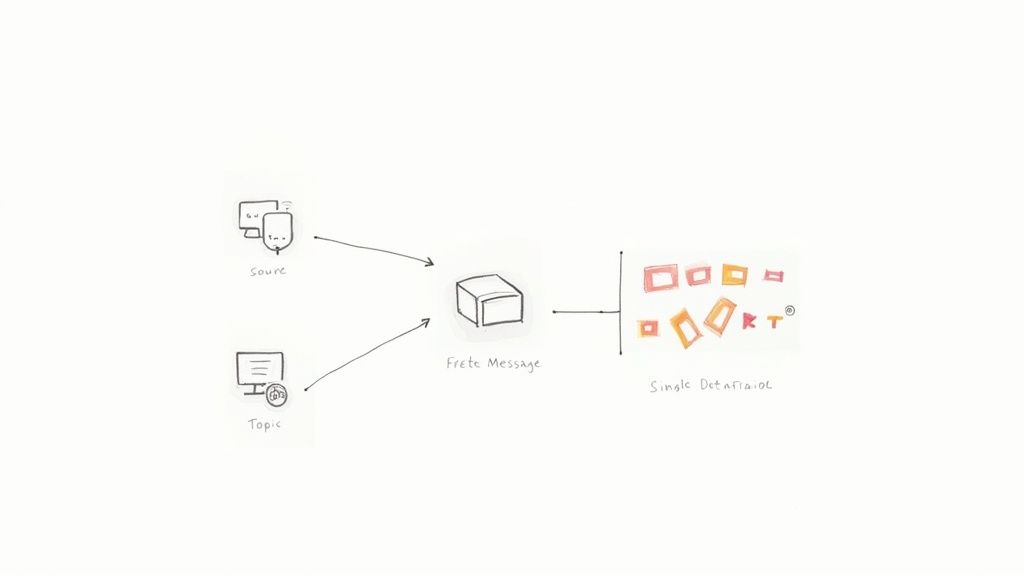
So, what exactly are Kafka SMTs?
Think of them as a set of lightweight, on-the-fly editing tools for your data as it moves through a Kafka Connect pipeline. SMT stands for Single Message Transforms, and they are small, pluggable functions that let you tweak individual messages as they flow. This happens right before a message from a source system hits a Kafka topic, or just after it’s read from a topic to be sent to a destination.
The key here is that these transformations happen inline, without needing a separate, heavy-duty stream processing engine like Flink or Spark for simple jobs.
The Role of SMTs in Modern Data Pipelines
Let’s use an analogy. Imagine your data is a photo you’re about to post online. An SMT is like applying a quick filter right before you hit “share”—it’s a simple, built-in step that can crop the image, add a timestamp, or blur out a face. This ability to make small, precise adjustments is incredibly powerful in today’s data architectures.
Apache Kafka has become the central nervous system for real-time data in countless organizations. In fact, over 80% of Fortune 100 companies rely on it to move data instantly. With that kind of adoption, the demand for clean, consistently formatted data has skyrocketed.
SMTs are one of the essential tools that make this possible, offering a straightforward way to enforce data quality and consistency right inside your pipeline.
Why SMTs Are So Important
In a real-world data pipeline, raw data is rarely perfect. This is especially true in Change Data Capture (CDC) setups using tools like Debezium, where the raw change events from a database often need a bit of shaping before they’re useful downstream. SMTs were built to solve exactly this problem.
Here’s why they matter so much:
- Efficiency: SMTs run inside the Kafka Connect worker itself. This completely removes the need to deploy and manage a separate stream processing cluster just for simple, common tasks. For more on Kafka’s core concepts, check out our guide on what is Kafka.
- Simplicity: You configure SMTs directly in your connector’s JSON or properties file. Adding, removing, or even chaining multiple transforms together is just a matter of a few lines of configuration—no custom code required.
- Stateless Operations: By design, SMTs are stateless. They work on one message at a time without needing to know about the messages that came before or after. This makes them fast, predictable, and perfect for tasks like renaming a field, masking data, or converting a data type.
SMTs empower data engineers to solve the “last mile” problem of data integration. They bridge the gap between raw data from a source system and the clean, structured events needed for analytics, applications, or downstream processing.
By handling these micro-transformations at the point of ingestion or delivery, SMTs help keep your overall data architecture much cleaner and more maintainable.
Let’s break down their core characteristics.
Kafka SMTs at a Glance
This table provides a quick summary of what makes Kafka SMTs a go-to tool for real-time data manipulation.
AttributeDescriptionScopeOperates on a single message at a time.ExecutionRuns within the Kafka Connect worker process, either for a source or sink connector.StateFundamentally stateless. Each transformation is independent and doesn’t rely on previous messages.ConfigurationDefined directly in the connector’s configuration properties, making them easy to manage and version control.ChainingMultiple SMTs can be chained together. The output of one transform becomes the input for the next, allowing for a sequence of modifications.Primary UseIdeal for lightweight, structural modifications like renaming or removing fields, masking sensitive data, changing data types, or routing records to different topics. Not suited for complex aggregations or joins.PerformanceGenerally very fast due to their simple, stateless nature. However, complex or poorly written custom SMTs can introduce latency.
In short, SMTs are the perfect tool for handling the everyday shaping and cleaning tasks that are crucial for maintaining healthy, reliable data pipelines.
How SMTs Fit into Your Data Pipeline
To really get what Kafka SMTs are all about, you have to picture where they live. They aren’t a separate application you have to manage; they operate directly inside the Kafka Connect worker process itself. This placement is what makes them so powerful—they act as a built-in, on-the-fly modification step for your data.
For a source connector, like Debezium pulling changes from your database, SMTs get to work after the data is captured but before it’s ever written to a Kafka topic. This is your first chance to clean, reshape, or enrich data right at the source.
On the other end, for a sink connector moving data from Kafka into something like a data warehouse, SMTs run after the message is pulled from the topic but before it’s written to its final destination. It’s the perfect spot for last-minute tweaks, like renaming fields to match the warehouse’s schema.
This diagram shows just how simple and effective that flow is.
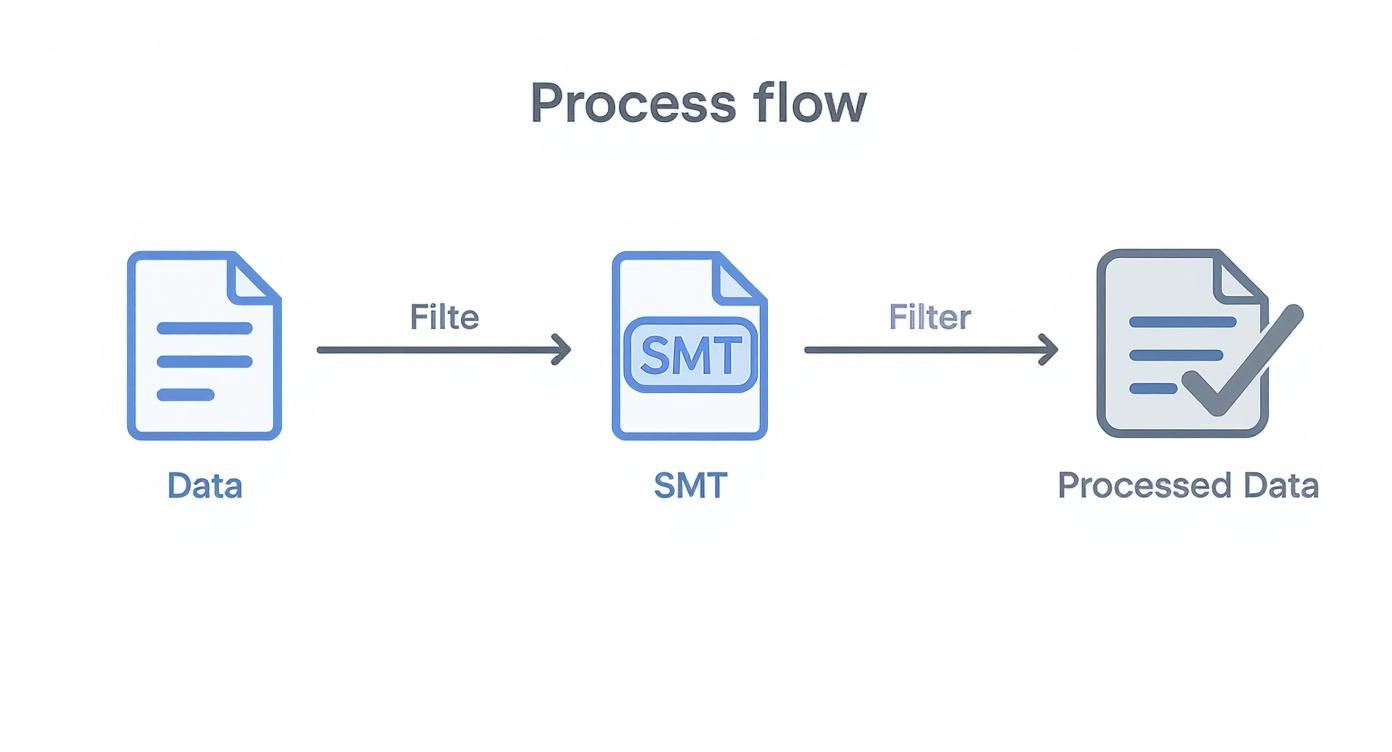
As you can see, the SMT is like a filter or a mini-factory inside the connector, turning raw data into a processed, ready-to-use format.
SMTs Versus Stream Processing
By design, Single Message Transforms are built for fast, lightweight, and stateless jobs. Since they handle each message in isolation—without any context from the messages before or after—they’re incredibly quick and add almost no overhead to your pipeline.
This single-message focus is what really separates SMTs from full-blown stream processing frameworks.
- SMTs are all about manipulating one message at a time. Think of tasks like adding a header, masking a sensitive field, or changing a data type from a string to an integer.
- Stream Processors like Kafka Streams or Apache Flink are built for heavy lifting and stateful operations that involve many messages. This is where you do complex aggregations, join different data streams together, or perform calculations over time-based windows.
You can think of SMTs as the surgical scalpels in your data pipeline—perfect for precise, targeted adjustments. Stream processing engines are the heavy machinery, designed for large-scale data reconstruction and complex analysis.
To better understand the world SMTs live in, it helps to grasp the key differences between batch processing vs stream processing. Knowing this distinction makes it clear why SMTs are so crucial for simple, in-flight tweaks.
By offloading the small transformations to SMTs, you allow your more powerful stream processing tools to focus on the complex logic they were built for. This creates a much more efficient and cost-effective setup for your real-time data streaming needs.
Putting Common SMTs into Practice
It’s one thing to talk about the theory, but the real magic of Kafka SMTs happens when you see them in action. Let’s walk through a few of the most popular built-in transforms that you’ll likely use to solve everyday data problems. I’ll show you the exact configuration and what the message payload looks like before and after the change.
You’ll see just how powerful a few lines of configuration can be, completely changing your data’s structure and usefulness without writing a single line of custom code. If you do find yourself needing to build something custom, having some familiarity with the Java ecosystem for Kafka Connect will definitely give you a head start.

Adding Metadata with InsertField
One of the most common things you’ll need to do in a data pipeline is add a bit of context to a record. The InsertField SMT is your go-to for this. It lets you enrich messages with extra information—either static values or dynamic ones—as they fly by.
A classic example is tagging records with the name of the topic they originated from.
Before:
{
“order_id”: 101,
“customer_id”: “cust-abc”
}
Configuration:
“transforms”: “addTopicField”,
“transforms.addTopicField.type”: “org.apache.kafka.connect.transforms.InsertField$Value”,
“transforms.addTopicField.topic.field”: “source_topic”
After:
{
“order_id”: 101,
“customer_id”: “cust-abc”,
“source_topic”: “raw_orders”
}
This simple tweak is incredibly useful. It makes downstream processing and analytics so much easier because you always know where the data came from.
Standardizing Time with TimestampConverter
Let’s be honest, timestamps are a mess. Different systems send them in all sorts of formats—a Unix epoch in milliseconds here, a formatted string there. The TimestampConverter SMT cleans this up beautifully by standardizing how time is represented.
Imagine a source system sends a Unix timestamp, but your logging system needs a human-readable string. No problem.
Before:
{
“event_id”: “xyz-789”,
“created_at”: 1672531200000
}
Configuration:
“transforms”: “formatTs”,
“transforms.formatTs.type”: “org.apache.kafka.connect.transforms.TimestampConverter$Value”,
“transforms.formatTs.target.type”: “string”,
“transforms.formatTs.field”: “created_at”,
“transforms.formatTs.format”: “yyyy-MM-dd’T’HH:mm:ss.SSSZ”
After:
{
“event_id”: “xyz-789”,
“created_at”: “2023-01-01T00:00:00.000+0000”
}
Just like that, every timestamp arriving at your destination will have a consistent, predictable format.
Key Takeaway: Kafka SMTs are perfect for handling those small but vital data consistency tasks right inside the pipeline. This helps you avoid the classic “garbage in, garbage out” problem and cuts down on the need for complicated data cleaning jobs later on.
Setting the Message Key with ValueToKey
In Kafka, the message key is a big deal. It’s what drives partitioning, which is how Kafka guarantees that messages with the same key always land in the same partition and get processed in order. But often, the field you want to use as the key is buried inside the message payload. That’s where ValueToKey comes in.
Let’s say you need to partition all your customer orders by the customer_id.
- SMT:
org.apache.kafka.connect.transforms.ValueToKey - Action: This transform pulls the
customer_idfield out of the message’s value and sets it as the new message key. - Result: Now, all orders for the same customer are guaranteed to be routed to the same partition, which is essential for things like stateful processing or ensuring correct ordering.
These examples barely scratch the surface of what Kafka SMTs can do, but they really drive home the immediate, practical value they bring to shaping data as it moves through your pipeline.
How to Chain Multiple SMTs Together
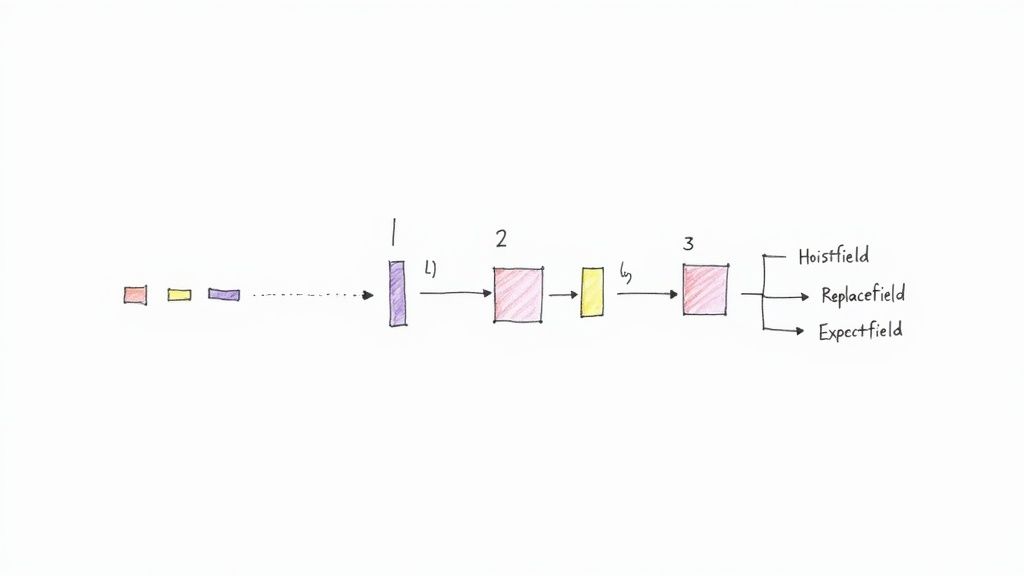
Sometimes, a single transformation just doesn’t cut it. You might need to perform a whole sequence of operations on a message—maybe you need to pull out a nested field, then rename it, and finally, slap a timestamp on it. This is where chaining multiple Kafka SMTs really shines. It lets you build a small, powerful processing pipeline right inside your connector configuration.
Luckily, Kafka Connect makes this incredibly straightforward. In your connector config, the transforms property is just a simple, comma-separated list of names you define. Kafka Connect executes these transforms in the exact order you list them, with the output of one SMT becoming the input for the very next one in the chain.
Think of it as a mini assembly line for your data. The first SMT does its job and hands the modified message off to the second, which works its magic, and so on down the line until the final, polished message is ready to be written to its topic.
A Practical Chaining Example
Let’s walk through a super common scenario. Say you have a CDC event that produces a nested JSON object. Your goal is to promote a specific field from deep within that structure up to the top level and give it a clearer, more descriptive name. We can pull this off by chaining two SMTs: HoistField and ReplaceField.
Before Transformation:
Here’s our starting message. Notice the email_address is buried inside user_details.
{
“payload”: {
“id”: 123,
“user_details”: {
“email_address”: “user@example.com”
}
}
}
We want to extract email_address and rename it to something better, like user_email.
Chained SMT Configuration:
Here’s what the connector configuration would look like to make this happen.
“transforms”: “hoistEmail,renameEmail”,
“transforms.hoistEmail.type”: “org.apache.kafka.connect.transforms.HoistField$Value”,
“transforms.hoistEmail.field”: “user_details”,
“transforms.renameEmail.type”: “org.apache.kafka.connect.transforms.ReplaceField$Value”,
“transforms.renameEmail.renames”: “email_address:user_email”
In this setup, our hoistEmail transform runs first. It finds the user_details object and pulls everything inside it up to the top level of the message. Next, the renameEmail transform kicks in on that newly modified message and renames the email_address field.
After Transformation:
The final message is exactly what we wanted—flat and clean.
{
“id”: 123,
“user_email”: “user@example.com”
}
The order is absolutely critical here. If we had tried to run renameEmail first, the SMT would have looked for email_address at the top level, found nothing, and the whole chain would have failed.
Best Practice for Chaining: When building your SMT chains, always do it one step at a time. Add the first transform, check its output to make sure it’s what you expect, and only then add the next one. This makes debugging a thousand times easier and helps you spot any logical mistakes in your sequence before they become a massive headache in production.
Going Beyond the Basics: Advanced SMT Techniques
The built-in SMTs are fantastic for handling the everyday tasks, but eventually, you’ll hit a wall. Your data pipelines will face unique challenges—specific business rules, odd data formats, or conditional logic that the standard tools just can’t handle. This is where you need to level up.
Moving into advanced SMTs means shifting from applying the same change to every message to a world of targeted, intelligent data manipulation. It’s about building pipelines that are more dynamic and can react to the data flowing through them.
Applying SMTs Conditionally with Predicates
Let’s get practical. Imagine you only need to mask PII for records belonging to EU customers, or maybe you want to shunt messages with a specific error code to a “dead letter” topic for inspection. Applying a transform to every single message would be wasteful and, frankly, wrong. This is exactly the problem predicates were designed to solve.
A predicate in Kafka Connect is just a simple rule that looks at each message and returns a “true” or “false.” You can then tell an SMT to run only when its predicate says “true.” This opens up a whole new world of precise, conditional logic right inside your connector configuration.
For instance, you could use the TopicNameMatches predicate to apply a transform only to messages from a specific topic. Or you might use HasHeaderKey to trigger a change only when a certain message header is present.
Predicates turn SMTs from blunt instruments into surgical tools. They let you build smart, conditional data flows and routing logic without writing a single line of custom code, making your pipelines far more efficient.
When All Else Fails: Building Your Own Custom SMT
So, what happens when no combination of built-in SMTs and predicates can crack your specific problem? The beauty of the Kafka Connect framework is that it’s designed to be extended. You can roll up your sleeves and build your own custom SMT in Java, giving you total freedom to implement any logic you can dream up.
Getting a custom SMT off the ground involves three main steps:
- Implement the
TransformationInterface: Your Java class needs to implement Kafka Connect’sorg.apache.kafka.connect.transforms.Transformationinterface. The core of your work will be inside theapply(R record)method—this is where your unique transformation logic lives. - Package Your Code: Once your code is written, you compile and package it into a JAR file, making sure to include any dependencies it needs.
- Deploy to Kafka Connect: Drop your shiny new JAR file into the
plugin.pathdirectory on your Kafka Connect workers. A quick restart, and your custom SMT will be recognized and ready to use in any connector, just like the built-in ones.
Building a custom transform is your ultimate escape hatch. It ensures that no matter how quirky the data-shaping requirement, you have a path forward to solve it directly within your pipeline.
How Managed Platforms Make SMTs Easier
While Single Message Transforms are a powerful tool in your Kafka toolkit, they can be a real pain to manage by hand. Let’s be honest—fiddling with complex config files, wrestling with Java classpaths, and constantly restarting Kafka Connect workers is not just tedious; it’s a recipe for human error that can grind your development to a halt. Every new transform adds another layer of careful deployment and validation, creating friction where you need flow.
This is exactly where modern data platforms step in and change the game entirely. Instead of getting bogged down in low-level configuration details, you get an intuitive, UI-driven way to apply the exact transformations you need.
A managed platform essentially hides all the messy Kafka Connect plumbing. It transforms what was once a chore of configuration management into a few simple clicks, opening up real-time data transformation to everyone on your team, not just the Kafka gurus.
From Manual Configuration to Clicks
Platforms like Streamkap take care of the entire SMT lifecycle for you, completely behind the scenes. That whole multi-step dance of editing files, deploying connectors, and debugging what went wrong? It’s replaced with a simple, visual workflow where you just declare what you want to happen. This approach doesn’t just make building pipelines faster; it makes them safer and more predictable.
Suddenly, common tasks that used to be a hassle become trivial:
- Masking PII: Need to secure sensitive data? Just apply masking rules right from the UI.
- Flattening JSON: Turn complex, nested JSON into a clean, flat structure perfect for your data warehouse.
- Renaming Fields: Easily tweak field names to match the schema in your destination system.
- Filtering Records: Drop entire messages based on specific criteria without writing a single complex predicate.
By lifting this operational weight, your team is free to focus on what actually matters—getting value from your data—instead of constantly maintaining the infrastructure that moves it. This simplified, hands-off approach is one of the biggest wins of using a managed Kafka service. In the end, it means faster, more reliable, and more accessible real-time data pipelines for your entire organization.
Frequently Asked Questions About Kafka SMTs
Even after you get the hang of SMTs, a few common questions always seem to pop up once you start putting them into practice. Let’s tackle some of the most frequent ones to clear up any lingering confusion and help you sidestep common roadblocks.
SMTs vs Kafka Streams: What’s the Difference?
This is a big one. The main difference really comes down to scope and complexity.
- Kafka SMTs are your go-to for simple, stateless tweaks on individual messages as they flow through a Kafka Connect pipeline. Think of them as in-line tools for small jobs: adding a field, renaming a column, or tweaking a data type. They’re lightweight and live directly within the connector’s configuration.
- Kafka Streams, on the other hand, is a full-blown client library for building dedicated stream processing applications. It’s what you reach for when the job gets complicated. Need to perform aggregations, join multiple data streams together, or run calculations over a time window? That’s a job for Kafka Streams.
In short, use SMTs for minor adjustments inside your connector. If you need to build a separate, stateful application with complex logic, you’ll want to use Kafka Streams.
Can SMTs Filter or Drop Messages?
Yes, absolutely. This is actually a very common use case. You can filter messages—or drop them entirely—using a transform combined with a predicate.
The standard way to do this is with the Filter transform. On its own, the Filter transform doesn’t do much. But when you pair it with a predicate that defines a condition (like field_value == 'DELETE'), it becomes a powerful gatekeeper. Based on whether the condition is met, you can configure the Filter to discard the message so it never lands in your Kafka topic or gets sent to the final destination.
How Do You Debug an SMT Chain?
Debugging a chain of transforms can feel a bit like untangling a knot, but a methodical approach makes it totally manageable. The first place you should always look is the Kafka Connect worker logs, which will show any obvious errors or exceptions thrown by a transform.
A fantastic debugging trick is to build your transform chain one step at a time. Start with just the connector running, then add the first SMT. Check the output on the Kafka topic to make sure it did exactly what you wanted. Once you’ve confirmed it’s working, add the next SMT in the chain and repeat the process. This way, if something breaks, you know the problem is with the transform you just added.
Ready to apply powerful transformations without wrestling with complex configurations? Streamkap offers an intuitive platform for building real-time data pipelines, automatically handling everything from CDC to SMTs through a simple UI. See how Streamkap simplifies data pipelines.
Related resources
Kafka Consumer Lag: Causes, Debugging, and Fixes
Consumer lag is the most common Kafka operational issue. Learn what causes it, how to measure it, and practical strategies to bring it under control.
Kafka on Kubernetes: Real-World Lessons
Running Kafka on Kubernetes sounds like a good idea until you hit storage, networking, and operational challenges. Here's what teams learn the hard way and how to avoid the common pitfalls.
Backpressure in Stream Processing: What It Is and How to Handle It
Learn what backpressure means in streaming pipelines, how to detect it, and practical strategies for handling it in Kafka, Flink, and CDC pipelines without losing data.