Mastering Replication Of Data For Resilience And Analytics
Discover how replication of data enhances resilience, global availability, and analytics readiness with practical strategies, trade-offs, and best practices.
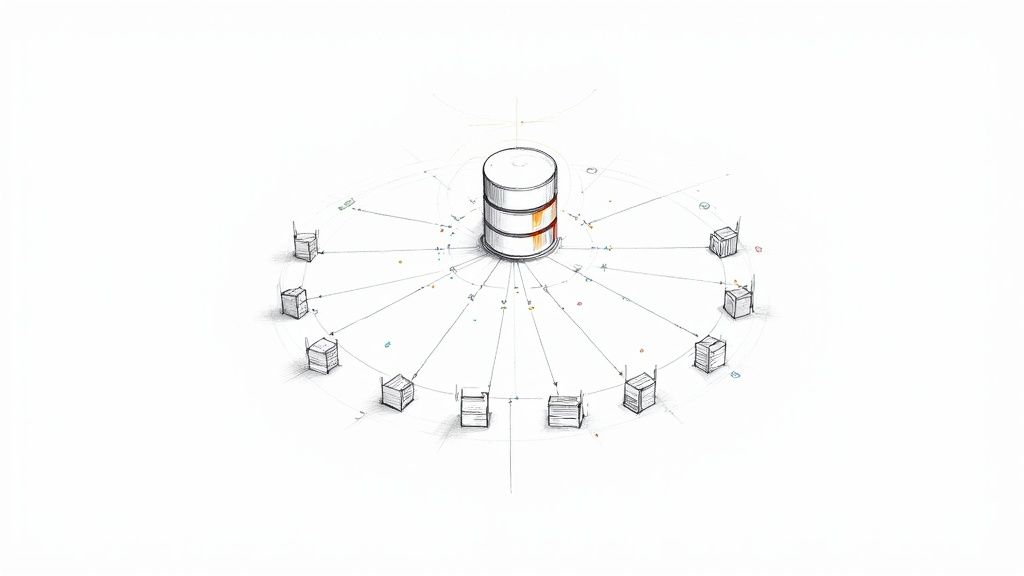
Replication sets up multiple copies of your data across servers or locations, much like photocopying a rare manuscript and tucking each version into a different library. This approach ensures that if one site goes offline, users still find the information they need. It’s a simple yet powerful way to boost resilience and accessibility.
Why Replication Of Data Matters
Enterprises count on near-zero downtime, dependable disaster recovery, and performance isolation—and that’s where replication shines.
- High Availability: Live copies keep services running even during failures.
- Disaster Recovery: When the primary system falters, replicas pick up the slack.
- Analytics Offload: Running reports on replicas prevents any load on production databases.
“Data replication underpins 24/7 operations and compliance in modern IT environments.”
As more workloads move to the cloud and regulations tighten, you’ll see replication become a non-negotiable requirement.
Drivers Of Market Growth
Several forces are pushing replication into the spotlight:
- Cloud Migration demands data copies spread across multiple regions.
- Regulatory Pressure enforces strict data residency and retention rules.
- User Expectations mean systems must be available around the clock.
Today, the global data replication market sits at USD 3.5–6.5 billion, and it’s set to expand at double-digit CAGRs. For a deep dive into the forecast, check out the full research from Verified Market Research.
The diagram below, sourced from Wikipedia, lays out key replication models and topologies.

This visual breaks down master–slave and multi-master architectures, showing how updates flow between nodes to stay in sync.
Think of replicas as a courier fleet that mirrors critical cargo across cities. If one route hits a roadblock, packages simply reroute, and deliveries arrive on time.
- Retailers handle holiday order surges by directing transactions to replicas.
- Banks meet compliance by distributing copies across regulated zones.
- Streaming platforms serve content with minimal lag via regional nodes.
By isolating workloads, you keep performance steady and can perform maintenance without any user impact. Treating your data like a library collection spread across branches means fewer service disruptions and greater flexibility.
Real-World Impact
When you master data replication, your organization gains the confidence to scale without fear of downtime. It becomes the backbone of any service demanding constant availability.
Monitoring replication lag and consistency levels lets you meet SLAs automatically—and prevents small issues from snowballing into outages. Armed with these insights, IT teams can architect systems that thrive under pressure and adapt as demands evolve.
Key Concepts In Replication Of Data
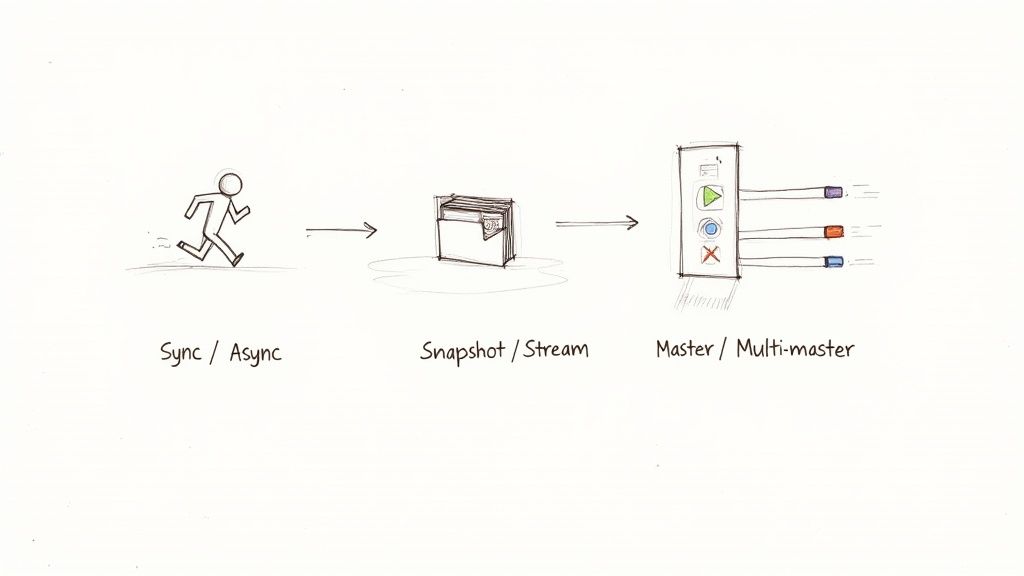
Data replication adapts to different scenarios. Imagine sending express couriers versus sorting packages into a daily mail run. Each approach balances speed, reliability, and resource use in its own way.
Synchronous Versus Asynchronous Replication
Synchronous replication locks in every write across all sites before confirming success. It’s like closing your front door only when the courier hands over each package—no room for data gaps. Ideal for systems that demand RPO=0, such as financial ledgers or critical transaction logs.
In contrast, asynchronous replication acknowledges writes instantly and replicates changes on a delay. Picture bulk mail distribution—it flies out fast, and the other branches catch up later. This model shines when you can accept millisecond to second lag for high-throughput tasks like analytics or reporting dashboards.
- Use Case: Synchronous – Financial platforms with zero tolerance for data loss
- Use Case: Asynchronous – Analytics pipelines and reporting systems that tolerate slight delays
Snapshot Versus Continuous
Snapshot replication takes a full “photo” of the data at a specific interval. You land on a known and fixed view—perfect for weekly inventory exports or periodic backups. Simplicity and rollback support are its strongest points.
Continuous streaming, by comparison, feels like a live video feed of every change. It pushes events the moment they occur, keeping dashboards and alert systems in sync.
“Continuous streams reduce latency to under 100 ms, enabling live monitoring.”
-
Easy rollback to a specific state
-
Low operational complexity
-
Near-zero delay for event-driven actions
-
Great for real-time monitoring and analytics
Comparing Master–Slave And Multi-Master
In a master–slave setup, one node handles all writes while replicas mirror its data in read-only mode. Think of it as a conductor leading the orchestra, with the rest following in harmony. It’s perfect when you need a single source of truth and want to scale out reads.
Multi-master, on the other hand, lets every node accept writes simultaneously. It’s like several conductors cooperating across different regions—conflicts are inevitable but manageable. This topology suits geo-distributed teams working on shared documents or active-active clusters.
| Topology | Description | Ideal Scenario |
|---|---|---|
| Master–Slave | Single write node with read-only replicas | Centralized writes and heavy read scaling |
| Multi-Master | Multiple write nodes with conflict handling | Distributed editing and active-active clusters |
How To Choose The Right Model
Picking the right replication pattern boils down to your requirements for consistency, latency, and scale. Start by asking:
- Data Criticality: Does every transaction matter?
- Latency Budget: How much delay can your users tolerate?
- Read Scale: Will you offload reporting or heavy analytical loads?
- Geographic Scope: Are your replicas spread across continents?
These factors guide you toward the replication model that aligns with your service level objectives.
Real World Example
Consider an online retailer juggling inventory across multiple data centers. It uses synchronous replication for point-of-sale transactions to prevent overselling and ensures stock counts never diverge. At the same time, hourly snapshots feed its reporting platform without slowing down sales. Finally, a continuous stream powers real-time dashboards to track flash-sale spikes.
- Guarantees write consistency to avoid stockouts
- Simplifies reporting with scheduled snapshots
- Delivers live insights via streaming metrics
Key Takeaways
- Data replication offers multiple patterns to balance speed, reliability, and scale
- Analogies—couriers, photo albums, conductors—make complex models easier to grasp
- Real-world examples demonstrate how to mix sync, async, snapshot, and continuous for optimal results
Benefits And Use Cases For Replication Of Data
Data replication can transform how you handle different workloads. By keeping copies of your primary database in sync, you reduce the load on your production system and accelerate downstream processing.
For instance, read replicas let you run large-scale analytics without slowing your transactional database. Parallel reporting becomes seamless, and query contention all but disappears.
Zero-downtime upgrades also depend on live copies. You stage schema changes on a replica, switch traffic over, and shrink maintenance windows from hours to minutes.
Key Use Cases:
- Read-scale offload isolating analytics from OLTP workloads
- Zero-downtime schema migrations using live replicas
- Disaster recovery drills with ready-to-go failover environments
A leading financial services firm slashed its recovery time objective from four hours to under five minutes by embracing synchronous replication. They mirrored every transaction commit across primary and backup sites in real time, making recovery almost instantaneous.
“We achieved sub-5-minute recovery in a critical environment.”
Replicating For High Availability
High availability often hinges on live replicas in geographically separate data centers. If a primary node goes down, traffic reroutes instantly, ensuring critical applications stay online.
E-commerce platforms, for example, deploy read replicas by region to cut latency by up to 70%. Regional copies also help satisfy data-residency rules and compliance standards.
Sector Specific Scenarios
Healthcare providers need up-to-date patient records in multiple clinics. Replication keeps electronic health records in sync, even when network links wobble.
In telecom, operators replicate call detail records to analytics clusters, enabling near-real-time billing within minutes of call completion.
Examples:
- Hospitals maintain consistent EHR systems across sites
- Telecom runs usage-based billing without data gaps
- Retail chains sync inventory counts to power flash sales
Enterprise adoption of replication and streaming solutions has reached critical mass, with 86% of organizations reporting up to 5× ROI and $2.5 million in savings within three years in some cases. Learn more about these findings.
Integration With Zero Downtime
Embedding replication into your upgrade workflow dramatically reduces risk. You deploy a new database version on a replica, run integration tests, and only then flip traffic over. If something goes wrong, rolling back is almost instantaneous.
To streamline upgrades:
- Stage database versions on replicas before production
- Test schema modifications in a live-replica environment
- Swap roles between primary and replica with minimal downtime
In summary, data replication underpins both reliability and agility. From finance to telecom, it unlocks consistent performance and measurable gains.
Monitoring And Testing Replicas
Keeping an eye on replication lag is crucial. Alerts for stalled replicas help you catch backlogs before they impact operations. Regular failover drills validate that your replicas behave as expected.
Monitoring Best Practices:
- Automate health checks for replication slots or streams
- Compare checksums or row counts to verify consistency
- Schedule controlled failover exercises to test readiness
Comparing Alternatives To Replication
While replication excels at creating a continuous, low-overhead copy of your database, other approaches have their place:
| Approach | Ideal Use Case | Typical Overhead |
|---|---|---|
| Replication | High throughput with minimal transformation | Low |
| CDC Streaming | Event-level granularity and flexible routing | Medium |
| Batch ETL | Complex data reshaping in scheduled windows | High |
Choose replication when you need a straightforward, always-on copy. Opt for CDC pipelines like Streamkap if you want event-driven streaming with filtering. And lean on ETL when heavy data transformation is your top priority.
Data Replication Architectures And Patterns
Balancing performance, reliability, and cost is at the heart of choosing a replication architecture. Every topology—from a straightforward single-site setup to a woven multi-master mesh—carries its own implications for speed, failover, and operational overhead.
Think of synchronous replication as a commuter train making every stop on time: low latency and zero data loss. By contrast, asynchronous replication moves like a long-haul freight train, prioritizing throughput over instant consistency.
Patterns Overview
-
Single-Site Synchronous
Mirrors writes instantly across replicas for zero data loss and tight consistency. -
Hub-And-Spoke Hybrid
Central “hub” pushes updates to regional “spokes,” striking a balance between control and fan-out. -
Full Multi-Master Mesh
Every node can accept writes, delivering high availability at the cost of conflict resolution.
Topology Diagram

This illustration from Wikipedia shows how data flows through master–slave, multi-region, and mesh configurations.
Comparison Of Replication Patterns
Below is a side-by-side look at six core replication patterns, their ideal use cases, and the trade-offs you’ll face.
| Pattern | Description | Use Case | Pros | Cons |
|---|---|---|---|---|
| Synchronous | Immediate mirroring of each write | Financial transactions | Zero data loss , strong consistency | Higher latency, greater infrastructure cost |
| Asynchronous | Changes batched and shipped with delay | High-volume logging | Lower write latency, efficient bandwidth | Potential replication lag |
| Snapshot | Periodic full-data copy | Scheduled backups, ETL | Simple to implement, low daily overhead | Stale data between snapshots |
| Continuous | Stream of individual change events | Real-time analytics | Near real-time updates, fine granularity | Complex setup, higher resource usage |
| Master–Slave | Single writable master, multiple readers | Read-heavy applications | Simplified conflict avoidance | Write bottleneck, single point of failure |
| Multi-Master | Multiple writable nodes in a mesh | Global active-active deployments | High availability, low regional write latency | Requires conflict detection/resolution |
By reviewing patterns like these, you can match your RTO/RPO goals to the replication style that makes sense.
Pattern Selection Tips
- Align your RTO and RPO targets first; they drive sync vs. async choices.
- Account for data volume: storage needs can swell by 2×–5× and network egress by 20–40%.
- Run small-scale failover drills in a staging environment to catch hidden latency issues early.
- Model costs for storage, bandwidth, and personnel before rolling out new replicas.
For hands-on guidance, explore our detailed recommendations in the database replication software guide.
Business Drivers
Compliance rules around data locality often push teams toward geo-distributed meshes. Egress fees in the cloud can make hub-and-spoke or centralized patterns more attractive. And of course, penalty clauses for downtime may justify the extra budget for zero-data-loss synchronous setups. Engaging finance and operations stakeholders early ensures your replication strategy delivers business value without surprise costs.
Managing Consistency Latency And Conflict Resolution
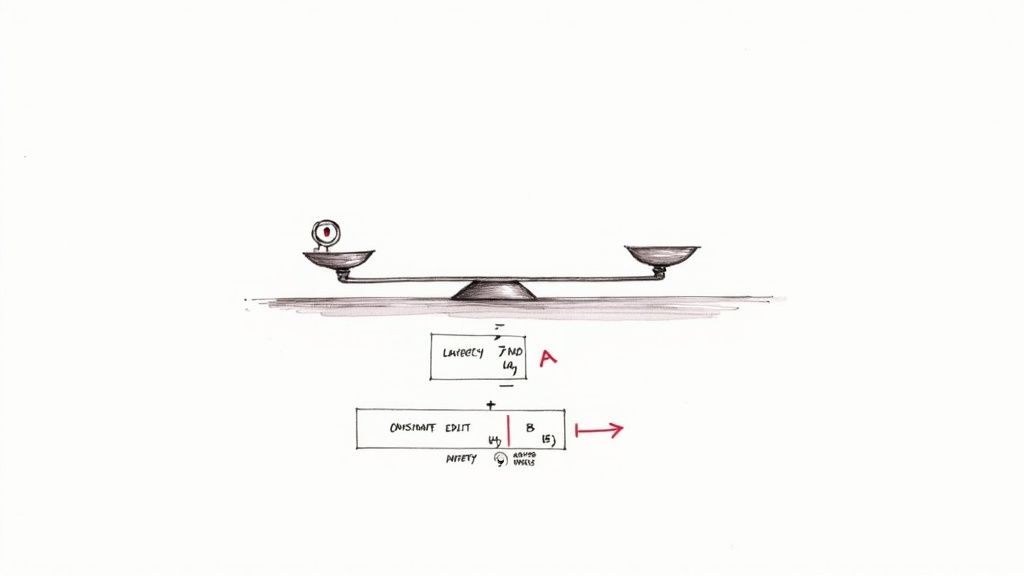
When you replicate data, you’re constantly balancing two forces: keeping every node up to date and keeping write operations snappy. Synchronous replication insists on confirming each update on all replicas before reporting success, delivering strong consistency at the cost of extra latency.
Asynchronous replication, on the other hand, acknowledges writes immediately and ships changes to replicas afterward. This approach boosts throughput but opens a brief window where replicas might lag behind the primary node.
Think of synchronous replication like waiting for exact change at a busy cashier. Asynchronous replication feels more like getting an estimate first and reconciling the payment later.
Synchronous Vs Asynchronous Replication
In synchronous mode, every write pauses until each replica sends back an acknowledgement. That means no lost writes, but you’ll absorb any network or processing delays.
Conversely, asynchronous mode commits locally and ships the update down the line. You see sub-10 ms responses, yet you must plan for occasional stale reads.
- Strong Consistency: Guarantees no data loss; replicas stay in lockstep.
- Eventual Consistency: Accepts short-lived drift for faster writes.
Choosing the right mode depends on application requirements and tolerance for stale reads.
Example: E-Commerce Across Regions
Imagine an online store operating in both US-East and EU-West. Under synchronous replication, each purchase picks up roughly 100 ms of lag while waiting for the distant replica to confirm. You won’t lose an order, but checkout speeds take a hit.
Switch to asynchronous, and customers enjoy sub-10 ms purchase confirmations. The trade-off? A handful of orders in flight might vanish if the primary crashes. Teams usually mitigate this by replaying uncommitted transactions on restart.
Conflict Resolution Strategies
When two users update the same record at once, you need clear rules to merge their changes without corrupting data.
- Last-Write-Wins: Overwrites with the newest timestamp.
- Vector Clocks: Tracks causal history for safe merges.
- Custom Hooks: Embeds application logic for domain-specific reconciliation.
Vector clocks offer precise merge lineage in collaborative use cases.
Rules Of Thumb For Consistency Models
- Align your replication mode with RPO and RTO targets.
- Factor in extra latency when using synchronous replication.
- Stress-test conflict strategies under concurrent writes.
- Monitor lag metrics and alert on threshold breaches.
Check out our guide on real-time database synchronization for implementation tips.
Best Practices For Testing Replication
- Run failover drills to measure how quickly replicas take over.
- Inject artificial network delays to test timeout handling.
- Validate reconciliation hooks with simultaneous writes.
- Automate lag checks and alert on anomalies.
Monitoring And Observability
Staying ahead of replication issues means tracking key metrics before SLAs are affected. Keep an eye on lag, queue sizes, and acknowledgment times.
- Write acknowledgment time for each replica.
- Replication lag percentiles: p95 and p99.
- Data throughput rates across replication links.
Cost And Performance Trade-Offs
Synchronous replication often increases infrastructure costs because every write waits for multiple confirmations. Asynchronous setups cut write delays but may require retry logic and buffering.
Using Streamkap For Low Latency Replication
Streamkap uses change data capture to maintain near-zero-latency replicas with minimal overhead.
- Streams only changed rows to replicas in real time.
- Automated schema handling avoids manual mapping and migrations.
- Built-in conflict hooks enable custom reconciliation logic.
- No maintenance on Kafka or stream processors required.
Evaluate Streamkap to reduce total cost of ownership and simplify replication design.
Final Recommendations
Match your replication strategy to both your business requirements and technical budget. Blend synchronous and asynchronous modes to balance consistency, latency, and cost.
Regularly simulate failure scenarios, validate your conflict resolution logic, and track performance trends. Automated audits will catch replica drift before it ever impacts your users.
Happy replicating, stay vigilant.
Comparing Replication With CDC ETL And Streaming
Think of data movement as three different transport options: replication is an express train, batch ETL a freight ship, and CDC streaming a taxi you call on demand.
Picking the right mode comes down to how fresh your data must be, how much transformation you need, and the resources your team can spare.
- Replication moves like an express train, delivering updates with millisecond latency, minimal transformation steps, and low operational overhead.
- Batch ETL sails on a rigid schedule—like a freight ship—batching data every hour (or more) for deep reshaping at the cost of minutes to hours of delay.
- CDC Streaming is your on-demand ride: event-driven, schema-flexible, and operating in seconds, though setup and monitoring are more involved.
Each approach balances speed, data reshaping, and complexity in its own way. By lining them up side by side, you can see why replication often shines when simplicity and low lag are non-negotiable.
When To Use Each Method
Use replication when you need near-continuous copies of your data. It’s ideal for read-scaling and high-availability clusters without the fuss of extra pipelines.
Turn to batch ETL if your workloads can tolerate updates every hour or day and require deep transformations—think financial reporting or data warehousing.
Opt for CDC streaming when your applications react in real time to every change. This method delivers fine-grained events and flexible filtering, but it demands careful monitoring and operational know-how.
“Pipeline choices define latency budgets and operational footprint.”
Streamkap As A CDC Streaming Alternative
Streamkap lands between raw replication and heavyweight ETL, offering a managed CDC pipeline that brings real-time data flow with minimal setup.
- Automated schema handling removes manual mapping steps.
- A lean resource footprint means no excessive infrastructure.
- Built-in conflict resolution merges overlapping events seamlessly.
To explore CDC in depth, read our guide on change data capture: What Is Change Data Capture
| Method | Latency | Overhead |
|---|---|---|
| Replication | Low ( ms ) | Minimal |
| Batch ETL | High ( minutes+ ) | Heavy |
| CDC Streaming | Medium ( seconds ) | Moderate |
These trade-offs are just the starting line. Next, align your RTO and RPO, monitor replication lag, and automate failover drills to keep your pipelines resilient.
FAQ On Data Replication
Choosing between synchronous and asynchronous replication often feels like deciding between safety and speed. Synchronous mode ensures every write is locked in across replicas, offering RPO=0 protection. By contrast, asynchronous replication ramps up throughput, trading off a bit of lag for performance.
In practice, banks lean on synchronous replication to eliminate data loss. On the flip side, analytics platforms commonly adopt asynchronous mode to keep write latency below 10 ms. This trade-off creates a clear balance between consistency and agility.
Key Differences:
- Synchronous: Guarantees strong consistency
- Asynchronous: Delivers higher throughput
- Hybrid: Blends both for mixed requirements
Another crucial angle is cost, especially when you span regions. Outbound network traffic can inflate cloud bills by 20-40%, while storing duplicate datasets effectively doubles capacity needs.
Operating in three or more regions multiplies these expenses. To counter that, negotiate reserved bandwidth, set up peering arrangements, and account for ongoing maintenance and monitoring overhead.
Choosing Replication Modes
When deciding on a mode, start with your latency budget and critical data windows. Small clusters with zero tolerance for downtime should favor synchronous pipelines. Larger, distributed environments often gain resilience from asynchronous flows.
Hands-on benchmarks typically reveal that asynchronous setups absorb traffic spikes 2×–3× better. Synchronous writes, however, introduce roughly 1–2 ms of extra latency per replica round trip. Always test in your own infrastructure before committing.
“Choosing the right replication pattern is critical for system resilience,” says a seasoned data engineer.
It’s also worth clarifying how replication stacks up against change-data-capture (CDC) and streaming. While replication copies raw data payloads in near real time, CDC tools extract change events and enrich them for routing. Streaming platforms like Kafka then allow complex transformations, whereas replication remains a lightweight, straightforward option when you need minimal overhead.
Security Best Practices
Securing distributed replicas starts with strong encryption. Use TLS for data in transit and AES-256 at rest. Then layer on strict, role-based access controls for each replica node.
Maintain comprehensive audit logs and rotate encryption keys regularly to mitigate risks. If you’re working across clouds, consider IAM policies or VPN tunnels. And don’t forget periodic failover drills to ensure you meet compliance mandates.
Ready to simplify data movement? Try Streamkap at Streamkap
Related resources
DynamoDB Streams to Kafka: Stream View Types, Shard Iteration, and Production CDC Setup
DynamoDB CDC setup: stream view types, shard iterator semantics, 24-hour retention limits, IAM permissions, and how the connector handles shard splits.
MongoDB CDC: Change Streams, Replica Set Requirements, and oplog Sizing for Production
Configure MongoDB change streams for CDC: replica set requirements, oplog window sizing, resume token semantics, and what breaks when the oplog rolls over.
Oracle CDC: Supplemental Logging, LogMiner Configuration, and Production Setup
How to enable Oracle supplemental logging, configure LogMiner for CDC, and manage redo log retention, archive log mode and user privileges before replication starts.