<--- Back to all resources
A Practical Guide to Data Change Capture SQL Server
Unlock real-time data integration with our guide to Data Change Capture SQL Server. Learn setup, architecture, and best practices for reliable data pipelines.
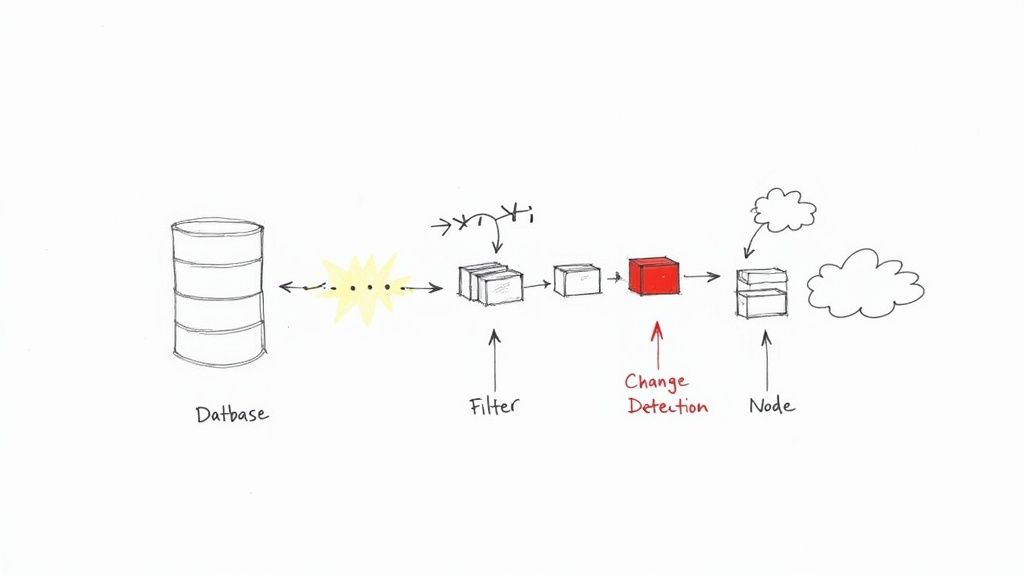
Data Change Capture in SQL Server is a native feature that does exactly what its name implies: it captures changes—inserts, updates, and deletes—made to your tables. Think of it as a detailed journal for your database, recording a complete history of every change at the row level, right as it happens. This makes it a foundational tool for building modern, real-time data pipelines.
What Is Data Change Capture in SQL Server?
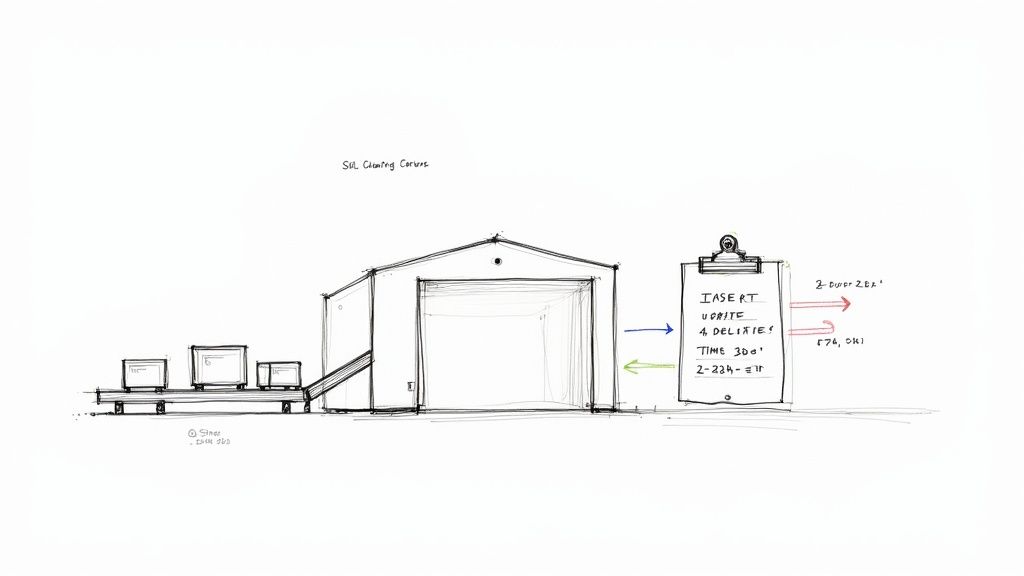
Let’s use an analogy. Picture a busy warehouse where every package that arrives (INSERT), gets moved to a new shelf (UPDATE), or is shipped out (DELETE) is logged by a clerk. That clerk’s logbook becomes the definitive, ordered history of every single inventory change. In the world of databases, Change Data Capture (CDC) is that meticulous clerk for your SQL Server tables.
Instead of constantly bugging the database with queries like, “Anything new yet?”—a technique known as polling—CDC works smarter. It quietly watches the database’s transaction log. This is the very same log SQL Server relies on for crash recovery, which means CDC is an incredibly efficient and non-intrusive way to track changes without slowing down your primary database operations.
Why Is This Approach a Game-Changer?
In the past, tracking data changes often meant relying on clunky, high-overhead methods. Think database triggers that fire on every transaction or nightly batch jobs that could only tell you what happened yesterday. These old-school approaches put a heavy strain on the source database and made real-time data a distant dream.
CDC flips the script by separating the act of tracking changes from the transaction itself. This asynchronous design brings some serious benefits:
- Minimal Performance Impact: Because it reads changes from the transaction log, it doesn’t add overhead to your production tables or interfere with active user queries.
- Guaranteed Data Integrity: It only records changes that have been fully committed to the database, giving you a consistent and trustworthy history. No more dealing with partial or rolled-back transactions.
- Real-Time Data Streaming: It provides a continuous, low-latency stream of change events. This allows downstream systems like data warehouses, analytics platforms, and microservices to stay perfectly in sync with the source.
Change Data Capture became a standard, fully supported feature with the release of SQL Server 2008 R2. This was a huge step forward, finally offering a robust alternative to cumbersome triggers and inefficient polling. By reading committed transactions directly from the log, it sidesteps performance bottlenecks and avoids adding extra CPU load to critical workloads.
This fundamental shift makes Data Change Capture in SQL Server an essential component of any modern data architecture. It’s the engine that powers everything from live analytics dashboards to event-driven applications, all while providing a reliable source of truth for every change your data undergoes. To learn more about the broader concept, check out our guide on what is Change Data Capture.
Comparing Data Tracking Methods in SQL Server
To really appreciate what CDC brings to the table, it helps to see how it stacks up against other common methods for tracking data changes in SQL Server. Each approach has its place, but they differ significantly in their impact and complexity.
| Method | Performance Impact | Complexity | Best For |
|---|---|---|---|
| Change Data Capture (CDC) | Low | Medium | Real-time data streaming, auditing, and replication with minimal source impact. |
| Triggers | High | High | Enforcing complex business rules synchronously; not ideal for simple change tracking. |
| Change Tracking | Very Low | Low | Answering “what rows have changed?” without needing the historical data. |
| Temporal Tables | Medium | Low | Maintaining a full version history of rows for point-in-time analysis. |
| Polling (Timestamps/Flags) | High | Low | Simple, low-frequency use cases where real-time data is not a priority. |
As the table shows, while simpler methods exist, CDC hits the sweet spot for building robust, high-performance data pipelines that require a complete and ordered history of changes.
How SQL Server CDC Works Under the Hood
To really get a handle on Change Data Capture, you have to look under the hood. It’s not magic; it’s a smart, well-designed process that piggybacks on core database functions to give you a reliable stream of change events without bogging everything down. The whole system is built on one of the most fundamental parts of SQL Server: the transaction log.
Think of the transaction log as the database’s black box recorder. Every single thing that happens—every INSERT, UPDATE, and DELETE—gets written to this log file before it’s committed to the actual data files. It’s what makes crash recovery possible. CDC cleverly taps into this existing, highly detailed record.
When you flip the switch on CDC, SQL Server quietly creates two special SQL Server Agent jobs. These jobs are the heart and soul of the CDC process, working in tandem to read the log, make sense of the changes, and store them in a way you can easily query.
The Capture Job: The Log Reader
The first, and most important, of these is the capture job. Its one and only job is to continuously scan the transaction log, looking for changes made to the specific tables you’ve told it to watch. It acts like a detective, sifting through the log entries to find committed transactions for your tracked tables.
Once it spots a relevant change, it translates the raw, low-level log data into a clean, row-based format. This organized data is then written into special system tables called change tables. For every source table you enable CDC on, you get a corresponding change table, like cdc.dbo_YourTable_CT.
A key thing to remember is that this process is asynchronous. The capture job runs completely separate from your application’s transactions. This is what makes CDC so lightweight—your application doesn’t have to wait for the change to be captured.
This separation is a huge advantage, as it means CDC doesn’t add any latency to your critical database writes, unlike other methods like triggers.
The Cleanup Job: The Housekeeper
As you can imagine, change data can pile up fast. Without some kind of management, the change tables would just grow and grow forever. That’s where the second SQL Server Agent job, the cleanup job, comes in. Think of it as the automated housekeeper for your CDC system.
This job runs on a schedule (daily, by default) and purges old data from the change tables based on a retention period you set. This keeps storage in check and ensures the whole system stays snappy. The default retention is usually three days, but you’ll definitely want to tweak this based on how and when your downstream systems need to access the data.
The Journey of a Single Data Change
Let’s walk through the entire lifecycle of a single change to see how all these pieces fit together:
- Transaction Commit: Your application runs an
UPDATEon a tracked table and the transaction is committed. - Log Write: SQL Server immediately writes the details of that
UPDATEto the transaction log, including the before and after values of the columns that changed. - Capture Process: A little later, the CDC capture job scans the log, finds that committed
UPDATErecord, and pulls out the relevant details. - Change Table Insert: The job then inserts a new row (or rows) into the corresponding change table (
cdc.dbo_YourTable_CT) to document what happened. This new row includes metadata like the operation type (__$operation = 4for an update) and the new column values. - Data Consumption: Your downstream applications can now query this change table using special CDC functions, like
cdc.fn_cdc_get_all_changes, to get a structured stream of everything that’s been modified. - Automated Cleanup: Finally, after the retention period you configured has passed, the cleanup job will automatically come along and delete that change record from the change table, freeing up space.
This elegant workflow turns the raw, messy transaction log entries into a clean, accessible, historical record of every change, making Change Data Capture in SQL Server a rock-solid foundation for building modern, real-time data pipelines.
Step-by-Step Guide to Enabling and Querying CDC
Now that we’ve covered the “what” and “why” of data change capture in SQL Server, let’s get our hands dirty. I’ll walk you through the exact Transact-SQL (T-SQL) commands you’ll need to turn on CDC, point it at the right tables, and start pulling out change data. Think of this as your practical blueprint for getting CDC up and running.
Before you type a single character, there’s one crucial prerequisite: SQL Server Agent must be running. The entire CDC process relies on two key jobs—one for capturing changes and another for cleaning up old data—and both are managed by the SQL Server Agent. If it’s not active, nothing happens. For cloud versions like Azure SQL, this is usually handled for you, but for on-premise instances, it’s on you to check.
This simple diagram shows the journey your data takes—from a transaction hitting the log file to the capture process picking it up and landing it in a change table, ready for you to query.
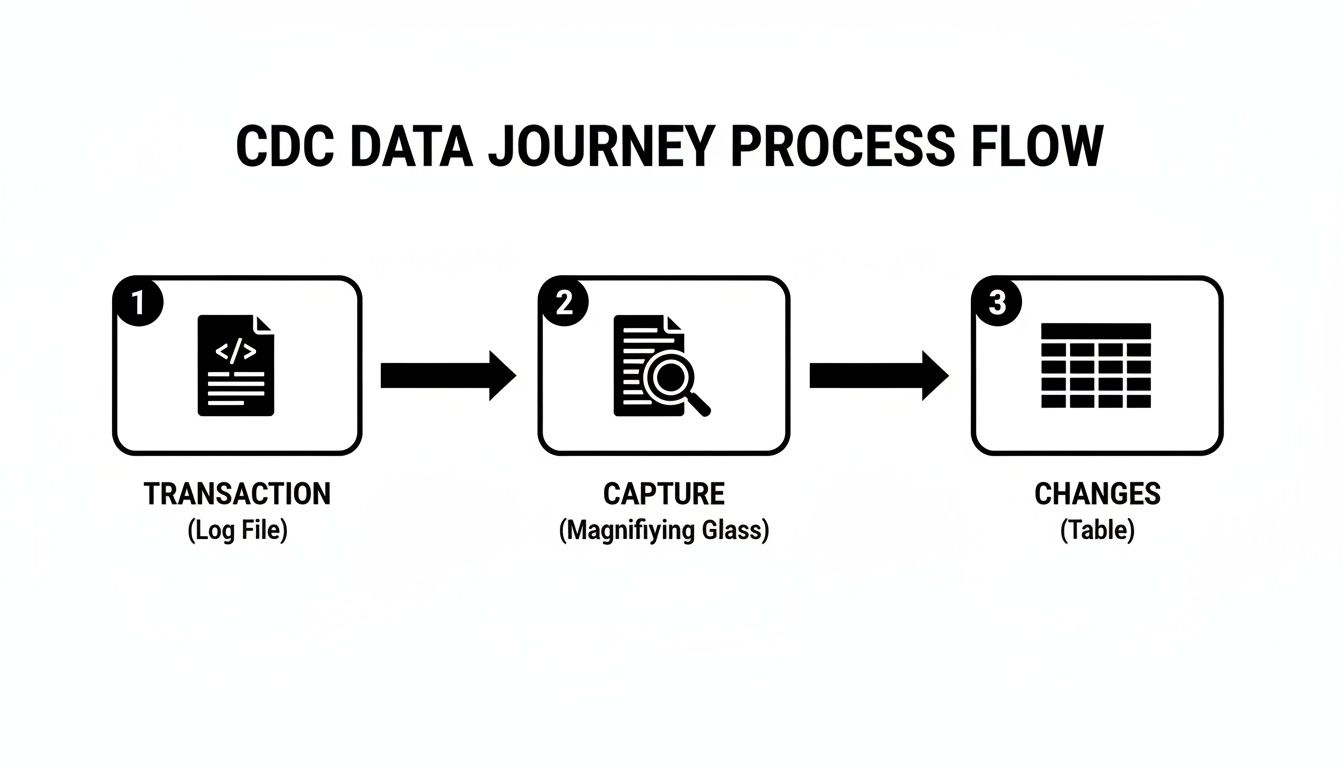
What’s key here is that the capture mechanism works in the background. It reads the log, not your live tables, ensuring it doesn’t get in the way of your application’s primary workload.
H3: Enabling CDC on the Database
First things first, you have to enable CDC at the database level. This is a one-time action that essentially flips the master switch. It doesn’t start tracking any tables just yet; it simply sets the stage by creating the cdc schema and a few system tables to manage the whole process.
To do this, you’ll run the sys.sp_cdc_enable_db stored procedure.
— Make sure you’re in the right database first!
USE YourDatabaseName;
GO
— Flip the main CDC switch for the database
EXEC sys.sp_cdc_enable_db;
GO
Once that command completes successfully, your database is officially CDC-ready. Now you can get more specific and decide which tables you want to watch.
H3: Enabling CDC on Specific Tables
With the database prepped, you can now pinpoint the exact tables to monitor. This is where the real power lies—you don’t have to capture everything. You can be selective, which is great for minimizing storage and processing overhead.
For this, we use the sys.sp_cdc_enable_table stored procedure. It comes with a few important parameters that give you precise control over how the tracking works.
Let’s say we want to track changes to a dbo.Customers table.
EXEC sys.sp_cdc_enable_table
@source_schema = N’dbo’,
@source_name = N’Customers’,
@role_name = N’cdc_readers’,
@supports_net_changes = 1;
GO
Let’s quickly break down what this does:
- @source_schema & @source_name: These simply identify the table you want to track.
- @role_name: This is a critical security setting. It creates a database role (in this case,
cdc_readers) that will be granted SELECT permission on the change data. To access the CDC information, a user must be a member of this role. If you set this toNULL, only members ofsysadminanddb_ownercan see the changes. - @supports_net_changes: Setting this to
1creates an extra function that makes it easier to query for the “net” changes between two points in time. It’s incredibly useful for getting a final summary of what happened to a row.
After you run this, SQL Server creates a new change table (usually named something like cdc.dbo_Customers_CT) and sets up the capture job to start scanning the transaction log for any DML activity on the Customers table.
Important Takeaway: Always define a
@role_name. It’s a best practice that follows the principle of least privilege, making sure only the right people or applications can access what might be sensitive change history.
H3: Querying the Change Data
Okay, so CDC is on, and you’ve made a few inserts, updates, or deletes. Now for the payoff: reading the change history. You don’t query the _CT tables directly. Instead, SQL Server gives you a set of powerful table-valued functions that present the data in a clean, easy-to-use format.
The main function you’ll use is cdc.fn_cdc_get_all_changes. To use it, you need to provide a start and end Log Sequence Number (LSN), which defines the time window you’re interested in.
Here’s how you’d query all the changes for our dbo.Customers table:
-
Find your LSN range: First, you need to figure out the LSNs that bracket your desired changes. The helper functions
sys.fn_cdc_get_min_lsnandsys.fn_cdc_get_max_lsnare perfect for this. -
Run the query: With your LSNs in hand, you can call the function.
— Declare variables to hold our start and end points
DECLARE @begin_lsn BINARY(10), @end_lsn BINARY(10);
— Get the LSN range for our specific capture instance (‘dbo_Customers’)
SET @begin_lsn = sys.fn_cdc_get_min_lsn(‘dbo_Customers’);
SET @end_lsn = sys.fn_cdc_get_max_lsn();
— Now, query for all changes within that range
SELECT
__$operation,
__$update_mask,
CustomerID,
FirstName,
LastName,
Email
FROM cdc.fn_cdc_get_all_changes_dbo_Customers(@begin_lsn, @end_lsn, N’all’);
GO
The __$operation column is your guide to what happened. It’s a simple code: 1 means delete, 2 is an insert, 3 is the “before” image of an update, and 4 is the “after” image. This gives you a complete audit trail to reconstruct the entire history of any row. For more on using CDC in the cloud, check out our guide on Azure SQL Database Change Data Capture for some extra tips.
Fine-Tuning CDC for Performance and Storage
Flipping the switch on Change Data Capture is easy. The real challenge? Making it run smoothly and efficiently in a busy production environment without becoming a performance hog or a storage black hole.
Getting this right is crucial. A poorly configured CDC setup can quickly bring a high-throughput system to its knees. But with a few best practices, you can keep your implementation healthy, stable, and incredibly fast.
One of the best things about CDC is that it works asynchronously. It reads changes from the transaction log after the fact, completely separate from your application’s transactions. This is a world away from old-school triggers, which fire inside the user’s transaction and can easily add a 10–30% performance penalty to write-heavy workloads.
This asynchronous design is what keeps your primary database operations snappy. The trade-off, of course, is a small amount of latency. But in a well-tuned pipeline, we’re talking about end-to-end latency that’s often sub-second to just a few seconds. It’s also incredibly efficient on data volume—you can learn more about how CDC’s architecture cuts data transfer needs by 60–95% compared to full table refreshes in this deep dive on Change Data Capture in SQL Server.
Dialing in the Capture Job
Think of the CDC capture job as the heart of your change tracking system. Its settings are the dials you turn to balance near-real-time speed against server resource consumption. While it runs continuously by default, you have a few key levers to pull:
maxtrans: This sets the maximum number of transactions the job will grab in a single scan. If you lower it, you reduce the I/O and CPU hit of each run, but you might introduce a bit more latency if transactions start backing up.maxscans: This tells the job how many times to scan the log for new transactions before taking a breather. If your workload comes in big, sudden bursts, bumping this up can help the job clear the backlog much faster.pollinginterval: This is simply the “sleep” time between log scans, with a default of 5 seconds. For pipelines that need to be as close to real-time as possible, you can drop this to 1 or 2 seconds—just watch your resource usage. For data that’s less urgent, pushing it to 15 or 30 seconds is a great way to reduce overhead.
The trick is to find that perfect equilibrium where the capture job easily keeps pace with your transaction log without hammering your server. Start with the defaults, monitor closely, and adjust from there.
Staying on Top of Storage and Cleanup
On an active database, those cdc change tables can grow at an astonishing rate. If you don’t stay on top of it, you’ll find yourself dealing with runaway disk usage and a cleanup process that struggles to keep up.
The built-in cleanup job is your first line of defense, but its default setting of keeping data for 72 hours (3 days) isn’t a one-size-fits-all solution. For a system where changes are consumed every few minutes, three days is ancient history. For another that runs nightly batches, it might not be long enough.
Thankfully, you can easily tweak this with the sys.sp_cdc_change_job stored procedure. For example, if you only need to keep changes for a single day, you can set the retention to 24 hours (1440 minutes) with this command:
EXEC sys.sp_cdc_change_job
@job_type = N’cleanup’,
@retention = 1440;
Make it a habit to monitor the size of your cdc schema tables. If the cleanup job starts lagging or takes an unusually long time to run, it’s a clear warning sign. It could mean your retention period is too aggressive for your transaction volume, or perhaps your I/O subsystem is under stress. Don’t wait for the disk space alerts to start screaming—proactive monitoring is key.
Connecting CDC To Modern Real-Time Data Platforms
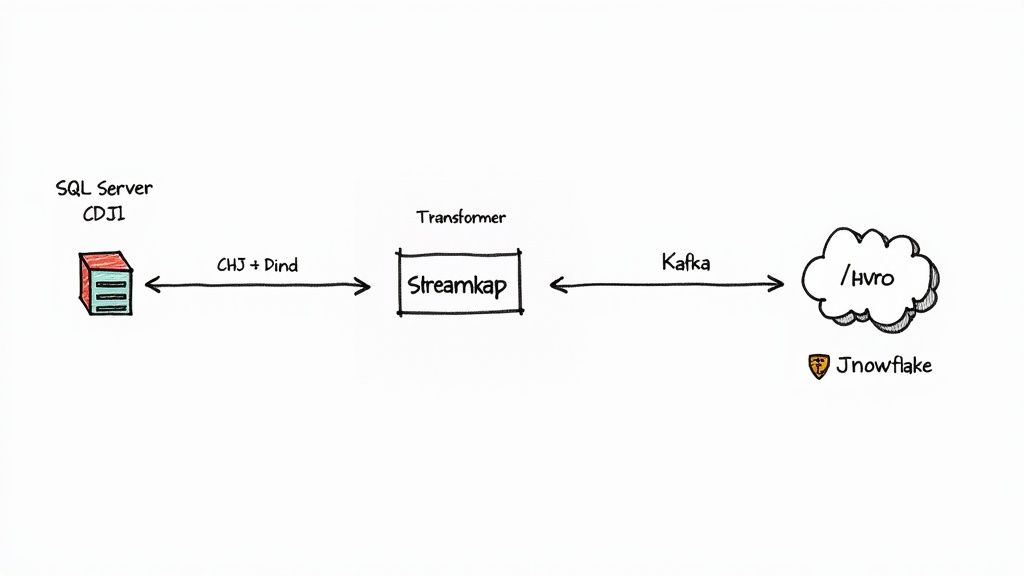
Getting the change data out of SQL Server is just the first step. The real magic happens when you connect that raw stream of events to the platforms that actually run your business—cloud data warehouses, streaming engines, and microservices. SQL Server CDC gives you a reliable, low-impact source of changes, but it doesn’t natively speak the language of these modern systems. That’s where a modern data pipeline comes in.
Think of the raw CDC output like a highly detailed shipping manifest, but it’s written in a language only the source database understands. To make it useful, you need a universal translator and a high-speed delivery service. This is exactly the role real-time data platforms play, acting as the essential bridge between your SQL Server database and the rest of your data ecosystem.
The ultimate goal is to build an automated, resilient pipeline that can grab change events from SQL Server, whip them into a standard format like JSON or Avro, and stream them reliably to any number of destinations. This architecture opens up a whole new world of possibilities, from powering live analytics dashboards to updating search indexes in milliseconds.
The Anatomy of a Modern CDC Pipeline
A modern pipeline built around data change capture from SQL Server usually follows a clear, three-stage pattern. Each stage handles a specific part of the data’s journey, ensuring everything runs smoothly and efficiently from start to finish.
-
Consumption: The pipeline starts with a connector that securely taps into the SQL Server CDC change tables. It constantly polls for new records, making sure to read every single insert, update, and delete in the exact order they happened.
-
Transformation: Once captured, the raw data isn’t quite ready for primetime. This is where it gets cleaned up and enriched. The proprietary format is converted into a universal, schema-driven format like Avro, making it instantly usable by any downstream system. This layer can also automatically handle things like schema evolution, so adding a new column to a source table doesn’t bring your entire pipeline to a screeching halt.
-
Streaming: The transformed, ready-to-use events are then published to a streaming backbone, which is most often Apache Kafka. From there, the data is fanned out to all sorts of destinations—a cloud data warehouse like Snowflake, a real-time analytics engine, or a fleet of microservices—all with guarantees of exactly-once delivery.
Platforms like Streamkap are designed to manage this entire process, providing a managed Kafka and Flink solution that takes the operational burden off your shoulders. This lets data teams focus on building things that create value, not on managing complex infrastructure. For a great example of this in action, check out our guide on https://streamkap.com/blog/snowflake-snowpipe-streaming-with-change-data-capture-cdc.
Why CDC is the Ideal Foundation
This event-driven approach is quickly becoming the gold standard for data integration, and for good reason. It’s far more efficient and scalable than old-school batch ETL jobs that just move massive chunks of data on a fixed schedule.
The table below breaks down how CDC fits into various business scenarios, from back-office data warehousing to customer-facing applications.
SQL Server CDC Use Case Comparison
| Use Case | Description | Key Benefit of CDC |
|---|---|---|
| Real-Time Analytics | Feeding live dashboards and business intelligence tools with up-to-the-second data from operational databases. | Provides a continuous stream of changes, eliminating the latency of batch updates and enabling immediate insights. |
| Data Warehousing | Continuously synchronizing transactional data from SQL Server to a cloud data warehouse like Snowflake or BigQuery. | Reduces the load on the source database and the network by only sending incremental changes, not full table scans. |
| Microservices Integration | Sharing data between different microservices without creating tight dependencies or requiring direct database connections. | Enables event-driven architecture where services can react to data changes in other domains in near real-time. |
| Cache Invalidation | Keeping an external cache (e.g., Redis) perfectly in sync with the master database. | Ensures the cache is immediately updated or invalidated when the source data changes, preventing stale data. |
| Audit & Compliance | Maintaining a complete, ordered log of all data modifications for security audits or regulatory compliance. | Creates an immutable, chronological record of every change, including who made it and when. |
As you can see, the flexibility of CDC makes it a powerful tool for a wide range of modern data challenges.
The industry is quickly shifting toward real-time data integration, a trend that’s directly fueling the adoption of CDC. Projections show the global SQL Server transformation market is expected to grow from USD 20.7 billion in 2025 to USD 54.2 billion by 2035. The efficiency gains are massive, with some organizations reporting up to 85% reductions in network traffic and 70% faster data transfers after moving from batch to log-based CDC.
This efficiency translates directly into faster insights and lower operational costs. For companies wanting to unlock the full potential of modern cloud platforms, knowing how to integrate and manage data streams is crucial. For more on this, you might find valuable insights by learning about collaborating with a Snowflake Partner. By using data change capture in SQL Server as the foundation, businesses can build resilient, low-latency pipelines ready for whatever real-time analytics and applications they can dream up.
Common CDC Challenges and How to Solve Them
While SQL Server’s Change Data Capture is an incredibly powerful feature, it’s definitely not a “set it and forget it” kind of tool. Like any sophisticated system, it has its own quirks and potential gotchas that can trip up even seasoned pros. Knowing what to look out for—and how to fix it—is the key to keeping your data pipelines running smoothly.
Most of the headaches you’ll run into boil down to a few common culprits: schema changes on your tables, a runaway transaction log, and wrestling with massive initial data loads. When these pop up, you might see capture jobs failing, data getting out of sync, and a lot of frustration from the teams relying on that data. The good news is, every one of these problems has a well-known solution.
Navigating Schema Changes
Here’s a classic “welcome to CDC” moment: you make a simple schema change—add a column, drop one, or alter its type—and suddenly, CDC stops working for that table. This isn’t a bug; it’s a feature. SQL Server halts the capture process to prevent pumping corrupted or mismatched data downstream. It’s a smart safety net, but it does require you to step in and fix things manually.
To get things flowing again, you have to follow this three-step dance:
- First, disable CDC on the table using the
sys.sp_cdc_disable_tablestored procedure. - Next, make your schema change (your
ALTER TABLEstatement goes here). - Finally, re-enable CDC on the table with
sys.sp_cdc_enable_table.
Doing this creates a brand new capture instance and a new change table that matches the table’s updated structure. Just be sure to give a heads-up to any downstream teams so they can adjust their code to handle the new schema without breaking their own processes.
Managing Transaction Log Growth
Because the CDC capture job pulls changes directly from the transaction log, the log file can’t shrink or be reused until those changes have been safely captured. If the capture job falls behind or, worse, stops running entirely, the transaction log can start growing and growing. Before you know it, it can eat up all your disk space and bring the entire database to a screeching halt.
Pro Tip: Keep an eye on the
log_reuse_wait_desccolumn in thesys.databasesview. If you see it switch toREPLICATION, that’s your alarm bell. It means the log is stuck, waiting for the CDC capture job to do its thing before it can be cleared.
The solution here is all about monitoring. Make sure the SQL Server Agent is always running and keep tabs on the capture job’s latency. If you notice it’s consistently lagging, you might need to tweak its settings or look into whether slow disk I/O is creating a bottleneck.
Handling Large Initial Data Loads
Flipping the CDC switch on a massive table with billions of rows presents its own unique challenge: the initial load. The capture process needs to establish a baseline, and your downstream systems need a complete copy of the data to start with. Trying to query the entire change table for this initial sync is just not going to work. For example, Data Change Capture is a foundational technology for building robust disaster recovery strategies, which always depend on a reliable way to perform that first sync.
A much better approach is to combine a one-time snapshot with the ongoing CDC stream. You can use a utility like BCP or a tool like SSIS to do a high-speed bulk export of the table’s current state. As you kick that off, you grab the current Log Sequence Number (LSN). Once the bulk data is loaded into your target system, you can simply tell your CDC consumer to start streaming changes from that exact LSN onward. This gives you a perfectly synchronized dataset without ever missing a transaction.
Got Questions About SQL Server CDC? We’ve Got Answers.
Jumping into a new technology always sparks a few questions. Let’s tackle some of the most common ones that come up when you’re working with Change Data Capture in SQL Server. Think of this as a quick cheat sheet from someone who’s been there.
How Much Will CDC Slow Down My Server?
This is probably the number one question people ask, and the good news is: the performance hit is usually pretty small. Unlike triggers that fire off with every single transaction and add immediate overhead, CDC works differently. It reads changes from the transaction log after the fact, as a separate, asynchronous background job.
The real impact comes down to two things: the I/O cost of the capture job scanning the log and then writing those changes to the change tables. For most systems, this is barely a blip on the radar. But if you’re running a database with an absolutely massive transaction volume, you’ll want to keep an eye on capture job latency to make sure your storage can keep up with the extra writes.
What Happens When I Change a Table’s Schema?
This is a classic “gotcha” for newcomers. SQL Server CDC does not handle schema changes automatically. If you go and add or drop a column on a table that you’re tracking with CDC, the capture process will immediately fail for that table. It’s a safety mechanism to prevent weird, corrupted data from getting into your change tables.
Heads Up: To make a schema change, you have to follow a specific dance. First, you disable CDC on the table. Then you make your
ALTER TABLEchange. Finally, you re-enable CDC. This process creates a brand-new change table with the new structure, so you’ll need to coordinate this with anyone or any system that’s consuming that data downstream.
Can I Use CDC on Any Version of SQL Server?
Mostly, yes. Change Data Capture has been a staple in the Enterprise, Developer, and Standard editions since way back in SQL Server 2008. So, for most production and development environments, you’re covered.
The main exceptions are the lighter-weight editions where it’s not available:
- Express Edition
- Web Edition
And if you’re in the cloud, you’re in good shape. CDC is fully supported in Azure SQL Managed Instance and most Azure SQL Database tiers (think S3 and higher), making it a reliable choice for modern cloud-based apps.
Ready to build resilient, real-time data pipelines without the operational headache? Streamkap provides a managed platform that harnesses the power of SQL Server CDC, streaming your data to destinations like Snowflake and Databricks with guaranteed performance and reliability. See how it works at https://streamkap.com.