<--- Back to all resources
Apache Flink Java Support with Streamkap A How-To Guide
Build real-time data pipelines with our guide on Apache Flink Java support with Streamkap. Build, deploy, and monitor high-performance Java Flink jobs.

Streamkap provides full, native Apache Flink Java support, letting you run your own custom, stateful stream processing applications on a managed, auto-scaling platform. This combination is a huge leap forward, allowing you to ditch brittle batch jobs for continuous, low-latency data pipelines. And by using Java, you get a mature ecosystem, reliable libraries, and strong typing—everything you need for enterprise-grade streaming.
Why Flink, Java, and Streamkap Are a Potent Combination
Moving data in real time isn’t a “nice-to-have” anymore; it’s essential for businesses that need instant insights. The problem has always been the sheer complexity of building and managing the infrastructure behind it. This is exactly where the combination of Apache Flink’s raw processing power, Java’s stability, and Streamkap’s operational simplicity really shines. You get the freedom to write complex business logic without the nightmare of managing Kafka clusters or Flink runtimes yourself.
To make this real, this guide will walk through a common, practical scenario: processing live transaction data from a PostgreSQL database to spot fraud in real time. It’s a classic use case where every millisecond of latency matters and accuracy is non-negotiable.
The data flow for a pipeline like this is refreshingly simple yet incredibly powerful.
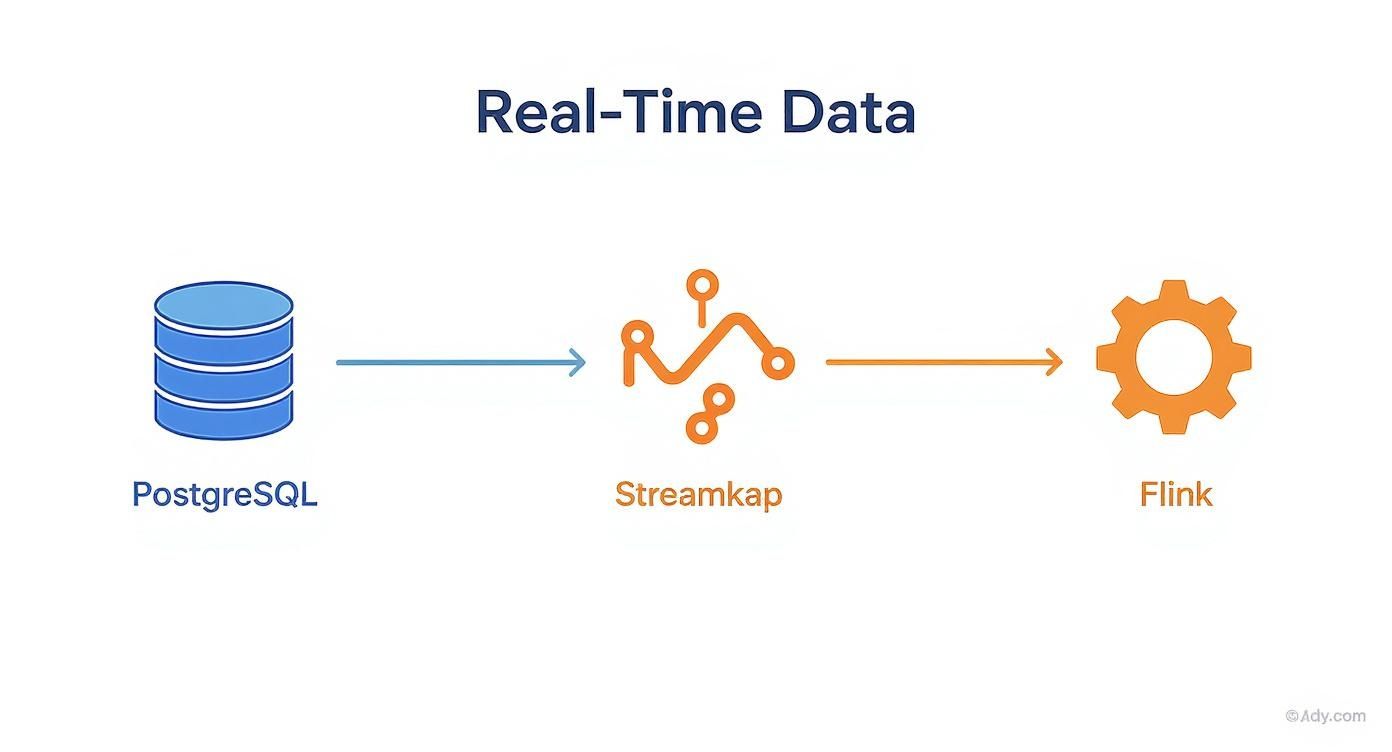
As you can see, Streamkap acts as the reliable connective tissue. It captures every single change from PostgreSQL via CDC and feeds it directly into your Flink job for immediate processing.
Here’s a quick breakdown of how each technology works together in a real-time data pipeline.
Core Components and Their Roles
ComponentRole in the PipelinePrimary BenefitPostgreSQL CDCCaptures row-level database changes (inserts, updates, deletes) as they happen.Provides a low-latency, reliable source of truth without impacting database performance.StreamkapManages the CDC process, schema evolution, and delivers data to a managed Kafka topic.Drastically simplifies infrastructure management and guarantees data delivery.Apache FlinkConsumes the data stream from Kafka and executes custom Java logic for stateful processing.Enables complex computations like aggregations, pattern detection, and enrichment.JavaThe programming language used to define the Flink job’s logic.Offers a stable, mature, and high-performance environment for building applications.
This setup lets you focus on the business logic inside your Java application, not on the plumbing required to keep the data flowing.
The Power of Stateful Stream Processing
Apache Flink has become the gold standard for stream processing for a reason. It was built from the ground up for stateful computations over data streams, making end-to-end exactly-once stateful stream processing a practical reality. Flink’s native Java support has been a massive driver of its wide adoption.
So, what does that actually mean for you?
- Complex Event Processing (CEP): You can identify meaningful patterns across sequences of events. Think of detecting a suspicious pattern of transactions for fraud detection or analyzing user clickstreams on a website.
- Accurate Aggregations: It allows you to perform windowed calculations (like counting transactions per user per minute) with guaranteed consistency, even if a machine fails.
- Built-in Fault Tolerance: Flink’s checkpointing mechanism, which Streamkap manages for you, ensures your application can recover its state precisely where it left off after a failure. No data loss, no duplicate processing.
By leaning into Flink’s stateful capabilities, you can build applications that remember and maintain context over time. This is something traditional, stateless ETL jobs simply can’t do, and it’s the key to gaining true, real-time intelligence from your data.
This approach gives you a massive competitive advantage by enabling you to react to events the moment they occur, not hours or days later.
Get Your Sources and Development Environment Ready
Before you write a single line of Java, there are a couple of things you need to sort out first. Getting your data sources and local development environment dialed in from the start is the key to avoiding a lot of pain later. A solid foundation ensures your data will flow smoothly from your database right into your Flink job.
The first big piece of the puzzle is getting your database set up for Change Data Capture (CDC). This is how Flink gets notified of every INSERT, UPDATE, and DELETE in real-time. If you want a deeper dive, our guide on what is Change Data Capture is a great place to start.
Turning On CDC in Your Database
Let’s take PostgreSQL as an example. You’ll need to enable logical replication, which lets an external system like Streamkap read the Write-Ahead Log (WAL). This is a really efficient, low-impact way to capture changes as they happen.
To do this, you’ll have to make a few tweaks to your postgresql.conf file:
wal_level = logical: This is the most important one. It tells Postgres to write enough detail to the WAL for logical decoding.max_wal_senders: You’ll want to bump this up to allow for more replication connections. A value of 10 is a good, safe starting point.max_replication_slots: This should be higher than the number of systems reading the logs. Again, 10 usually works well.
You’ll also need a dedicated database user with REPLICATION privileges. Don’t give it more permissions than it needs—just enough to read the replication stream. This follows the principle of least privilege and keeps things secure. If you’re on MySQL, the process is similar; you’ll just be enabling the binary log (binlog) in your my.cnf file.
Setting Up Your Java Flink Project
Once your database is ready to stream changes, it’s time to set up your local Java environment. It doesn’t matter if you prefer Maven or Gradle; the dependencies you’ll need for Flink are pretty much the same. Your build file is what tells your project which Flink version and connectors to use.
For a Maven project, your pom.xml should include these core dependencies:
org.apache.flinkflink-streaming-java${flink.version}providedorg.apache.flinkflink-connector-kafka${flink.version}org.apache.flinkflink-json${flink.version}
A Quick but Important Tip: Take a close look at the provided tag on the flink-streaming-java dependency. This is super important. It tells Maven not to bundle the core Flink libraries into your final JAR file. Streamkap’s managed Flink environment already has these libraries, so including them again would cause class-loading conflicts. Setting the scope to “provided” keeps your application artifact small and clean. And always, always make sure the Flink version you’re using locally matches the version running on Streamkap.
How to Code and Build Your Custom Flink Job in Java
Alright, with your development environment set up, it’s time for the fun part: writing the code. This is where you’ll turn your business logic into a real-time, stateful data processing job that’s built to run with Streamkap’s managed Flink service. We’re going to walk through a practical example that reads CDC data, transforms it, and even handles a few common headaches like schema changes.
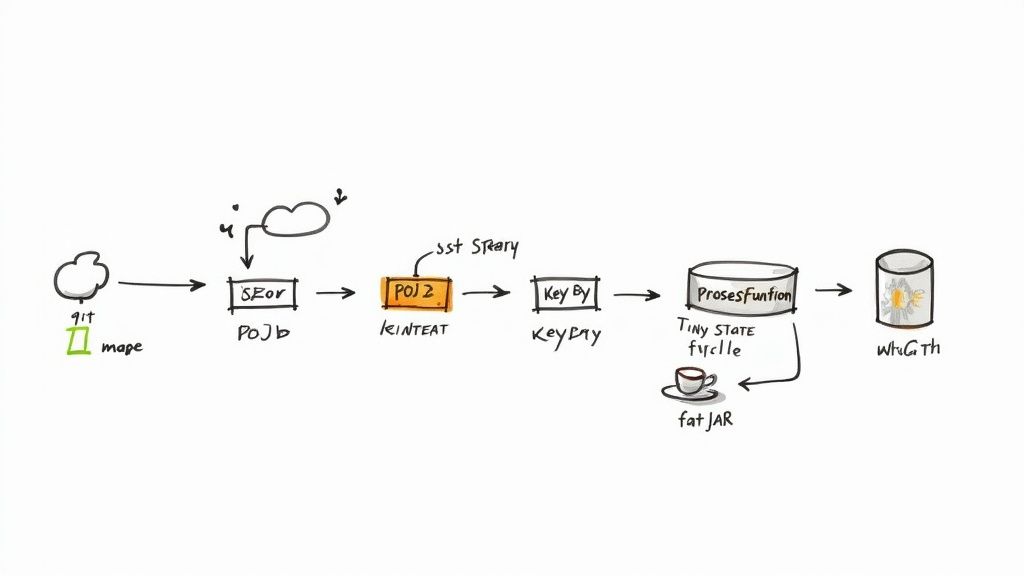
Our mission is to consume a stream of transaction data, formatted as JSON, from a Kafka topic that Streamkap manages. We’ll deserialize these raw messages into Plain Old Java Objects (POJOs). Trust me, working with clean, type-safe objects is infinitely better and more reliable than fumbling around with raw JSON strings in your code.
Defining Your Data Model with POJOs
First things first, let’s create a Transaction class. This POJO is a simple blueprint for the JSON messages we expect to receive. One of the biggest challenges in any CDC pipeline is dealing with schema evolution—what happens when someone adds a new column to the source database table?
To keep your job from crashing, you can lean on a handy annotation from the Jackson library.
import com.fasterxml.jackson.annotation.JsonIgnoreProperties;
@JsonIgnoreProperties(ignoreUnknown = true)
public class Transaction {
public long transaction_id;
public long user_id;
public double amount;
public String timestamp;
// Standard getters and setters omitted for brevity
}
That @JsonIgnoreProperties(ignoreUnknown = true) annotation is a real lifesaver. It essentially tells the JSON deserializer, “Hey, if you see a field in the message that isn’t in my Transaction class, just ignore it and move on.” This simple line makes your job resilient to additive schema changes, which are incredibly common in production.
Building the Flink DataStream Job
Now, let’s put together the main Flink job. The basic structure involves getting the execution environment, defining our Kafka source, applying some transformations, and then kicking off the job.
The entry point for any Flink application is the StreamExecutionEnvironment. Think of it as the context for everything you’re about to do. From there, we’ll configure a KafkaSource to pull data from the topic managed by Streamkap.
import org.apache.flink.streaming.api.environment.StreamExecutionEnvironment;
import org.apache.flink.api.common.eventtime.WatermarkStrategy;
import org.apache.flink.connector.kafka.source.KafkaSource;
// … other imports
public class FraudDetectionJob {
public static void main(String[] args) throws Exception {
final StreamExecutionEnvironment env = StreamExecutionEnvironment.getExecutionEnvironment();
KafkaSource source = KafkaSource.builder().setBootstrapServers("your-streamkap-kafka-brokers").setTopics("your-transaction-topic").setGroupId("fraud-detector-group").setStartingOffsets(OffsetsInitializer.earliest()).setValueOnlyDeserializer(new SimpleStringSchema()).build();DataStream kafkaStream = env.fromSource(source, WatermarkStrategy.noWatermarks(), "Kafka Source");// Next: Add transformations and executeenv.execute("Real-time Fraud Detection");}
}
This snippet gets the connection wired up, but the data is just flowing through without any processing. The real magic happens when we start using Flink’s transformation APIs like map, keyBy, and process.
Implementing Stateful Logic
Let’s plug in the actual business logic. We’ll start with a map function to parse the raw JSON string into our shiny new Transaction POJO. Then, we immediately use keyBy to partition the data stream by user_id. This is a key step; it guarantees that all transactions from the same user land on the same processing task, which is absolutely essential for any kind of stateful operation.
From there, we can introduce a ProcessFunction to implement custom logic. This is where you can do things like maintain a history of a user’s recent transactions to spot suspicious patterns in real time.
This is exactly where Apache Flink shines. Its ability to manage state efficiently at scale is a major advantage. Architectural improvements in recent versions have delivered massive performance gains for these types of jobs. For example, benchmarks for Flink 2.0 showed throughput improvements of 75% to 120% for stateful queries with heavy I/O.
Packaging Your Job into a Fat JAR
Once your code is written and tested, the final step before deployment is packaging it all up. You need to create what’s called a “fat JAR” (or an uber JAR). This is a single, self-contained JAR file that bundles your application code plus all of its dependencies—the Kafka connector, the JSON library, everything. This is the artifact you’ll upload to the Streamkap platform.
- If you’re using Maven: The
maven-shade-pluginis your best friend. It automatically pulls in all the necessary dependency classes and packages them into a single file. - If you’re a Gradle fan: The
shadowJarplugin does the exact same thing, giving you a portable JAR that’s ready to go.
After the build finishes, you’ll have a single file like your-job-name-all.jar. This package contains everything the Flink cluster needs to run your code, ensuring a clean, hassle-free deployment in the Streamkap environment.
Deploy and Configure Your Java Job in Streamkap
Alright, you’ve built and tested your self-contained fat JAR locally. Now it’s time for the exciting part: bringing it to life in a production environment. This is where Streamkap’s Apache Flink Java support really shines, letting you sidestep all the tedious infrastructure management that can bog down a custom streaming project. Forget about manually provisioning Flink clusters or wrestling with network configurations to connect to Kafka.
Instead of getting lost in YAML files and command-line scripts, you’ll use Streamkap’s intuitive user interface. It’s built for developers, making the process as simple as uploading your JAR file directly through the dashboard. This means your team can deploy powerful, custom stream processing logic without needing a dedicated Flink or DevOps specialist.
Navigating the Deployment UI
While Streamkap simplifies things, having a grasp of core concepts from general DevOps pipeline guides can help you create a truly efficient and automated workflow. Inside the Streamkap UI, you’ll find a few critical configuration options that directly control your job’s performance and stability.
Here are the key settings you’ll need to dial in:
- Job Parallelism: This is the number of parallel task slots your job will use. Getting this right is a balancing act. Higher parallelism boosts throughput but also increases resource consumption. Start with a reasonable number and adjust based on performance.
- Checkpoint Interval: This setting tells Flink how often to save a snapshot of your application’s state. A shorter interval, like 30 seconds, means faster recovery if something goes wrong, but it comes with a bit more operational overhead.
- JVM Options: For those who need to fine-tune performance, this is where you can pass specific arguments to the Java Virtual Machine. A common use case is setting heap memory sizes (e.g.,
-Xmx4g) or tweaking garbage collection behavior.
The dashboard pulls all these controls into one clean view, taking the guesswork out of the deployment process. Once you’ve uploaded your JAR and set these parameters, a single click kicks everything off.
Automated Connection and Management
One of the biggest wins with Streamkap is how it handles connectivity behind the scenes. It automatically injects the required Kafka bootstrap server details and security credentials directly into your Flink job’s environment. This is a huge relief—no hardcoding sensitive information or managing messy connection configs in your Java code. You can find more details on how this works in our guide to managed Flink services.
Streamkap, built on Flink and Kafka, is all about making real-time data streaming accessible. In a powerful case study, point-of-sale provider SpotOn saw a 4x performance improvement and a 3x reduction in TCO after moving to the platform.
After your job is launched, you can keep an eye on its health and performance right from the same interface. It creates a truly smooth experience, from writing the first line of code to monitoring your live pipeline.
7. Monitor and Troubleshoot Your Live Flink Application
Once your Java Flink job is up and running, your focus naturally shifts from development to observation. This isn’t just about ticking a box for “monitoring”; it’s about actively maintaining the health and performance of your data pipeline. When you combine Streamkap with Apache Flink, you get a powerful set of tools that offer a deep look into how your application is behaving, letting you spot small hiccups before they snowball into major outages.
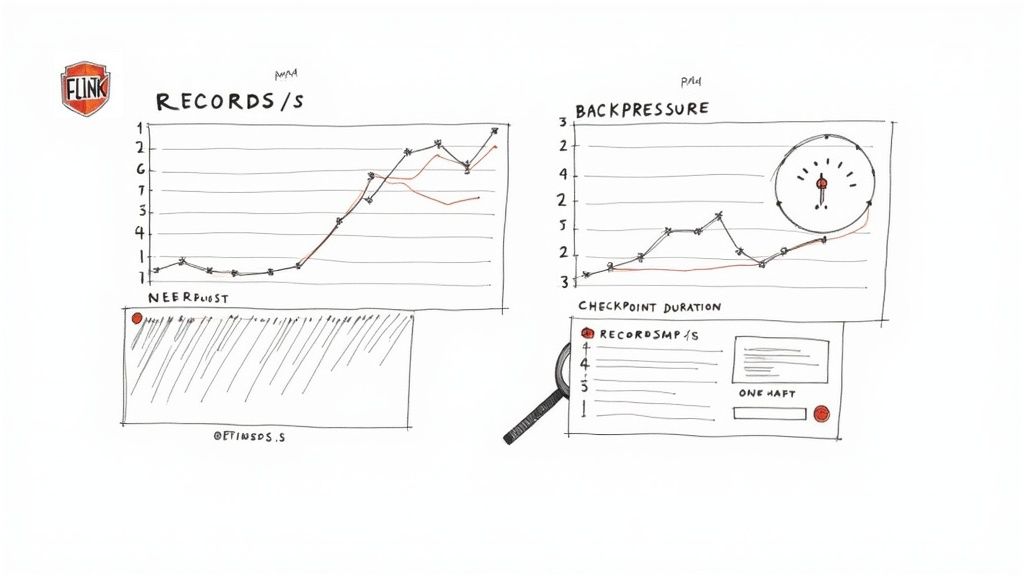
Your first port of call is usually the Streamkap dashboard. It’s perfect for getting a quick, high-level pulse check on health metrics and logs. But when you need to dig deeper, the Flink UI is where the real action is. This is your command center for real-time performance analysis, packed with detailed graphs and metrics for every single operator in your job.
Key Metrics to Watch
The Flink UI throws a lot of data at you, and it can be a bit overwhelming at first. To avoid getting lost in the noise, I always recommend focusing on a handful of key indicators that give you the clearest picture of your application’s health.
- Records Processed Per Second: Think of this as your pipeline’s main speedometer. If you see a sudden, unexpected drop, it could be a sign of a problem with an upstream data source or a new bottleneck that’s popped up in your job.
- Checkpoint Duration and Size: These two are critical for your application’s fault tolerance. If you notice checkpoint durations creeping up, it might mean your job’s state is getting too big, which will make recovery take much longer if something fails.
- Backpressure: This is arguably the most important metric to watch. When an operator shows high backpressure (you’ll see a red or orange warning in the Flink UI), it’s screaming that it can’t keep up with the data it’s being fed. This is a dead giveaway that a downstream task is acting as a bottleneck.
Of course, Flink-specific tools are only part of the story. Applying general monitoring best practices helps you connect the dots between what’s happening inside Flink and the health of your overall system.
A Practical Troubleshooting Guide
When things go sideways, having a methodical game plan is a lifesaver. Most problems you’ll encounter tend to fall into a few common categories, and each has a pretty clear diagnostic path.
From my experience, the most frequent culprit in custom Java jobs is a deserialization error. This almost always happens when the JSON coming in from Kafka no longer matches the POJO class you defined. Maybe a new field was added, or an old one was removed. The Flink task manager logs are always the first place you should look.
Here’s a quick cheat sheet for handling common issues:
-
Problem: The job keeps crashing with a
NullPointerException. -
Action: Dive into the logs and look for deserialization warnings. Chances are, a field you were expecting in the incoming data is now missing, making a field in your POJO
nullwhere your code doesn’t expect it. The quick fix is to add defensive null checks in yourmaporProcessFunction. -
Problem: Backpressure is high on one specific operator.
- Action: Use the Flink UI to pinpoint the sluggish task. The cause could be an expensive operation (like a slow API call) or simply not enough resources. Try increasing the parallelism for that specific part of your job to spread the load.
-
Problem: Checkpoints are failing or taking way too long.
- Action: It’s time to investigate the size of your application’s state. You may need to get smarter about how you’re managing it. Consider using more efficient data structures or setting a Time-To-Live (TTL) configuration to have Flink automatically clean out old state you no longer need.
Common Flink and Java Questions Answered
When you start building custom stream processing jobs, especially with a beast like Apache Flink in Java, you’re bound to hit a few roadblocks. Let’s walk through some of the most common questions I hear from engineers using Apache Flink Java support with Streamkap, based on what we’ve seen in the field.
It’s only natural that one of the first things developers ask about is libraries. After all, nobody wants to be stuck in a walled garden, and dependency management can turn into a real nightmare if you’re not careful.
Can I Use Any Java Library in My Flink Job?
Yes, you absolutely can. You have the freedom to bundle any third-party Java or Scala library you need directly into your Flink job. The trick is to build what’s often called a “fat JAR” or “uber JAR.”
Tools like the Maven Shade Plugin or Gradle’s ShadowJar are your best friends here. They package up your application code along with all its dependencies into a single, neat artifact. When you upload that JAR to Streamkap, the Flink cluster has everything it needs to run your code, no questions asked.
My number one piece of advice: always double-check that your project’s Flink version matches the version running on Streamkap. A mismatch is one of the most common, and frustrating, causes of weird compatibility bugs. Get them aligned from the start, and you’ll save yourself a lot of headaches.
How Does Streamkap Handle Job Failures and State?
This is where you really see the benefit of a managed platform. Streamkap takes failure recovery completely off your plate by using Flink’s built-in fault tolerance, specifically its powerful checkpointing system.
All you do is set a checkpointing interval in the Streamkap UI—say, every 60 seconds. Under the hood, Flink takes care of capturing a consistent snapshot of your job’s state and tucking it away in durable, managed storage.
If a worker node hiccups or a task fails for some reason, Flink automatically restarts the job and picks up right where it left off, using the last good checkpoint. This whole process ensures exactly-once processing semantics, meaning no data gets lost or processed twice. It just works, without you having to lift a finger.
What Is the Best Way to Handle Schema Changes?
Schema evolution is a fact of life in any CDC pipeline. Sooner or later, someone will add a new column to a source table, and if you’re not ready for it, your job will crash with a deserialization error. The best way I’ve found to deal with this in a Java Flink job is to build a little flexibility into your data models from the get-go.
If you’re processing JSON, the solution is surprisingly simple. When using a library like Jackson, you can add a single annotation to your data class (your POJO): @JsonIgnoreProperties(ignoreUnknown = true).
That one line tells the deserializer to just ignore any fields in the incoming JSON that it doesn’t recognize. Your pipeline becomes instantly resilient to additive schema changes, and your job keeps humming along even when the upstream sources change.
Ready to build powerful, custom streaming applications without the operational overhead? With Streamkap, you can deploy your own Flink Java jobs on a fully managed, auto-scaling platform. Explore our managed Flink solution today!